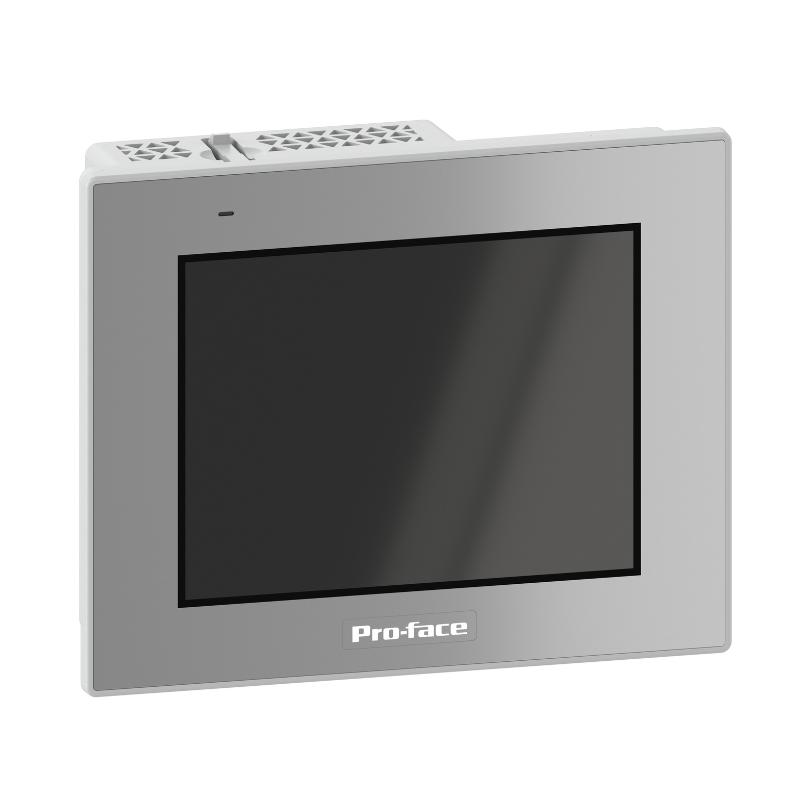
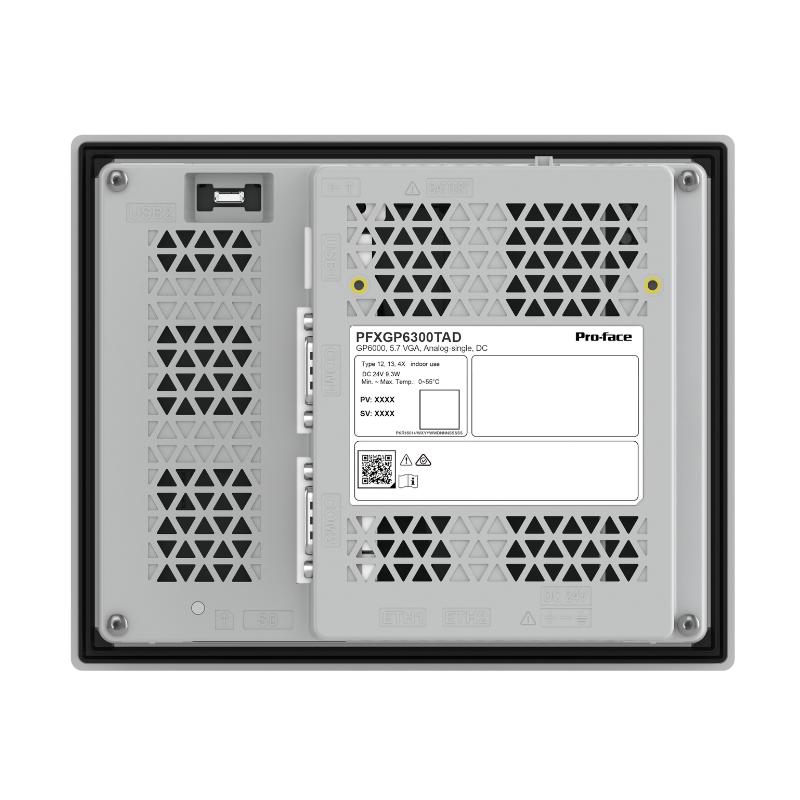
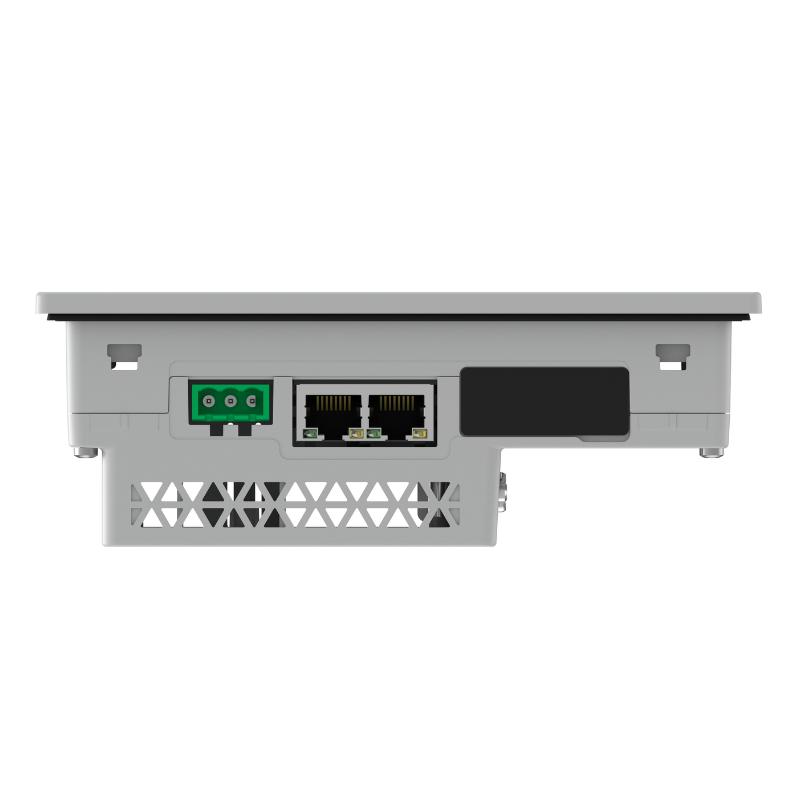
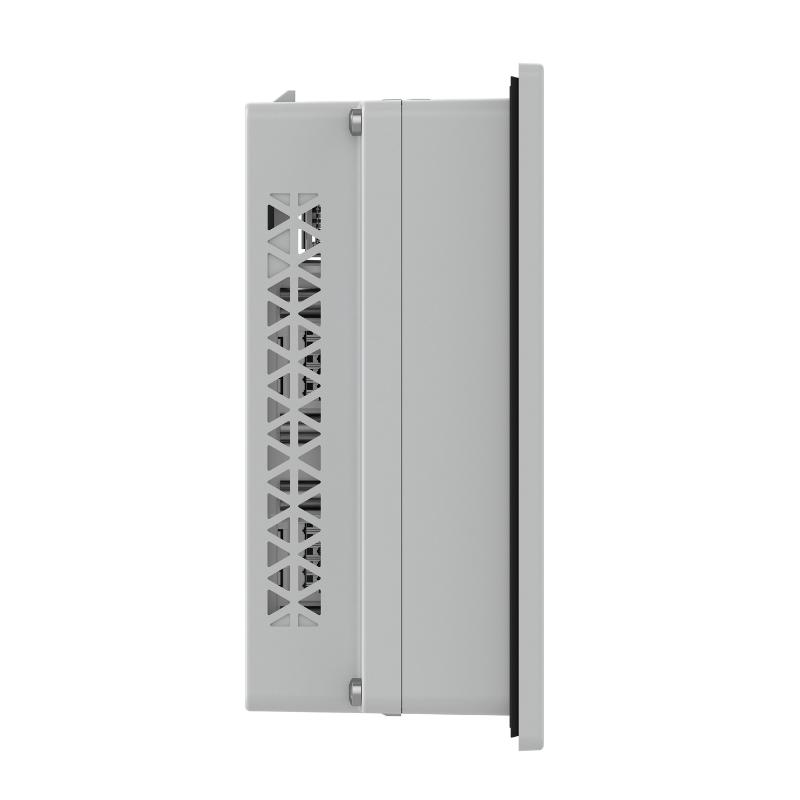
Brand:Schneider PLC Item No.:PFXGP6300TAD Product Origin:France Product Dimensions:169.5 x 59.5 x 137 mm Product Weight:0.8 kg Payment:T/T, Western Union, Credit Card Goods_stock:15 Shipping Port:Xiamen, China Lead Time:1-3 Days Condition:Brand New And Original Warranty:1 Year Certificate:COO
Introduction – Schneider Electric PFXGP6300TAD Industrial Touchscreen
The Schneider Electric PFXGP6300TAD Touchscreen is an industrial operator interface product identified by its specific model designation. Touchscreen HMIs provide an essential connection between operators and automated machinery, allowing users to access machine information and interact with configured control functions through a visual interface.
In manufacturing environments, operators frequently need to monitor production conditions, review alarms, adjust permitted parameters, and check equipment status. An appropriately configured HMI brings these functions together in one accessible operating environment.
The PFXGP6300TAD is relevant to industrial automation procurement where this exact model is specified. When selecting a replacement or integrating the unit into an existing installation, engineers should verify its hardware specifications, communication capabilities, software compatibility, and power requirements.
For machine manufacturers, automation contractors, and industrial maintenance departments, correct HMI identification is particularly important because display hardware and engineering projects must remain compatible with the overall control architecture.
Whether required for an existing machine, an equipment refurbishment project, or industrial spare-parts inventory, the Schneider PFXGP6300TAD should be evaluated against the original system requirements.
Technical Specifications – Product Dimensions and Weight
Parameter
Specification
Brand
Schneider Electric
Model
PFXGP6300TAD
Product Type
Touchscreen HMI
Product Category
Industrial Operator Interface
Main Function
Machine Monitoring and Operator Interaction
Dimensions (H × W × D)
169.5 × 59.5 × 137 mm
Weight
0.8 kg / 1.76 lb
Application
Industrial Automation and Machine Control
Communication
Subject to Supported Interfaces
Installation
Industrial Equipment / Control Panel
Manufacturer
Schneider Electric
Technical Selection Notes
Before purchasing or commissioning the PFXGP6300TAD, verify the operating voltage, display characteristics, communication interfaces, mounting requirements, and supported engineering software.
For replacement applications, the existing HMI project and PLC communication configuration should also be checked to avoid compatibility problems during system restoration.
Recommended Related Models – Schneider Electric HMI and Touchscreen Products
The following Schneider Electric touchscreen and operator interface models may be relevant when comparing HMI solutions for industrial automation projects. Their display characteristics, communication capabilities, and engineering software requirements should be checked individually.
Model
Product Description
HMIGTO3510
Harmony GTO Touchscreen HMI
HMIGTO4310
Harmony GTO Touchscreen HMI
HMIGTO5310
Harmony GTO Touchscreen HMI
HMIGTO6310
Harmony GTO Touchscreen HMI
HMIGXU3512
Harmony Touchscreen HMI
HMIGXU5512
Harmony Touchscreen HMI
HMIG5U
Harmony HMI
HMISTU655
Harmony Touchscreen HMI
HMISTO735
Harmony Touchscreen HMI
HMISTU855
Harmony Touchscreen HMI
Popular Related Models – Industrial HMI and Operator Interface Range
For customers sourcing Schneider Electric operator interfaces, the following additional models may also be relevant to machine maintenance, HMI replacement, and industrial automation procurement.
Model
Product Description
HMIGTO2300
Harmony GTO HMI
HMIGTO2310
Harmony GTO HMI
HMIGTO3510
Harmony GTO HMI
HMIGTO4310
Harmony GTO HMI
HMIGTO5310
Harmony GTO HMI
HMIGTO6310
Harmony GTO HMI
HMIGXO3501
Harmony HMI
HMIGXU3512
Harmony HMI
HMIGXU5512
Harmony HMI
HMISTU855
Harmony HMI
Schneider Electric HMI and Industrial Automation Spare Parts
We provide sourcing assistance for Schneider Electric touchscreen HMIs, PLC modules, industrial controllers, communication modules, variable-speed drives, and other automation components.
Whether you are maintaining an existing machine or sourcing replacement operator interface equipment, providing the complete model number helps ensure accurate product identification and more efficient procurement.
Applications – Operator Interface Solutions for Industrial Automation
The Schneider Electric PFXGP6300TAD Touchscreen is an industrial operator interface component designed to support communication between machine operators and automation equipment. Human-machine interfaces (HMIs) play an important role in modern production environments by providing access to operating information, machine status, alarms, and control functions.
In industrial automation systems, a touchscreen interface helps operators interact with PLC-based control architectures without directly accessing the underlying control hardware. Depending on the installed configuration and system compatibility, the PFXGP6300TAD can be considered for applications such as:
Manufacturing Equipment: Provides an operator interface for monitoring machine operating conditions and accessing configured control functions.
Production Line Management: Supports operator interaction with automated production processes and equipment status information.
Industrial Process Monitoring: Displays process variables, operating states, and alarm information configured within the HMI application.
Packaging Machinery: Used in suitable machine control environments where operators need access to production settings and operating commands.
Material Handling Systems: Supports operator supervision of conveyor equipment and automated handling processes.
Equipment Maintenance: Provides access to diagnostic information and operating messages that can assist maintenance personnel.
PLC-Based Automation: Serves as an operator-facing interface within compatible programmable controller architectures.
A properly configured HMI improves operator visibility and makes machine interaction more straightforward, particularly in installations involving multiple operating parameters and control functions.
Advantages – Practical Benefits for Machine Operators and Integrators
1. Direct Touchscreen Interaction
The touchscreen interface provides a convenient way for operators to interact with configured machine functions. It can simplify routine operations and reduce dependence on separate physical control devices.
2. Improved Machine Visibility
An HMI application can display operating parameters, equipment status, alarms, and process information in a centralized interface. This helps operators understand machine conditions more efficiently.
3. Integration with Industrial Control Systems
The PFXGP6300TAD can be evaluated for integration into compatible automation architectures. Communication settings, controller compatibility, and supported protocols must be confirmed before installation.
4. Flexible Operator Interface Design
HMI software allows engineers to organize information into application-specific screens. Depending on the supported platform, these screens can present machine status, operating instructions, alarm messages, and process values.
5. Support for Equipment Diagnostics
When correctly configured, an operator interface can display fault messages and diagnostic information received from connected controllers. This helps maintenance personnel identify abnormal operating conditions more quickly.
6. Convenient Machine Operation
Centralized touchscreen access can simplify common operator tasks, including viewing process information, selecting operating modes, and entering permitted machine parameters.
7. Suitable for Industrial Automation Projects
For machine builders and system integrators, selecting an appropriate HMI is an important part of developing a consistent operator control environment. Correct model matching helps maintain compatibility with the existing system architecture.
Technical FAQs – Configuration, Communication and Troubleshooting
Q1: What is the main function of the Schneider PFXGP6300TAD Touchscreen?
A: It is identified as an industrial touchscreen HMI component. Its purpose is to provide an operator interface for interacting with compatible automation equipment and displaying configured machine information.
Q2: Can the PFXGP6300TAD communicate with a PLC?
A: HMI-to-PLC communication depends on the supported communication interfaces, protocols, and controller compatibility of the specific model. The communication configuration should be verified before connecting the equipment.
Q3: What should be checked before installing the touchscreen?
A: Confirm the exact model number, power supply requirements, mounting arrangement, environmental conditions, communication interfaces, and compatibility with the existing control system.
Q4: Why might the touchscreen fail to power on?
A: Possible causes include an incorrect power supply, loose wiring, reversed polarity where applicable, damaged connectors, or an internal hardware fault. Check the specified supply requirements before further troubleshooting.
Q5: What can cause communication failure between an HMI and PLC?
A: Common causes include incorrect communication parameters, mismatched protocols, incorrect device addresses, wiring problems, network configuration errors, or incompatible controller settings.
Q6: Why does an HMI display incorrect process values?
A: Incorrect values may result from PLC tag mapping errors, data type mismatches, scaling problems, incorrect register addresses, or communication configuration issues. Both the HMI project and PLC program should be checked.
Q7: Can HMI screens be customized for different machine applications?
A: HMI screen layouts and functions depend on the supported programming environment. Compatible engineering software can be used to develop application-specific displays, operating controls, and alarm screens.
Q8: What should be done if the touchscreen does not respond accurately?
A: Check the screen surface for contamination or damage, verify the operating environment, and inspect the device's touch configuration where supported. Persistent problems may indicate a hardware or calibration issue.
Q9: How can operators use the HMI to support equipment troubleshooting?
A: Configured diagnostic screens can display alarms, operating status, process values, and fault messages. These details help maintenance personnel narrow down potential problems before inspecting the associated hardware.
Q10: What information is required when replacing a PFXGP6300TAD?
A: Verify the complete model designation, display and mounting characteristics, power requirements, communication interfaces, project compatibility, and applicable accessories. The replacement must support the original machine's HMI application and control architecture.