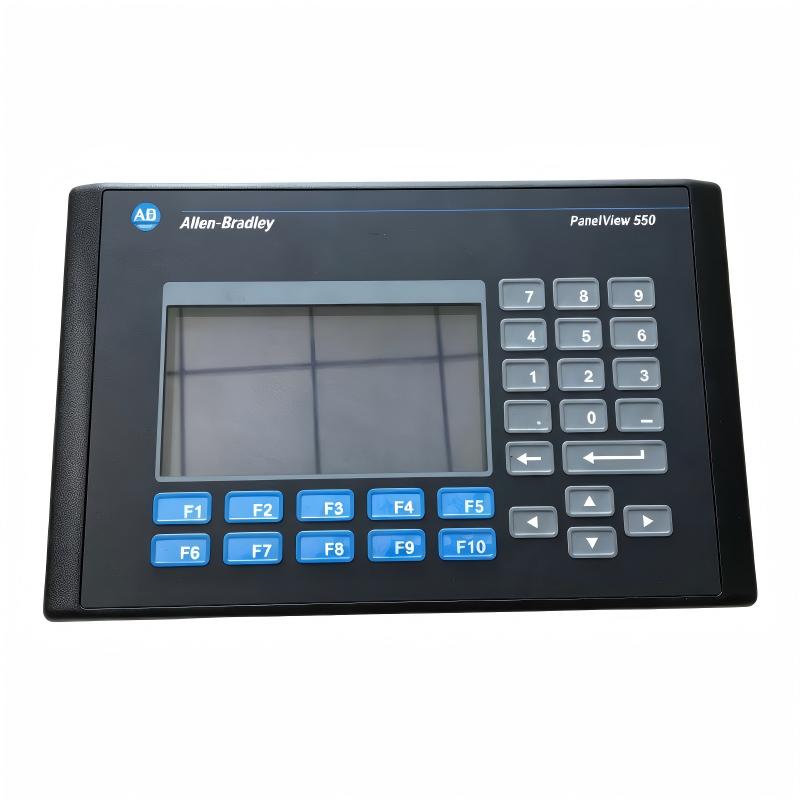
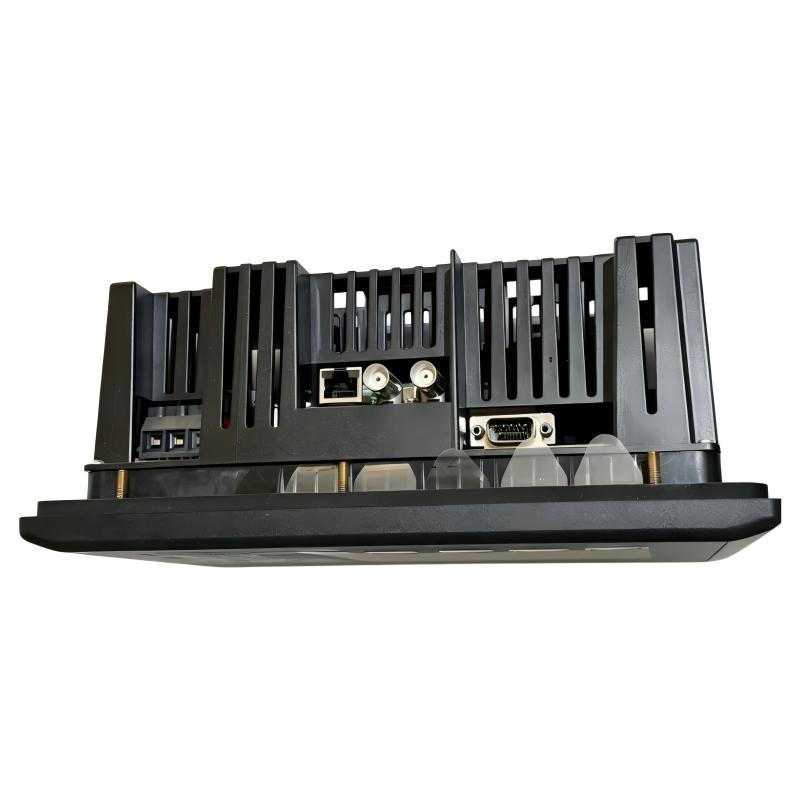
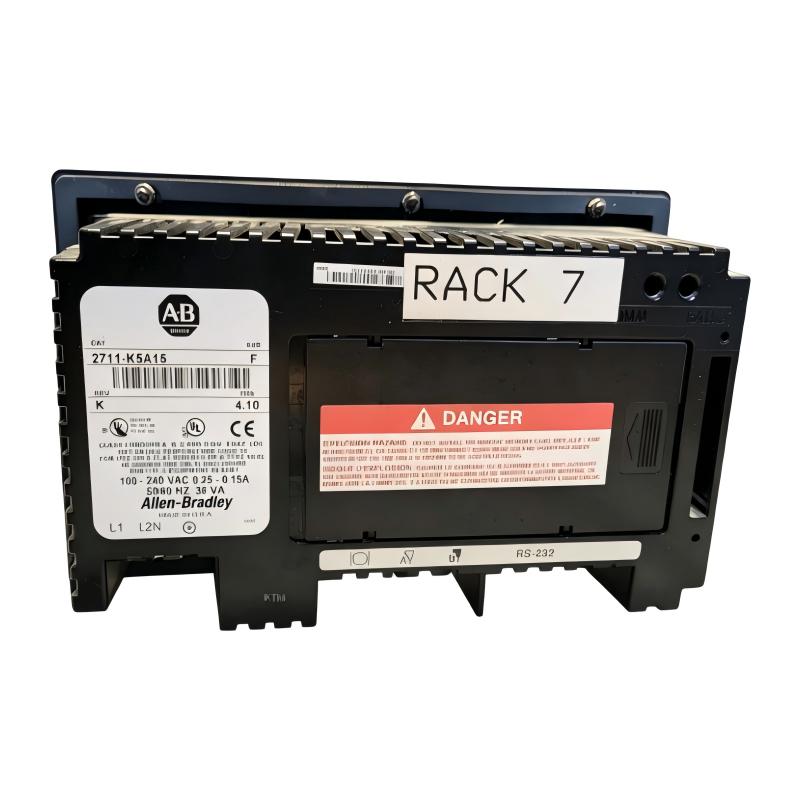
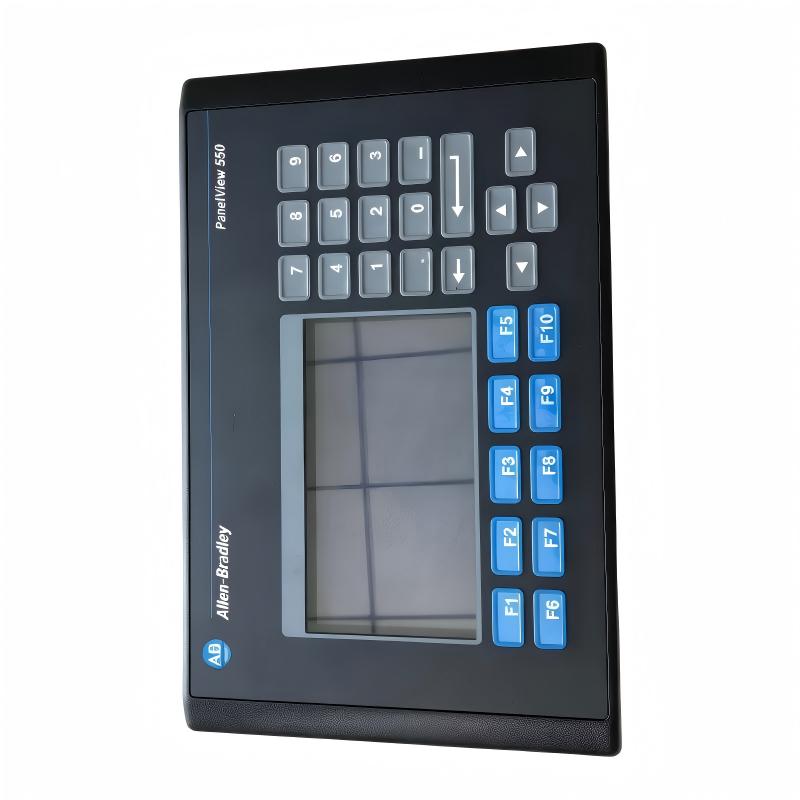
Allen Bradley 2711-K5A15 PanelView 550 Operator Interface
Allen Bradley 2711-K5A15 PanelView 550 Operator Interface
0.0
Points
Brand:Allen Bradley PLC Item No.:2711-K5A15 Product Origin:USA Product Dimensions:266 x 106 x 167 mm Product Weight:1.2 kg Payment:T/T, Western Union, Credit Card Goods_stock:15 Shipping Port:Xiamen, China Lead Time:1-3 Days Condition:Brand New And Original Warranty:1 Year Certificate:COO
The Allen Bradley 2711-K5A15 PanelView 550 Operator Interface is designed to provide dependable machine interaction and visualization for industrial automation applications. It enables operators to communicate effectively with control systems by displaying important production information and allowing direct equipment commands.
The PanelView 550 family is widely recognized for supporting practical HMI solutions in manufacturing environments. The 2711-K5A15 combines industrial durability with straightforward operation, making it suitable for machine builders and automation engineers requiring a reliable operator interface.
By providing accessible control functions, real-time equipment information, and efficient system interaction, this operator interface helps improve productivity, simplify troubleshooting, and enhance overall machine operation.
Technical Specifications
Specification
Details
Brand
Allen Bradley
Model
2711-K5A15
Product Type
PanelView 550 Operator Interface
HMI Series
PanelView 550
Application
Industrial Human Machine Interface
Display Function
Machine Visualization and Operator Control
Communication Capability
Industrial Controller Communication
Input Method
Operator Keypad Interface
Installation Type
Panel Mount Installation
System Application
Machine Monitoring and Control
Dimensions
266 × 106 × 167 mm
Weight
1.20 kg (2.65 lb)
Recommended Related Models for Industrial HMI Applications
Model
Description
Allen Bradley 2711-K5A15
PanelView 550 Operator Interface
Allen Bradley 2711-K5A16
PanelView 550 Operator Terminal
Allen Bradley 2711-K5A8
PanelView 550 HMI Terminal
Allen Bradley 2711-T5A8L1
PanelView 550 Touch Operator Interface
Popular Allen Bradley PanelView HMI Models
Model
Description
Allen Bradley 2711P-T10C4D1
PanelView Plus 7 Operator Terminal
Allen Bradley 2711P-RP8D
PanelView Plus Logic Module
Allen Bradley 2711-T10C15
PanelView 1000 Operator Terminal
Allen Bradley 2711P-T12W22D9P
PanelView Plus 7 Performance Terminal
Industrial Applications and Operator Interface Deployment
The Allen Bradley 2711-K5A15 PanelView 550 Operator Interface is a compact human-machine interface (HMI) terminal designed to provide reliable operator interaction, machine monitoring, and process control in industrial automation environments. As part of the PanelView 550 series, this operator interface enables users to visualize machine status, enter commands, and manage production operations through an intuitive display platform.
Designed for OEM machinery, factory automation systems, and process applications, the 2711-K5A15 provides an efficient interface between operators and control systems. Its practical design allows technicians to monitor equipment performance, adjust operating parameters, and respond quickly to production conditions.
Typical application areas include:
Machine control panels
Packaging and assembly equipment
Manufacturing production lines
Material handling systems
Process monitoring stations
Industrial automation equipment
The PanelView 550 Operator Interface helps improve operational efficiency by providing clear machine information, simplified control access, and dependable communication with industrial controllers.
Key Advantages and System Benefits
Efficient Operator Interaction
The PanelView 550 provides an intuitive interface that allows operators to monitor machine conditions and execute control commands efficiently.
Reliable Industrial Visualization
Designed for factory environments, the terminal delivers clear display information for production monitoring and equipment operation.
Simplified Machine Control
Operators can access important machine functions, status information, and process parameters through a centralized interface.
Flexible Automation Integration
The terminal supports connection with Allen Bradley control systems, enabling effective communication between operators and automation equipment.
Reduced Maintenance Complexity
Clear diagnostic information and accessible control functions help technicians identify issues and maintain equipment more efficiently.
Technical FAQs and Troubleshooting Guide
Q1: What is the main function of Allen Bradley 2711-K5A15? A: It is a PanelView 550 Operator Interface used for machine visualization, operator input, and industrial control system interaction.
Q2: What types of systems can use this operator interface? A: It is commonly used in manufacturing machines, production lines, packaging systems, and industrial automation equipment.
Q3: What should be configured before installing the HMI? A: Communication settings, screen configuration, controller connections, application files, and operator functions should be verified.
Q4: Why does the PanelView fail to communicate with the controller? A: Possible causes include incorrect communication settings, cable problems, controller configuration errors, or network issues.
Q5: How can display operation problems be diagnosed? A: Check power supply conditions, display settings, application files, hardware status, and communication configuration.
Q6: Why does the HMI show incorrect machine data? A: Possible causes include incorrect tag mapping, controller data issues, communication delays, or application configuration errors.
Q7: What causes application loading failures? A: Common causes include corrupted application files, incompatible project settings, memory issues, or transfer errors.
Q8: How can operator response performance be improved? A: Optimize screen design, reduce unnecessary graphics, verify communication performance, and maintain proper configuration.
Q9: What should be checked if the terminal does not power on? A: Inspect incoming power, wiring connections, protective devices, and hardware condition.
Q10: Why should HMI application backups be maintained? A: Backups allow faster recovery during replacement, maintenance, or unexpected system failures.