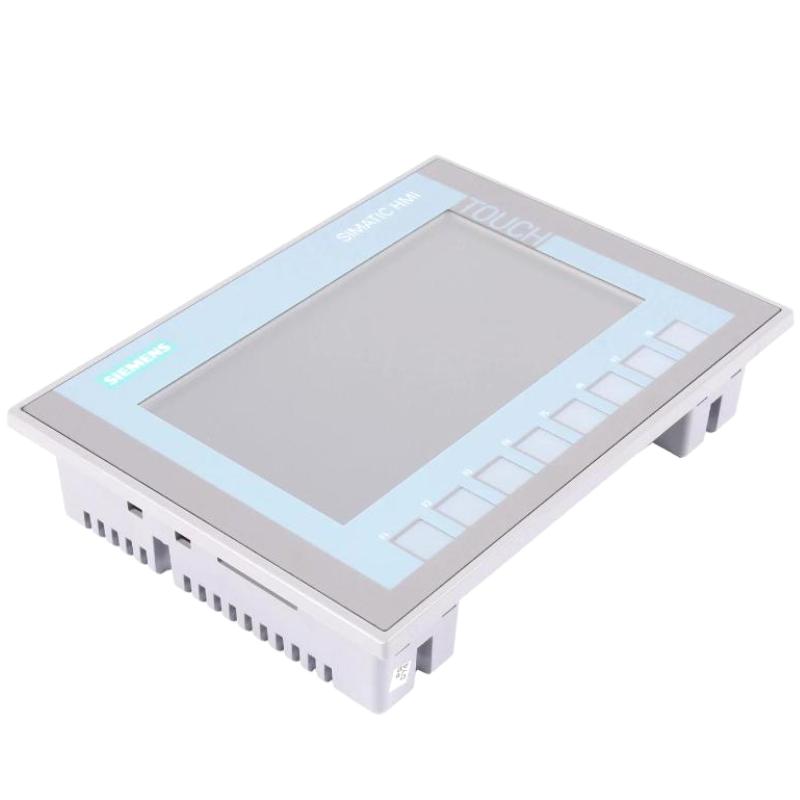
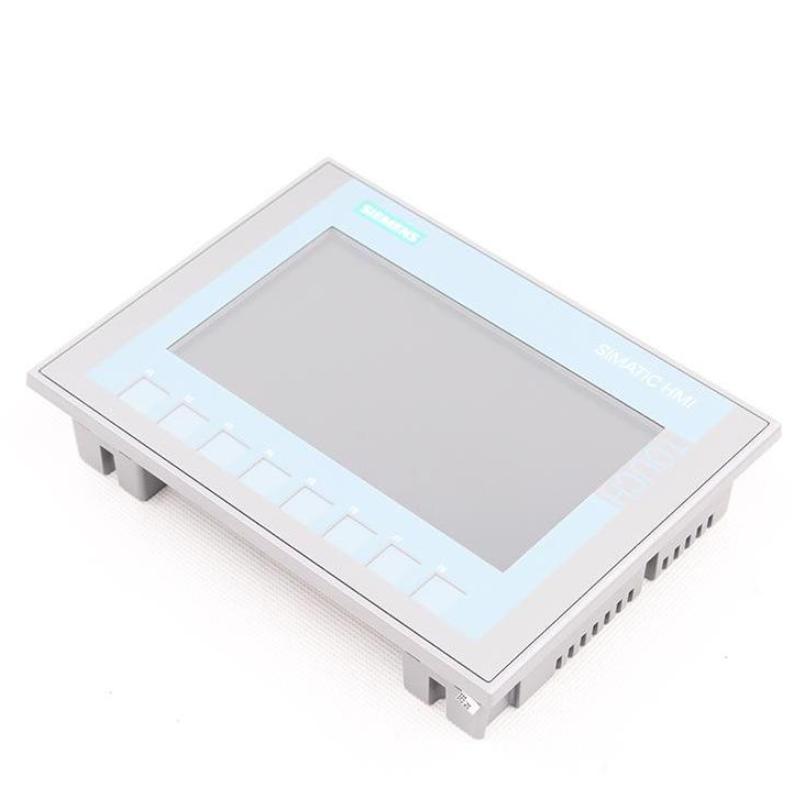
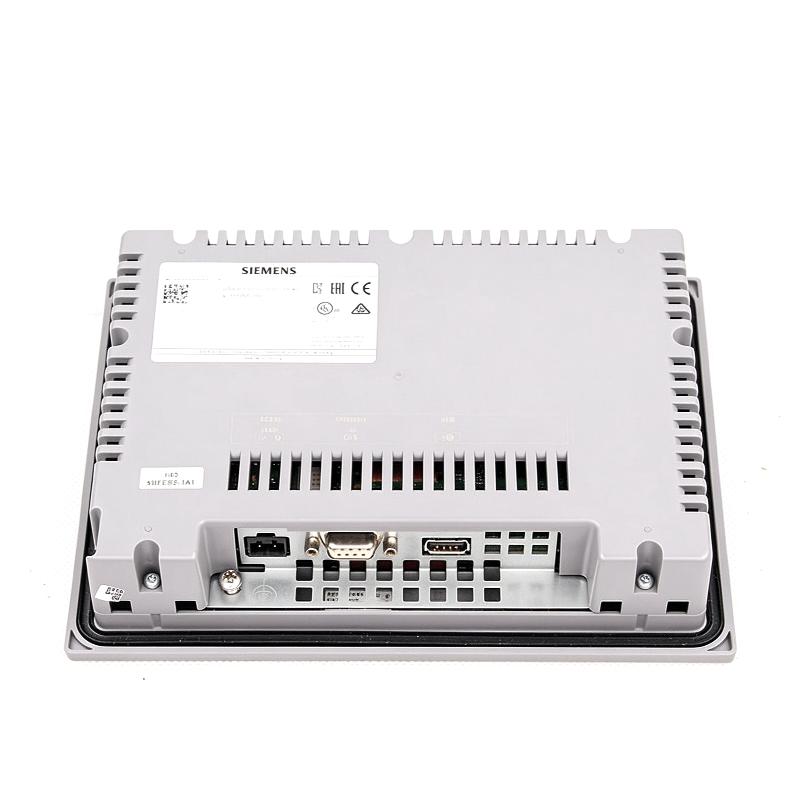
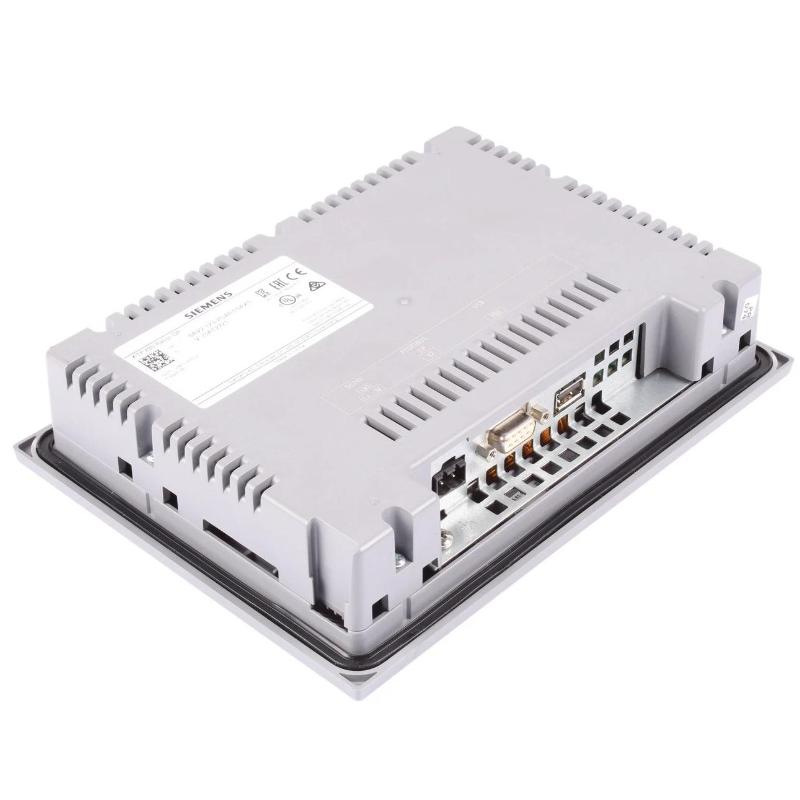
Brand:Siemens Item No.:6AV2123-2GA03-0AX0 Product Origin:Germany Product Dimensions:214 × 158 × 39 mm Product Weight:0.988 kg Payment:T/T, Western Union, Credit Card Goods_stock:15 Shipping Port:Xiamen, China Lead Time:1-3 Days Condition:Brand New And Original Warranty:1 Year Certificate:COO
The Siemens 6AV2123-2GA03-0AX0 Basic Panel belongs to the SIMATIC HMI product family, which provides operator interfaces for industrial automation systems. HMI panels enable operators to interact with machine controllers through configured screens that present process information, operating states, and alarms.
In a typical installation, the panel is integrated with a compatible PLC and configured using Siemens engineering software. The HMI project defines the displayed values, navigation structure, alarm behavior, and operator controls. This makes the panel useful for applications that require a dedicated machine interface without the complexity of a larger visualization system.
When selecting this model for a new installation or replacement project, verify the exact hardware variant, communication capabilities, software compatibility, and installation requirements against the equipment documentation.
Technical Specifications
Parameter
Specification
Brand
Siemens
Model
6AV2123-2GA03-0AX0
Product Type
SIMATIC HMI Basic Panel
Product Designation
KTP700 Basic DP
Display Size
7-inch
Display Type
TFT widescreen display with LED backlighting
Display Resolution
800 × 480 pixels
Display Colors
65,536 colors
Operating Method
Touchscreen and function keys
Function Keys
8
Touch Technology
Analog resistive
Communication Interface
PROFIBUS
Rated Supply Voltage
24 V DC
Permissible Supply Voltage
19.2–28.8 V DC
Typical Power Consumption
5.5 W
Typical Current Consumption
230 mA
Engineering Software
SIMATIC WinCC Basic V13 / STEP 7 Basic V13 or compatible version
Front Dimensions
214 × 158 mm
Mounting Cutout
197 × 141 mm
Overall Depth
39 mm
Dimensions (W × H × D)
214 × 158 × 39 mm (8.43 × 6.22 × 1.54 in)
Weight
0.988 kg (2.18 lb)
Product Family
SIMATIC HMI Basic Panels, 2nd Generation
Recommended Related Models
Model
Product Name
Description
6AV2123-2GA03-0AX0
KTP700 Basic DP
7-inch HMI panel with PROFIBUS interface
6AV2123-2GB03-0AX0
KTP700 Basic
7-inch HMI panel with PROFINET interface
6AV2123-2DB03-0AX0
KTP400 Basic
Compact 4-inch HMI panel
6AV2123-2JB03-0AX0
KTP900 Basic
9-inch HMI panel
6AV2123-2MB03-0AX0
KTP1200 Basic
12-inch HMI panel
Confirm communication interfaces, engineering software requirements, and installation dimensions before selecting a replacement model.
Popular Related Models
Model
Product Type
Application
6ES7315-2AG10-0AB0
SIMATIC S7-300 CPU
PLC control applications
6ES7392-1AJ00-0AA0
Front Connector
S7-300 signal-module wiring
6ES7972-0BA12-0XA0
PROFIBUS Bus Connector
PROFIBUS network connections
6AV2123-2GB03-0AX0
KTP700 Basic HMI
Operator control and monitoring
6AV2124-0GC01-0AX0
SIMATIC HMI Comfort Panel
Advanced operator visualization
These related components may be relevant to Siemens automation projects involving HMI operation, PLC control, and PROFIBUS communication. Verify exact hardware and system compatibility before ordering.
Applications
The Siemens 6AV2123-2GA03-0AX0 Basic Panel is a SIMATIC HMI operator interface designed for machine operation, process visualization, and basic control interaction in industrial automation systems. It allows operators to monitor machine status, view process values, acknowledge alarms, and interact with PLC-controlled equipment through a graphical interface.
Typical applications include:
Machine control and monitoring: Display operating status, process values, and equipment conditions.
PLC operator interfaces: Provide a human-machine interface for compatible SIMATIC automation systems.
Production line visualization: Present machine states, production parameters, and alarm messages.
Packaging and assembly equipment: Support routine operator interaction and production monitoring.
Industrial process supervision: Display key operating data and provide basic command functions.
Advantages
Clear operator visualization: A color display presents machine information and process values in an accessible format.
Compact HMI design: Suitable for panel-mounted operator stations where installation space is limited.
PLC integration: Designed for use within compatible Siemens automation environments.
Simplified machine operation: Screen-based controls help operators access frequently used functions.
Alarm and status display: Supports visualization of relevant operating conditions when configured in the HMI project.
Engineering integration: Can be configured using the appropriate SIMATIC WinCC Basic engineering software version.
Industrial application suitability: Intended for operator-interface applications in machinery and production systems.
Technical FAQs
Q1: What is the Siemens 6AV2123-2GA03-0AX0?
It is a Siemens SIMATIC HMI Basic Panel used for machine operation, process visualization, and operator interaction in industrial automation applications.
Q2: What is the main function of this Basic Panel?
Its primary function is to provide an operator interface for viewing process information, monitoring machine status, displaying alarms, and issuing configured commands.
Q3: Can this panel communicate with a Siemens PLC?
Yes, it is intended for integration with compatible Siemens PLC systems. The exact connection method and supported PLC families depend on the panel version and the system configuration.
Q4: Is the 6AV2123-2GA03-0AX0 suitable for industrial machinery?
It can be used in suitable industrial machinery and production equipment where its visualization functions, environmental ratings, and communication interfaces meet the application requirements.
Q5: Which engineering software is used to configure the panel?
SIMATIC HMI Basic Panels are configured with the appropriate version of Siemens WinCC Basic engineering software. Confirm software compatibility against the exact device version before commissioning.
Q6: Can the panel display alarms and process values?
Yes. Alarm messages and process values can be displayed when they are configured in the HMI project and connected to the relevant PLC tags.
Q7: Does the panel support touch operation?
The operating method depends on the exact panel variant. Check the device's official technical documentation to confirm its input method before designing the operator interface.
Q8: Can this HMI be integrated into an existing automation system?
Potentially, provided that the PLC, communication interface, engineering software, and HMI project are compatible. Verify the full system configuration before replacing an existing panel.
Q9: What should be checked before replacing an existing HMI?
Check the exact order number, display and operating method, mounting requirements, communication interfaces, engineering software compatibility, project backup, and the availability of the required configuration files.
Q10: What information is important when purchasing this Basic Panel?
Confirm the complete Siemens order number, hardware revision where applicable, product condition, included accessories, and compatibility with the intended PLC and engineering environment.