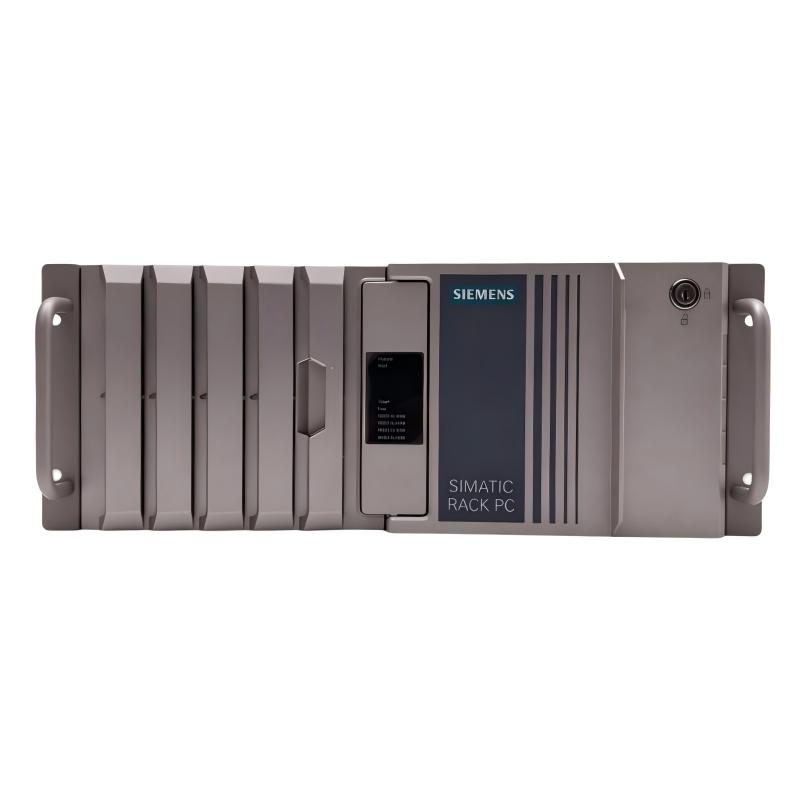
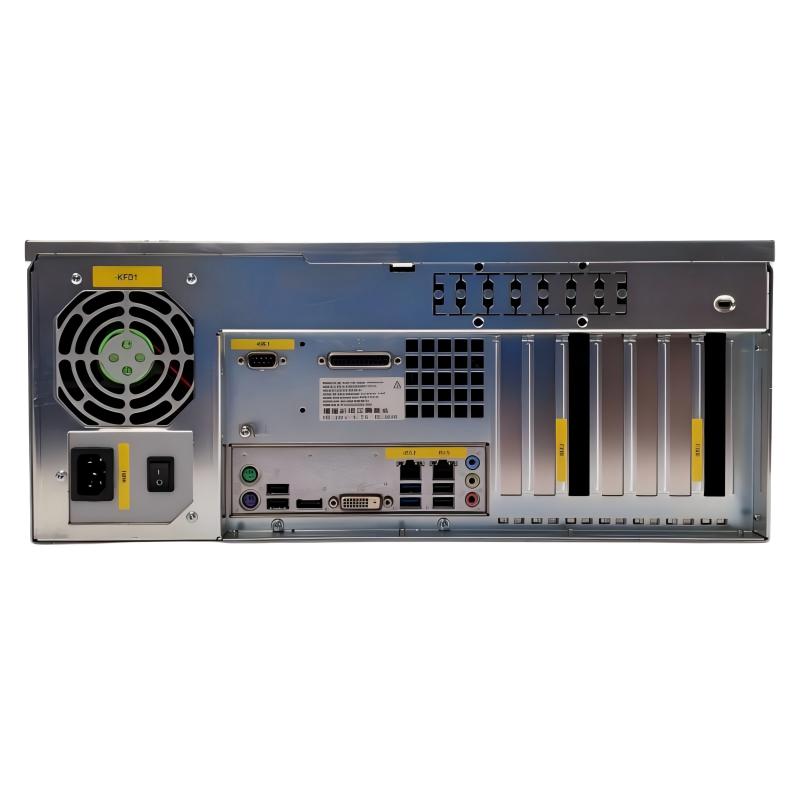
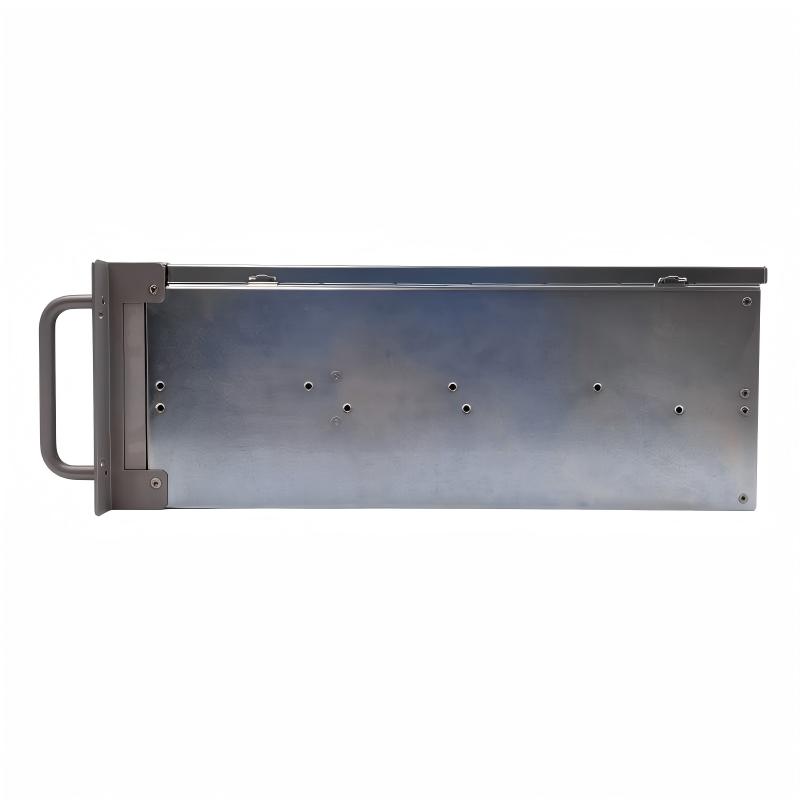
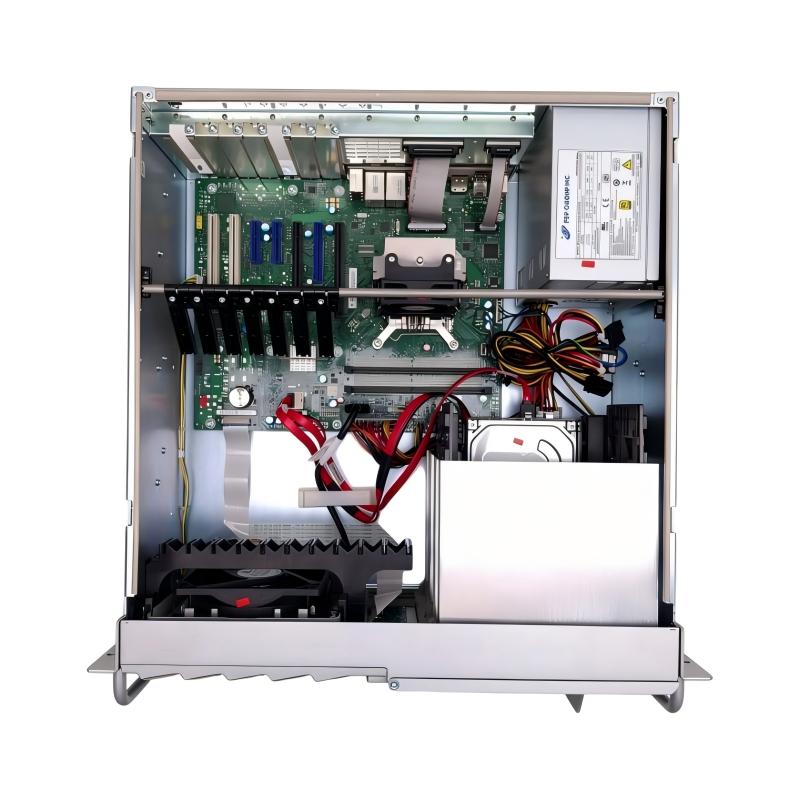
Brand:Siemens Item No.:6AG4104-4HA11-1BX3 Product Origin:Germany Product Dimensions:446 × 430 × 177 mm Product Weight:17 kg Payment:T/T, Western Union, Credit Card Goods_stock:15 Shipping Port:Xiamen, China Lead Time:1-3 Days Condition:Brand New And Original Warranty:1 Year Certificate:COO
Industrial automation increasingly relies on centralized computing platforms to connect production equipment, supervisory applications, and information management systems. In these environments, an industrial computer must fit into the existing infrastructure while providing the resources required by its assigned applications.
The Siemens 6AG4104-4HA11-1BX3 Rack-Mount Computer is designed for rack-based industrial computing installations. Its form factor supports integration into equipment enclosures and control room environments, where organized hardware deployment and accessible maintenance are important considerations.
For system integrators and industrial maintenance departments, selecting the right computing platform is a key part of maintaining operational continuity. Compatibility with installed applications, PLC communication, network architecture, and peripheral devices should be evaluated before installation.
When sourcing Siemens industrial computing equipment for replacement, maintenance, or infrastructure upgrades, the 6AG4104-4HA11-1BX3 is a model to consider. Confirming the exact product designation and configuration helps ensure that procurement decisions align with the requirements of the existing automation system.
Technical Specifications
Parameter
Specification
Brand
Siemens
Model Number
6AG4104-4HA11-1BX3
Product Type
Rack-Mount Computer
Product Category
Industrial Computer
Product Family
SIMATIC
Installation Type
Rack-Mount
Dimensions (W × D × H)
446 × 430 × 177 mm
Weight
17 kg (37.48 lb)
Recommended Related Models
The following Siemens models are worth reviewing when sourcing industrial computers and related rack-based automation hardware. Verify their individual configurations before selecting a replacement.
Model Number
Product Description
6AG4104-4HA05-0AX3
SIMATIC Rack-Mount Computer
6AG4104-4HA06-0AX3
SIMATIC Rack-Mount Computer
6AG4104-4HA06-0XX3
SIMATIC Rack-Mount Computer
6AG4104-4HA10-0CX0
SIMATIC Rack-Mount Computer
6AG4104-4HA11-0AX3
SIMATIC Rack-Mount Computer
Popular Related Models
Explore additional Siemens industrial computing and automation products for different system integration and equipment maintenance requirements.
Model Number
Product Description
6AG4104-5JJ36-3AX8
SIMATIC IPC547J Rack PC
6AG4112-3 Series
SIMATIC IPC647E Rack PC
6AG4114-3 Series
SIMATIC IPC847E Rack PC
6ES7516-3AN02-0AB0
SIMATIC S7-1500 CPU
6ES7647-8BD31-0CA1
SIMATIC Industrial PC
Procurement Note: Always verify the complete order number, hardware revision, and installed configuration before ordering. Similar Siemens rack-mount computer models may differ in internal hardware and software compatibility, so they should not automatically be treated as interchangeable.
Applications
The Siemens 6AG4104-4HA11-1BX3 Rack-Mount Computer is designed for industrial computing installations that require a centralized platform for application execution, operational monitoring, and automation data management. Its rack-mounted format makes it suitable for integration into industrial control rooms, equipment cabinets, and manufacturing infrastructure.
Typical application scenarios include:
Factory Automation: Supports computing applications used for production supervision, manufacturing coordination, and operational information management.
Industrial Process Monitoring: Provides a platform for software that monitors process conditions and collects equipment information.
SCADA Operations: Can be incorporated into compatible supervisory control systems for visualization and centralized monitoring.
Production Data Management: Supports industrial applications that process, organize, and manage manufacturing data.
Industrial Communication: Can participate in network architectures connecting PLCs, operator stations, and other automation equipment.
Centralized Control Infrastructure: Suitable for installations where multiple computing and automation devices are managed from a shared equipment rack.
Advantages
Industrial Computing for Centralized Operations
The 6AG4104-4HA11-1BX3 provides a rack-mounted computing platform for industrial environments. It is intended for applications where dedicated computing resources are required to support automation software and operational processes.
Organized Equipment Installation
Its rack-oriented design helps consolidate computing hardware within industrial enclosures. This arrangement supports structured cable management and provides convenient access for inspection and servicing.
Integration into Automation Networks
When paired with compatible interfaces and software, the computer can become part of an industrial communication architecture, supporting information exchange between supervisory systems and connected devices.
Maintenance-Friendly Configuration
Centralized installation makes it easier for maintenance teams to locate hardware, inspect connections, and perform routine system checks. This can simplify equipment management in larger industrial facilities.
Suitable for Industrial Procurement Projects
For businesses maintaining Siemens-based infrastructure, sourcing the correct model is important for equipment replacement and system continuity. Matching the complete order number helps reduce the risk of configuration discrepancies.
Technical FAQs
Q1: What is the intended function of the Siemens 6AG4104-4HA11-1BX3?
It is a rack-mount industrial computer intended to provide computing resources for automation-related software, industrial monitoring, and centralized system applications.
Q2: Can this computer be integrated into an existing SIMATIC system?
Integration is possible when the computer's hardware, operating system, communication interfaces, and installed software are compatible with the existing SIMATIC architecture.
Q3: Can it be used for industrial HMI and SCADA applications?
It can serve as a computing platform for compatible HMI and SCADA software, subject to the application's processor, memory, storage, and operating system requirements.
Q4: How should communication with a Siemens PLC be configured?
Check the available Ethernet interfaces, PLC communication protocol, IP addressing, subnet configuration, and required engineering or runtime software. Test communication before commissioning the complete system.
Q5: What should be checked before installing a new operating system?
Verify hardware support, BIOS settings, storage configuration, installation media, driver availability, and operating system compatibility with the intended industrial applications.
Q6: How can network communication problems be diagnosed?
Inspect network cables, switch ports, adapter status, IP configuration, firewall settings, and communication services. Network diagnostic tools can help determine whether the issue originates from the computer or connected equipment.
Q7: What precautions are necessary when installing the computer in an industrial rack?
Ensure secure mounting, proper protective grounding, adequate ventilation, compatible power connections, and sufficient clearance for cable routing and maintenance.
Q8: What can cause an industrial computer to become unstable during operation?
Potential causes include excessive application workloads, insufficient memory, storage errors, overheating, power fluctuations, and incompatible drivers. Reviewing system logs and hardware status is a useful starting point.
Q9: Can an existing application configuration be transferred to a replacement unit?
Yes, in suitable circumstances. However, application licensing, driver compatibility, operating system versions, hardware dependencies, and communication settings should be checked before migration.
Q10: What maintenance activities should be included in a service schedule?
Regular maintenance should cover cooling system inspection, ventilation cleaning, connection checks, storage monitoring, system log reviews, and backups of important application configurations.