Schneider TCSESU043F1N0 Ethernet TCP/IP Unmanaged Switch Installation Guide (Wiring & Commissioning)
Schneider TCSESU043F1N0 Ethernet TCP/IP unmanaged switch installation problems are usually caused by incorrect grounding, fiber mismatch, or unstable 24V DC power supply, not internal switch failure. In real industrial commissioning work, more than half of “no communication” cases come from physical layer issues rather than PLC configuration or switch hardware defects.
Schneider TCSESU043F1N0 Industrial Switch Role in PLC Networks
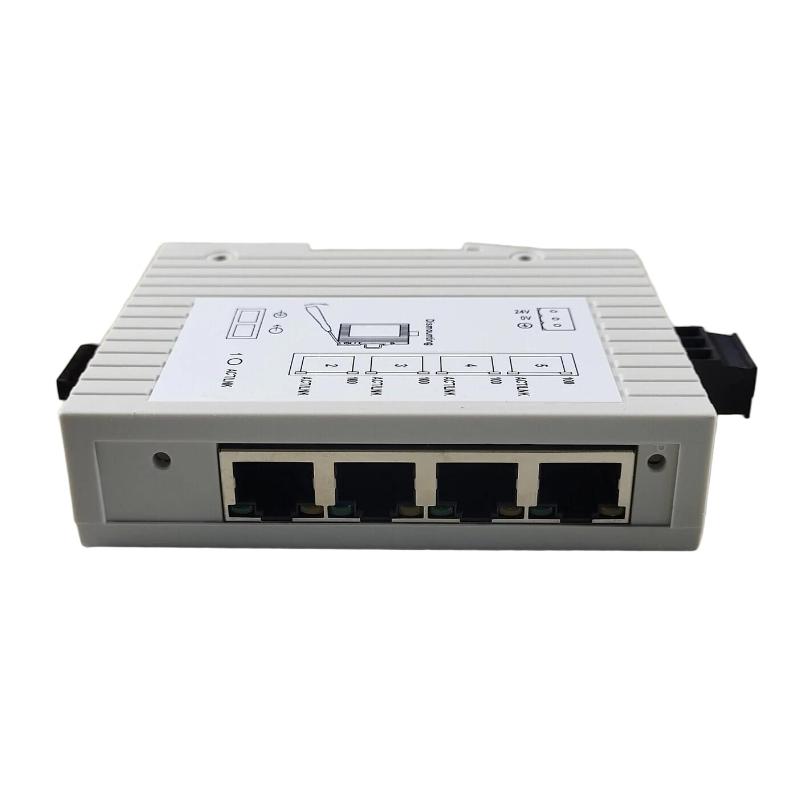
The TCSESU043F1N0 is a compact unmanaged industrial Ethernet switch with 4 RJ45 ports and 1 SC fiber port, designed for transparent TCP/IP communication in automation systems.
It is commonly deployed in:
- PLC controller networks
- Remote I/O architectures
- SCADA communication layers
- HMI and industrial workstation links
Because it is an unmanaged switch, it does not require configuration. All data forwarding is based purely on MAC address learning.
Pre-Commissioning Engineering Checks
Before powering the device, experienced engineers usually verify:
- Stable 24V DC power supply (acceptable range 9.6–32V)
- Proper PE grounding resistance (<1Ω recommended)
- Fiber type consistency (SC multimode compatibility check)
- Shielded RJ45 Cat5e or higher
- Cabinet EMI condition (especially near VFD or large contactors)
In one packaging line project, intermittent PLC disconnects were traced back to a shared power supply with a 7.5kW inverter, where ripple noise exceeded acceptable limits.
Wiring Practice for TCSESU043F1N0 Switch Installation
Power wiring is straightforward but sensitive in industrial environments:
- Connect 24V DC to terminal block with correct polarity
- Ensure grounding is connected before energizing
- Avoid sharing PSU with high inductive loads
For Ethernet wiring:
- RJ45 ports support auto MDI/MDIX, no crossover cable required
- Fiber SC connectors must be fully seated and clean
- Avoid excessive bending of fiber cable (<30mm radius is unsafe)
A real field issue occurred when SC fiber polarity was reversed. The switch appeared operational, but PLC communication was completely lost, leading to unnecessary CPU module replacement attempts.
Commissioning and System Startup Behavior
During startup, observe the following indicators:
- Power LED must remain stable green
- RJ45 link LEDs should stabilize within seconds
- Fiber link should show consistent optical handshake
- PLC ping response should remain stable under load
In one water treatment system, engineers observed intermittent packet loss during commissioning. After inspection, fiber connectors were found contaminated with dust, causing signal attenuation spikes.
After cleaning, packet loss dropped from approximately 15% to below 0.3%, confirming that the switch itself was not defective.
Practical Integration Notes in PLC Systems
TCSESU043F1N0 is best suited for:
- Star topology Ethernet distribution
- Small to medium PLC networks
- Non-time-critical communication systems
It is not intended for deterministic motion control networks requiring synchronization protocols.
Field Validation Checklist
- 24V DC stable under load
- All RJ45 ports showing link stability
- Fiber optical power within acceptable range
- PLC communication latency stable (<2 ms in local segment)
- No retransmission spikes under load
Engineering Conclusion
In real industrial environments, TCSESU043F1N0 installation success depends far more on grounding quality, fiber cleanliness, and power stability than on the device itself. Once the physical layer is correctly implemented, the switch operates transparently without configuration or tuning.