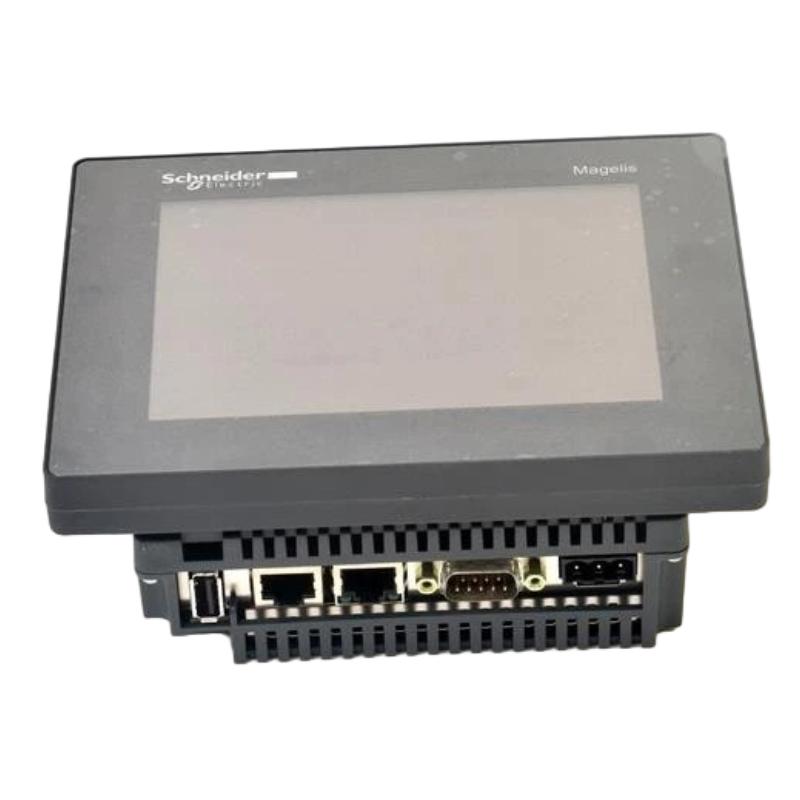
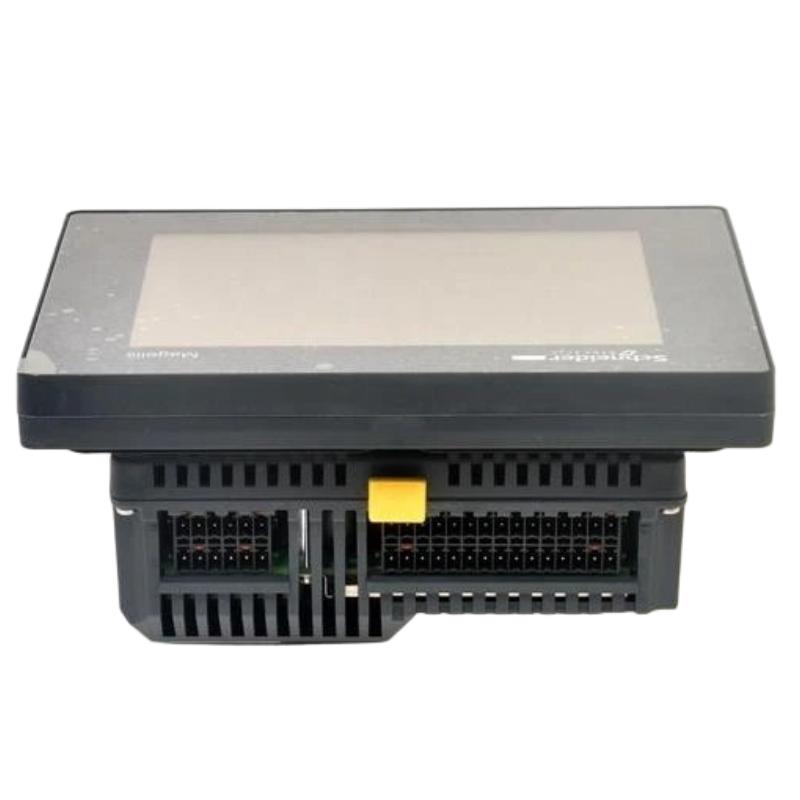
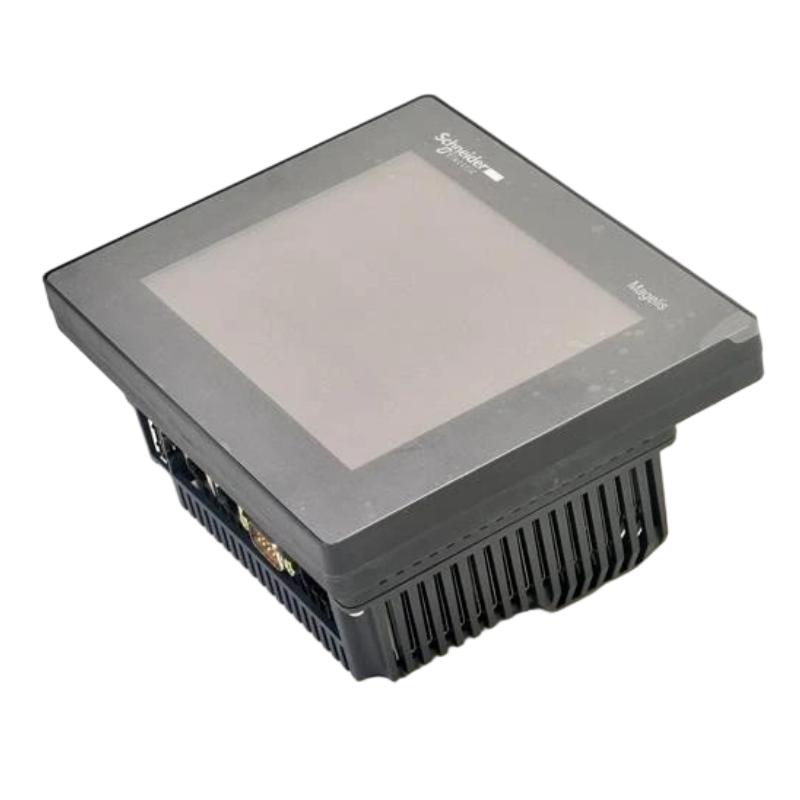
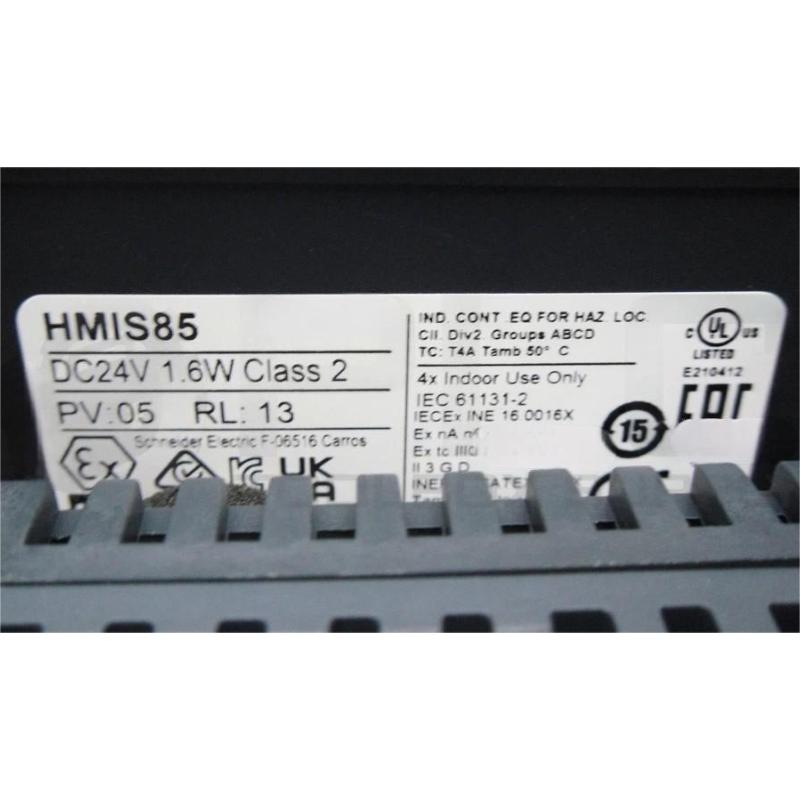
Brand:Schneider PLC Item No.:HMISCU8B5 Product Origin:France Product Dimensions:129.4 × 163 × 76.22 mm Product Weight:0.803 kg Payment:T/T, Western Union, Credit Card Goods_stock:15 Shipping Port:Xiamen, China Lead Time:1-3 Days Condition:Brand New And Original Warranty:1 Year Certificate:COO
Introduction to Schneider HMISCU8B5 Touch Controller Panel
The Schneider HMISCU8B5 Touch Controller Panel is an advanced integrated automation device designed to meet the requirements of modern machine control applications. It belongs to the Harmony SCU product family and provides a combination of touchscreen operation, embedded processing capability, and industrial communication functions.
Traditional automation systems often require separate PLC controllers and HMI terminals, increasing cabinet space requirements and system complexity. The HMISCU8B5 addresses these challenges by combining both functions into a single compact platform.
The controller enables operators to interact directly with machines through graphical touch interfaces while allowing engineers to manage automation logic, communication settings, and machine processes efficiently.
With reliable performance, flexible connectivity, and a compact design, the HMISCU8B5 is a valuable solution for industrial equipment manufacturers seeking to improve machine efficiency and simplify control system development.
Technical Specifications
Parameter
Description
Product Type
Touch Controller Panel
Model Number
HMISCU8B5
Manufacturer
Schneider Electric
Product Series
Harmony SCU
Display Type
Color TFT LCD Touchscreen
Display Size
5.7 inch
Display Resolution
320 × 240 pixels
Touch Technology
Analog Resistive Touch
Supply Voltage
24 V DC
Digital Inputs
16 Inputs
Digital Outputs
10 Outputs
Communication Interfaces
Ethernet, RS232/RS485, CANopen, USB
Supported Protocols
Modbus TCP/IP, Modbus, CANopen
Operating Temperature
0°C to 50°C
Protection Rating
Front Panel IP65
Dimensions
129.4 × 163 × 76.22 mm
Weight
0.80 kg (1.77 lb)
Recommended Related Models
Model
Product Type
Schneider HMISCU8A5
Harmony SCU Touch Controller Panel
Schneider HMISCU6A5
Harmony SCU Touch Controller Panel
Schneider TM221CE16R
Modicon M221 Logic Controller
Schneider TM241CEC24T
Modicon M241 Logic Controller
Schneider TM251MESE
Modicon M251 Logic Controller
Popular Related Automation Models
Model
Product Type
Schneider HMIGTO1300
Magelis Touchscreen HMI
Schneider HMIGTO6310
Advanced Touchscreen HMI
Schneider HMISTU855
Harmony STU Touch Panel
Schneider TM262L01MESE8T
Modicon M262 Controller
Schneider ATV320U15N4C
Altivar Machine Variable Speed Drive
Industrial Applications and Control Solutions
The Schneider HMISCU8B5 Touch Controller Panel is an integrated HMI and controller device designed for compact industrial automation systems that require efficient visualization, machine control, and flexible communication capabilities. As part of the Harmony SCU series, this touch controller combines operator interface functions with embedded control technology, providing a practical solution for OEM machines and industrial equipment manufacturers.
The HMISCU8B5 is widely used in applications where space-saving design, reliable operation, and simplified system architecture are important. By integrating control processing and touchscreen operation into one unit, it helps engineers reduce cabinet complexity and improve machine development efficiency.
Typical application fields include:
Automated packaging and production equipment
Material handling and conveyor systems
Small-scale manufacturing machines
Pump and motor control systems
Process monitoring applications
Laboratory and testing equipment
OEM machine automation solutions
Building and facility control systems
The HMISCU8B5 provides machine operators with an intuitive interface for monitoring parameters, adjusting settings, managing alarms, and controlling equipment operation. Its integrated design makes it especially suitable for compact automation projects requiring both HMI functionality and controller performance.
Main Advantages and Engineering Value
Integrated HMI and Controller Architecture
The Schneider HMISCU8B5 combines touchscreen visualization and PLC control capabilities within a single compact device. This integrated structure reduces the need for separate HMI terminals and controllers, helping simplify electrical cabinet design and reduce installation workload.
User-Friendly Touchscreen Operation
The color touchscreen interface provides clear visualization of machine status, operating parameters, alarms, and process information. Operators can easily interact with equipment through customized graphical interfaces designed for specific applications.
Flexible Communication Capability
The HMISCU8B5 supports multiple industrial communication interfaces, allowing connection with PLC systems, drives, sensors, remote devices, and other automation components. This flexibility helps engineers build scalable and efficient control systems.
Optimized Design for OEM Equipment
For machine builders, the compact form factor and integrated functionality provide advantages in applications where installation space is limited. The HMISCU8B5 enables manufacturers to create reliable automation solutions with fewer hardware components.
Stable Performance in Industrial Environments
Designed for industrial automation applications, the HMISCU8B5 delivers dependable operation for continuous machine monitoring and control tasks, helping improve productivity and system availability.
Technical FAQs – Professional Questions and Answers
Q1: What is the Schneider HMISCU8B5 Touch Controller Panel used for?
A: The HMISCU8B5 is used for industrial machine control and operator interface applications, combining HMI visualization with embedded controller functions for compact automation systems.
Q2: Which software can be used to configure the HMISCU8B5?
A: The HMISCU8B5 can be configured using Schneider Electric engineering software tools designed for Harmony SCU controllers, allowing users to create HMI screens and control applications.
Q3: Can the HMISCU8B5 communicate with other PLC systems?
A: Yes. The HMISCU8B5 supports industrial communication functions that allow integration with external PLCs, drives, remote I/O systems, and automation devices.
Q4: Does the HMISCU8B5 support Modbus communication?
A: Yes. The controller supports Modbus communication, enabling data exchange with industrial controllers, meters, and field devices.
Q5: Can the HMISCU8B5 be used without an additional HMI device?
A: Yes. Since the HMISCU8B5 includes integrated touchscreen visualization, it can operate as a complete HMI solution without requiring a separate operator panel.
Q6: What communication interfaces are available on the HMISCU8B5?
A: The HMISCU8B5 provides Ethernet, serial communication, CANopen, and USB interfaces to support flexible industrial system integration.
Q7: Is the HMISCU8B5 suitable for OEM machine applications?
A: Yes. Its compact integrated design makes it suitable for OEM machines requiring efficient control, monitoring, and operator interaction.
Q8: Can users customize display screens on the HMISCU8B5?
A: Yes. Engineers can create customized operator interfaces including control buttons, alarm screens, parameter settings, and data monitoring displays.
Q9: Does the HMISCU8B5 support connection with drives and motion devices?
A: Yes. Through supported communication protocols, the HMISCU8B5 can exchange data with compatible drives, motion controllers, and automation components.
Q10: What advantages does the HMISCU8B5 provide compared with traditional HMI systems?
A: The HMISCU8B5 reduces hardware requirements by combining control and visualization functions, resulting in simpler wiring, smaller panels, and easier maintenance.