Siemens

  1. Home
  2. Products
  3. Siemens
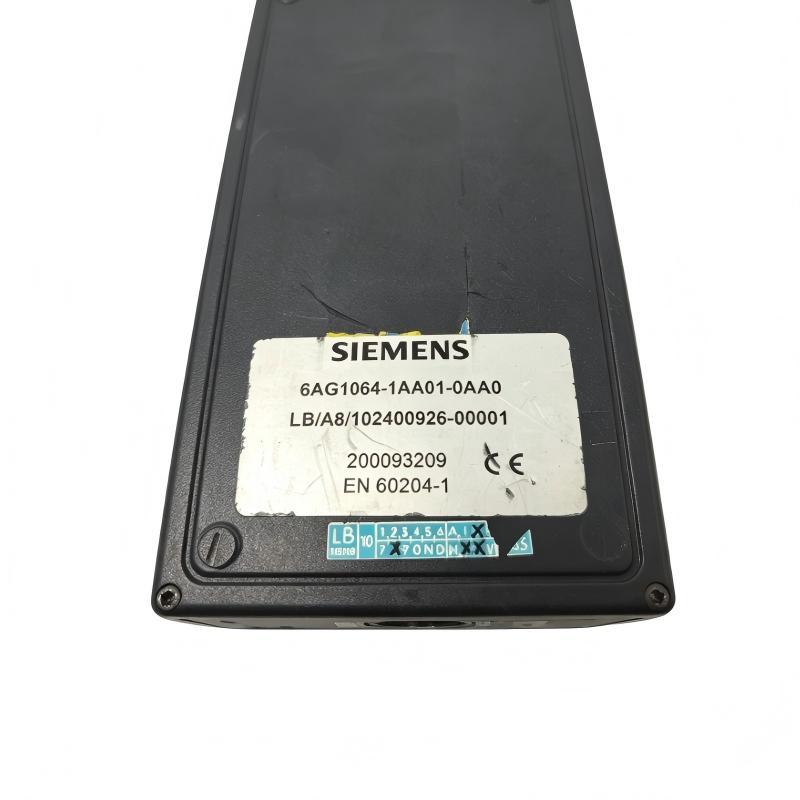
  4. Siemens 6AG1064-1AA01-0AA0 Debugging Box (With Connecting Cable)
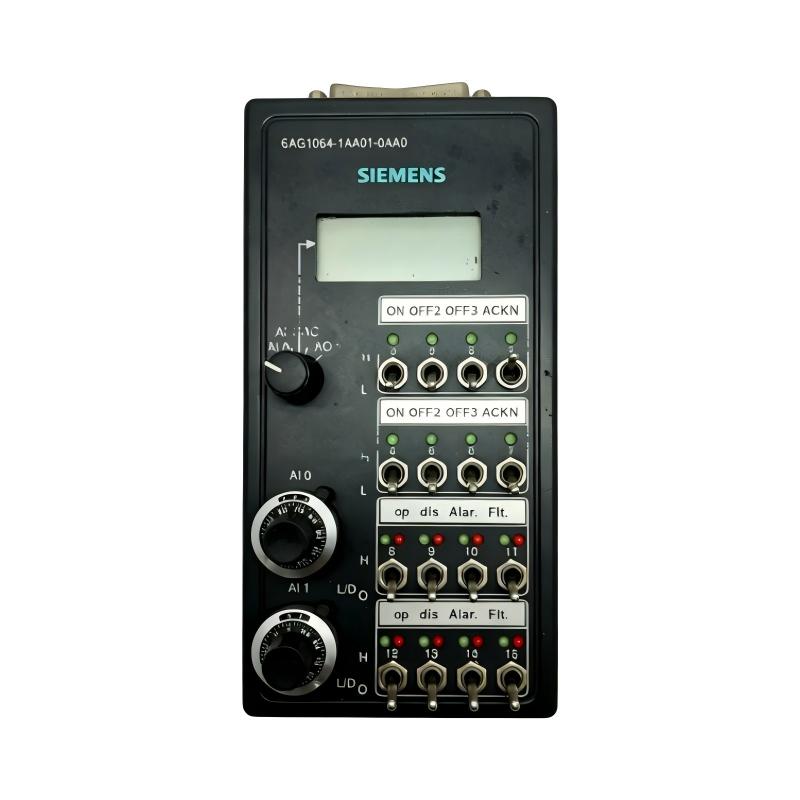
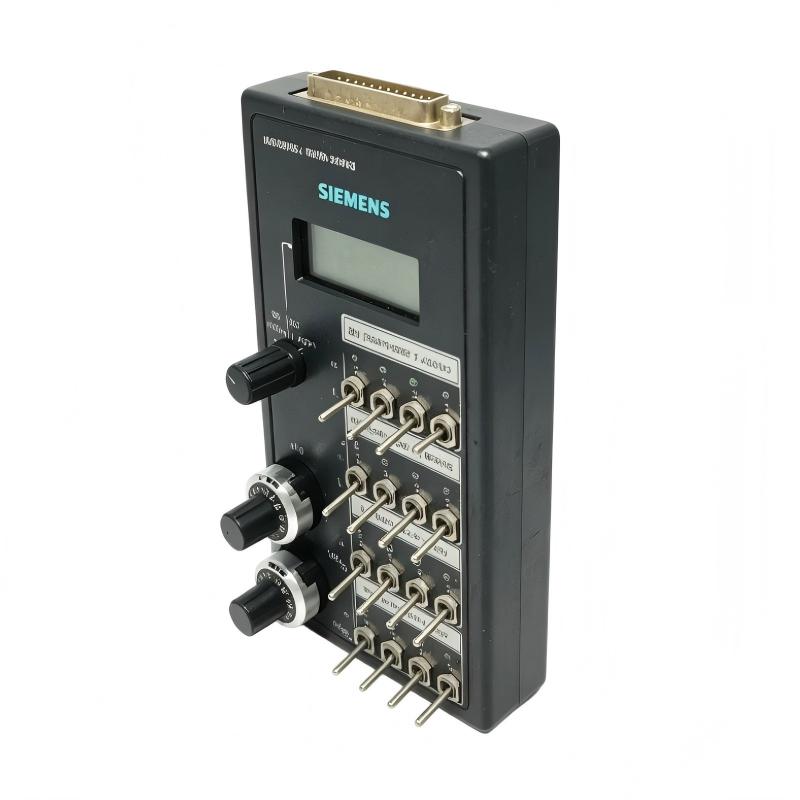
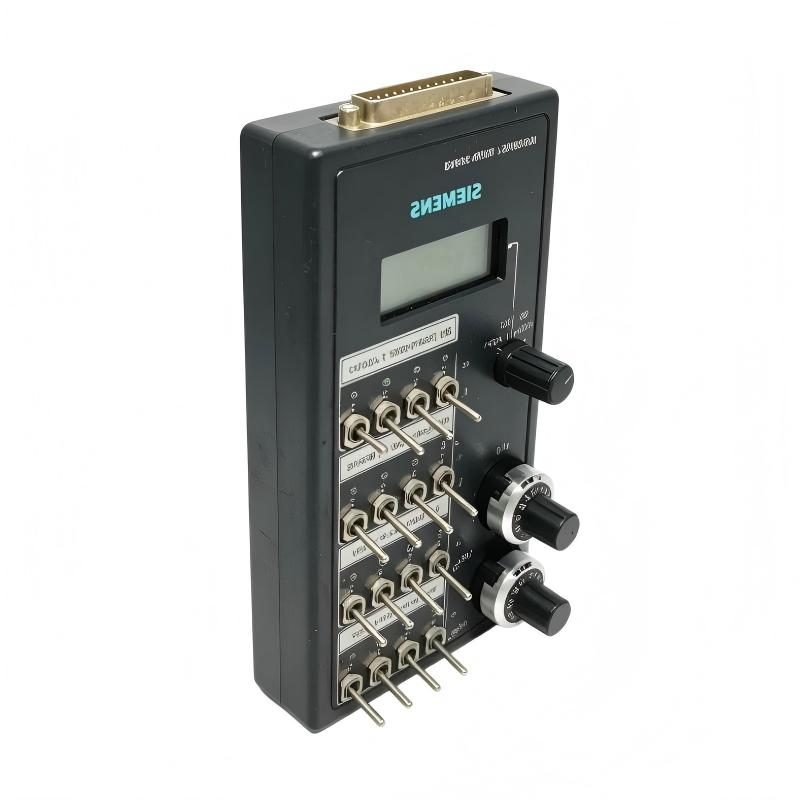
Siemens 6AG1064-1AA01-0AA0 Debugging Box (With Connecting Cable)

Siemens 6AG1064-1AA01-0AA0 Debugging Box (With Connecting Cable)

0.0
Points

Brand:Siemens
Item No.:6AG1064-1AA01-0AA0
Product Origin:Germany
Product Dimensions:254 × 178 × 76 mm
Product Weight:0.795 kg
Payment:T/T, Western Union, Credit Card
Goods_stock:15
Shipping Port:Xiamen, China
Lead Time:1-3 Days
Condition:Brand New And Original
Warranty:1 Year
Certificate:COO

Add to cart


Product Introduction

The Siemens 6AG1064-1AA01-0AA0 Debugging Box with Connecting Cable is designed as a service-oriented tool for engineers working with compatible Siemens automation equipment.

Commissioning an industrial control system often requires more than confirming that the controller powers up. Engineers need to verify that signals arrive correctly, programmed sequences behave as expected, and external devices respond at the correct point in the process. When something goes wrong, identifying the source quickly is essential to avoid extended machine downtime.

A dedicated debugging box can make this process more structured.

Instead of immediately replacing a PLC, I/O component, or wiring assembly, technicians can first investigate the relevant control-system conditions. This makes it easier to separate software, configuration, wiring, and hardware-related problems.

The accessory is particularly useful during machine commissioning. OEM engineers can use diagnostic procedures to verify system behavior before the equipment is delivered or placed into production. This can reveal wiring errors, incorrect signal assignments, unexpected control states, or configuration issues at an earlier stage.

It can also be valuable during maintenance. An intermittent machine fault may not be obvious during a short inspection, especially when the system appears normal while idle. A structured debugging procedure allows technicians to observe the relevant signals while reproducing the operating condition that causes the fault.

The supplied dimensions are 254 × 178 × 76 mm, while the specified weight is 0.795 kg (1.75 lb). The relatively larger enclosure provides a practical physical format for a service accessory that may be handled repeatedly during commissioning and maintenance work.

The included connecting cable is an important part of the product configuration. Technicians should use the appropriate connection arrangement and avoid substituting cables without first confirming electrical and mechanical compatibility.

A good debugging process starts with a clear fault description. Establish what the machine should do, identify what it actually does, and then trace the relevant signals through the control sequence. Compare expected and actual states before replacing hardware.

If the control signals are correct but the machine output is not responding, the investigation can move toward the output circuit and external equipment. If the expected signal is never generated, attention should shift toward the program, configuration, input conditions, or controller-side logic.

After testing, all temporary diagnostic connections should be removed or restored to the intended operating configuration. The machine should then undergo a final functional test before being returned to production.

For procurement and spare-parts management, use the complete order number 6AG1064-1AA01-0AA0 when identifying the debugging box and connecting cable assembly.


Technical Specifications

ParameterSpecification
BrandSiemens
Model6AG1064-1AA01-0AA0
Product TypeDebugging Box
ConfigurationWith Connecting Cable
ApplicationAutomation Commissioning and Diagnostics
FunctionTesting and Fault Isolation
Dimensions254 × 178 × 76 mm
Weight0.80 kg (1.75 lb)

Dimensions: 254 × 178 × 76 mm
Weight: 0.80 kg (1.75 lb)

Before use, verify the compatible Siemens equipment, connection point, cable arrangement, electrical conditions, and required machine safety procedures.


Recommended Related Models

ModelProduct TypeApplication Relationship
6AG1064-1AA01-0AA0Debugging Box with Connecting CablePrimary diagnostic accessory
6AG1057-1AA02-0AA0Input SimulatorRelated signal-testing accessory
6AG1057-1AA00-0AA2SIPLUS LOGO! Front Panel Mount Kit 8TERelated LOGO! installation accessory
6AG1057-1AA00-0AA3SIPLUS LOGO! Front Panel Mount Kit 4TERelated LOGO! installation accessory
6AG1055-1MA00-7BA2SIPLUS LOGO! Extension ModuleRelated LOGO! expansion hardware

These products have different purposes. The debugging box and input simulator are diagnostic accessories, while the mounting kit and extension module serve installation and system-expansion functions.


Popular Related Models

  • Siemens 6AG1057-1AA02-0AA0 — Input Simulator
  • Siemens 6AG1057-1AA00-0AA2 — SIPLUS LOGO! Front Panel Mount Kit 8TE
  • Siemens 6AG1057-1AA00-0AA3 — SIPLUS LOGO! Front Panel Mount Kit 4TE
  • Siemens 6AG1055-1MA00-7BA2 — SIPLUS LOGO! Extension Module
  • Siemens 6AG1055-1MB00-7BA2 — SIPLUS LOGO! Extension Module

For commissioning and maintenance applications, verify the complete Siemens order number, compatible automation equipment, connection arrangement, supplied cable, diagnostic requirements, and safe operating conditions before using the debugging box.
Automation Debugging Applications

The Siemens 6AG1064-1AA01-0AA0 Debugging Box with Connecting Cable is a practical commissioning and diagnostic accessory for compatible Siemens automation equipment. It is intended to help engineers and maintenance technicians monitor, test, and troubleshoot control-system signals during machine commissioning and service work.

A dedicated debugging box can be especially valuable when a control system behaves differently in real operation than expected from the programmed sequence. By providing a convenient test interface, technicians can investigate signal conditions without immediately replacing the controller or other automation hardware.

Typical applications include:

  • PLC commissioning
  • LOGO! system testing
  • Machine troubleshooting
  • Control-panel diagnostics
  • I/O signal verification
  • Factory acceptance testing
  • OEM machine commissioning
  • Maintenance inspection
  • Retrofit projects
  • Control-system fault isolation

The supplied connecting cable makes the unit convenient for service work where a direct and organized diagnostic connection is required.


Practical Benefits for Commissioning and Service

Faster fault isolation
A dedicated debugging accessory can help technicians determine whether an unexpected machine response originates from the controller, wiring, connected equipment, or application logic.

Convenient signal inspection
The debugging box provides a structured interface for checking relevant control-system conditions during commissioning and maintenance.

Useful during machine startup
Engineers can use diagnostic equipment to verify system behavior before the machine is placed into continuous production.

Reduced unnecessary replacement
Systematic signal testing can help distinguish configuration or wiring problems from genuine hardware failures.

Suitable for OEM testing
Machine manufacturers can incorporate diagnostic procedures into factory testing and commissioning workflows.

Practical retrofit tool
The accessory can assist maintenance teams when troubleshooting established automation systems without extensively modifying the existing control cabinet.

Complete connecting cable included
The product is supplied with a connecting cable, providing a more convenient diagnostic package for appropriate applications.

Robust service-oriented construction
The supplied dimensions of 254 × 178 × 76 mm provide a substantial enclosure suitable for practical field use.


Technical FAQs

1. What is the Siemens 6AG1064-1AA01-0AA0 used for?
It is a debugging box with a connecting cable intended to support commissioning, testing, and troubleshooting of compatible Siemens automation equipment.

2. Why is a debugging box useful during commissioning?
It provides a convenient way to investigate control-system behavior and signal conditions before the machine enters normal production.

3. Can the debugging box identify a defective PLC?
It can assist with fault isolation, but it does not by itself determine whether a PLC is defective. Controller diagnostics, wiring, configuration, and connected equipment should also be evaluated.

4. How can it help with intermittent faults?
Controlled testing and signal observation can help determine whether an intermittent problem originates within the control system or in the external field circuit.

5. What should be checked if the debugging box provides unexpected results?
Verify the connection cable, compatible equipment, test configuration, power conditions, signal assignment, and controller diagnostics before interpreting the test results.

6. Is the connecting cable important for reliable testing?
Yes. The correct connecting cable and secure connections are essential for obtaining meaningful diagnostic results.

7. Can it be used during factory acceptance testing?
It can be useful for structured testing of compatible automation systems during machine assembly and commissioning.

8. What should technicians do before connecting the debugging box?
Confirm equipment compatibility, identify the correct connection point, review the applicable electrical conditions, and ensure that the machine is in a safe state for diagnostic testing.

9. Can the debugging box replace normal controller diagnostics?
No. It should be used as a complementary troubleshooting tool alongside controller diagnostics, programming tools, electrical measurements, and field-device inspection.

10. What should be done after troubleshooting is complete?
Remove the diagnostic connection as appropriate, restore the normal system configuration, verify all connections, clear temporary test conditions, and perform a complete functional test.


Look forward to your comments!Comment
Latest comments
Tags:
Need Assistance? Chat with Us on WhatsApp!
Need Assistance? Click to Inquire
Back to top