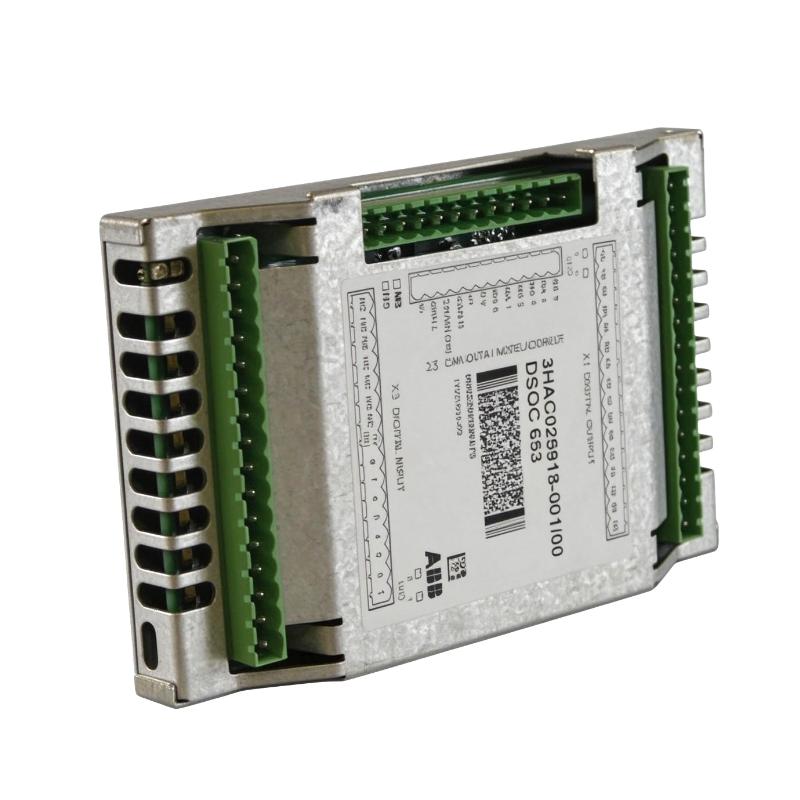
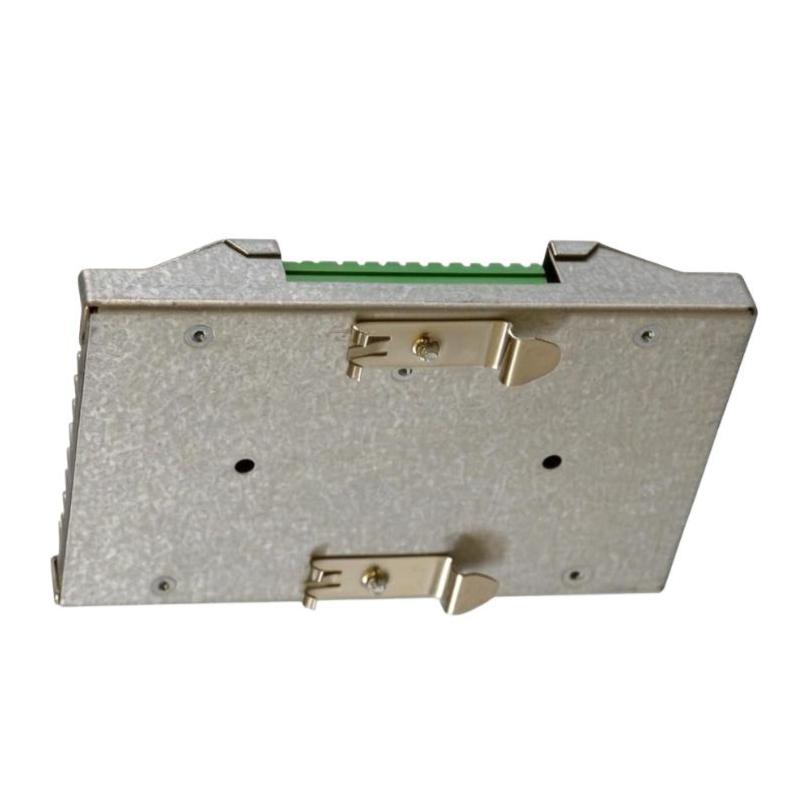
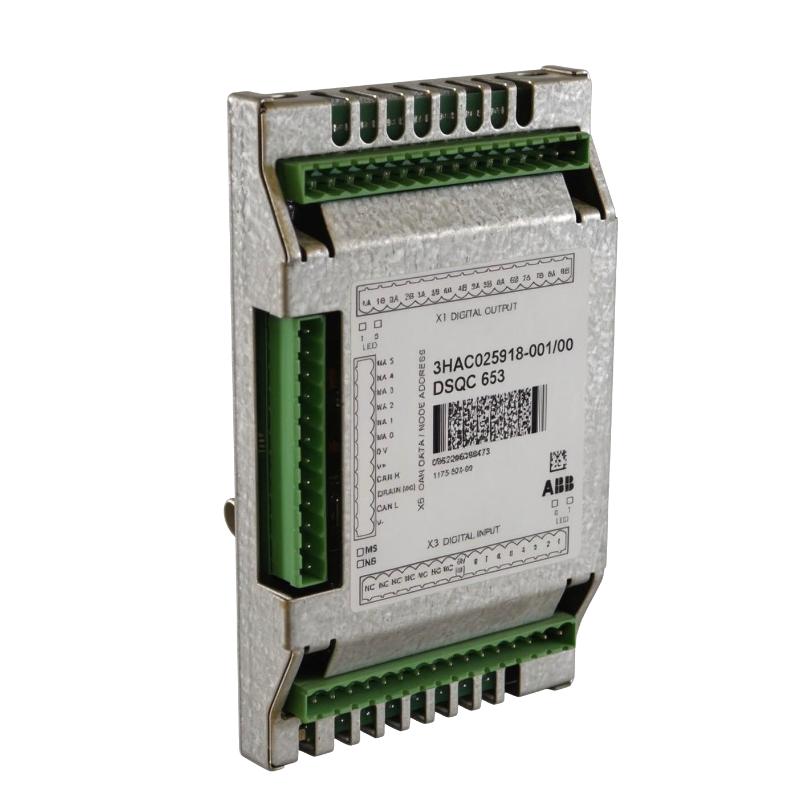
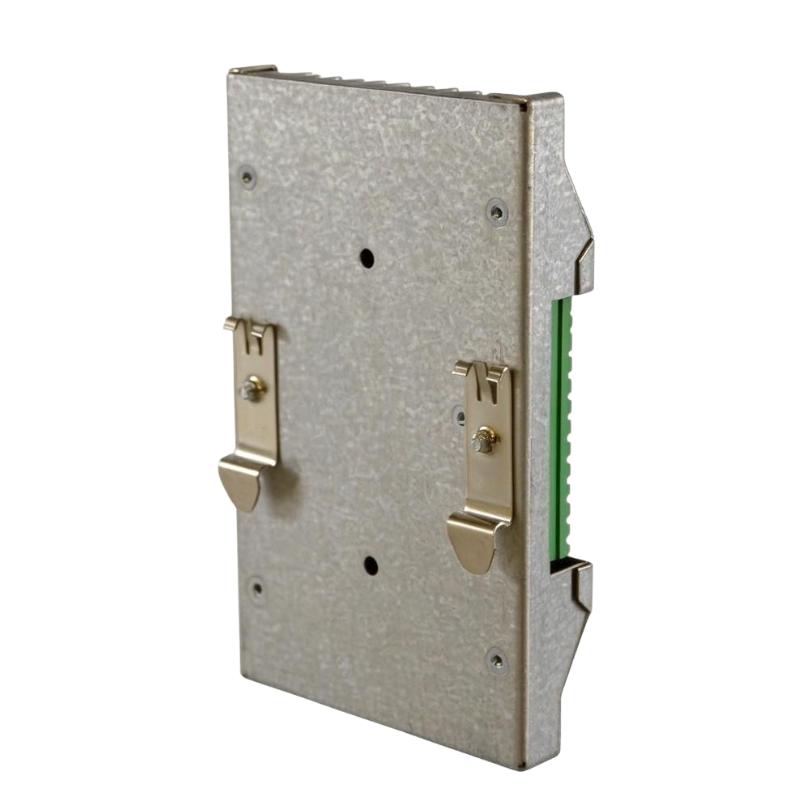
Brand:ABB PLC Item No.:DSQC 653 Product Origin:Sweden (SE) Product Dimensions:155.5 x 98.5 x 41.3 mm Product Weight:0.4 kg Payment:T/T, Western Union, Credit Card Goods_stock:15 Shipping Port:Xiamen, China Lead Time:1-3 Days Condition:Brand New And Original Warranty:1 Year Certificate:COO
The ABB DSQC 653 3HAC025918-001/00 I/O Unit is an industrial automation component intended for compatible ABB control and robotic system applications. In an automated production environment, input and output hardware provides the connection between the control architecture and the equipment responsible for performing physical operations.
Sensors, switches, actuators, and other field devices all depend on appropriate signal interfaces to exchange information with the automation system. The correct I/O hardware helps maintain this connection and supports coordinated machine operation.
For manufacturers operating established ABB robotic installations, component compatibility is an important consideration during maintenance and replacement. Even when two modules have similar physical appearances, their electrical specifications and system functions may differ.
The DSQC 653 is identified by the ordering number 3HAC025918-001/00. This complete designation should be used when checking inventory records, requesting quotations, or comparing replacement components.
Choosing the appropriate replacement unit can help maintenance teams preserve existing wiring arrangements and reduce unnecessary changes to the control system. Before commissioning, the installed hardware should be checked against the original system configuration.
We specialize in industrial automation spare parts for equipment maintenance, repair, and system integration. The ABB DSQC 653 is a useful sourcing option for customers maintaining compatible ABB automation equipment and seeking the correct I/O hardware for their applications.
Technical Specifications
The following table summarizes the product identification and physical specifications of the ABB DSQC 653 I/O Unit.
Parameter
Specification
Brand
ABB
Model
DSQC 653
Part Number
3HAC025918-001/00
Product Type
I/O Unit
Product Category
Industrial Automation I/O Module
Dimensions (W × H × D)
155.5 × 98.5 × 41.3 mm
Weight
0.4 kg / 0.88 lb
Application
ABB Robotic and Industrial Automation Systems
Product Selection and Installation Notes
Verify the complete ordering number, including the /00 suffix.
Confirm compatibility with the installed ABB controller.
Check the original I/O configuration and electrical connections.
Review the applicable installation requirements before commissioning.
Perform input and output verification after replacement.
Recommended Related Models
For customers maintaining ABB robotic control systems, the following models may be relevant when sourcing additional automation components.
Model
Product Type
DSQC 377A
Queue Tracker
DSQC 431
Servo Drive
DSQC 633A
Serial Measurement Board
DSQC 639
Host Computer
DSQC 352A
Robot Control Module
DSQC 354
Robot Communication Module
DSQC 363
Robot Control Module
DSQC 505
Robot I/O Module
These models cover different automation functions and should be selected according to the requirements of the specific ABB installation.
Popular Related Models
ABB DSQC components are used across different robotic and industrial automation configurations. The following models provide additional product references for maintenance departments, automation contractors, and industrial spare-parts buyers.
Model
Product Description
DSQC 1000
Robot Controller Module
DSQC 1018
Robot Control Module
DSQC 1024
Robot I/O Module
DSQC 1030
Robot Communication Module
DSQC 1042
Robot Interface Module
DSQC 1064
Robot Control Module
DSQC 108
Robot I/O Module
DSQC 500
Robot Control Module
When purchasing the ABB DSQC 653 3HAC025918-001/00, accurate part-number verification and controller compatibility checks are essential. Selecting the correct I/O unit helps maintain the intended automation configuration and supports efficient equipment maintenance.
Applications
The ABB DSQC 653 3HAC025918-001/00 I/O Unit is an industrial automation component designed for integration into compatible ABB robotic and control systems. Input and output modules play a fundamental role in connecting controllers with field devices, allowing automation equipment to receive external signals and execute corresponding control operations.
In automated manufacturing environments, dependable I/O functionality is essential for coordinating sensors, actuators, machine interfaces, and other field-level equipment. The DSQC 653 serves as a hardware component within the ABB automation product range and is relevant to applications requiring the corresponding I/O unit.
Typical application scenarios include:
Industrial Robotics: Supporting signal interface requirements in compatible ABB robotic installations.
Automated Production Lines: Facilitating connections between control equipment and field-level devices.
Machine Control: Supporting input and output signal handling within established automation architectures.
Material Handling Systems: Contributing to coordinated operations involving sensors, actuators, and peripheral equipment.
Industrial Equipment Integration: Serving as part of an automation configuration that requires compatible I/O hardware.
Maintenance and Replacement: Providing a replacement option for existing installations using the same DSQC 653 identification.
For system integrators and maintenance engineers, selecting the correct I/O unit is essential for preserving the original control architecture and avoiding unnecessary wiring or configuration changes.
Advantages
The ABB DSQC 653 3HAC025918-001/00 offers practical advantages for industrial users who maintain ABB robotic equipment and automation systems.
1. Reliable I/O System Integration
The unit belongs to ABB's industrial automation hardware range and is intended for use in compatible control configurations.
2. Support for Field-Level Connections
I/O hardware provides the interface between control systems and external equipment, making it an important part of automated production processes.
3. Compact Hardware Design
Its compact physical format is suitable for installations where efficient equipment arrangement and space utilization are important.
4. Simplified Spare Parts Identification
The complete ordering number, 3HAC025918-001/00, helps purchasing and maintenance teams identify the required replacement component accurately.
5. Reduced Maintenance Complexity
Replacing a faulty unit with the corresponding model can help preserve the established system arrangement and minimize unnecessary modifications.
6. Suitable for Industrial Automation Maintenance
The DSQC 653 is relevant to industrial facilities, equipment repair specialists, and system integrators responsible for maintaining ABB automation installations.
7. Support for Long-Term Equipment Availability
Maintaining an appropriate inventory of critical I/O components can help maintenance teams respond more efficiently to unexpected hardware problems.
Technical FAQs
Q1: What is the ABB DSQC 653 3HAC025918-001/00 used for?
A: The DSQC 653 is identified as an I/O Unit within the ABB industrial automation product range. I/O units generally provide interfaces for exchanging signals between automation controllers and connected field equipment.
Q2: What is the difference between digital input and digital output signals?
A: Digital inputs allow a controller to receive discrete signals from devices such as switches and sensors. Digital outputs allow the controller to operate external devices such as relays, indicators, and actuators, depending on the module design.
Q3: Can the DSQC 653 replace other ABB DSQC I/O modules?
A: Direct replacement should not be assumed. Different I/O modules may have different channel configurations, electrical characteristics, connectors, and communication requirements. Always verify the complete part number and system compatibility.
Q4: What should be checked before installing a replacement I/O unit?
A: Confirm the part number, hardware revision, controller compatibility, connector arrangement, and applicable electrical requirements. Also document the original wiring and system configuration before removing the existing component.
Q5: What causes an I/O module to stop responding?
A: Potential causes include unstable power, loose connectors, damaged wiring, electrical interference, incorrect configuration, or internal hardware failure. Controller diagnostic messages can help narrow down the source of the problem.
Q6: Why might an input signal fail to register in the controller?
A: Possible reasons include a defective field sensor, incorrect wiring, an unsuitable signal level, a loose terminal connection, or a module-related fault. Technicians should test the field device and wiring before replacing the I/O unit.
Q7: What can cause an output channel to operate incorrectly?
A: Potential causes include an overloaded output circuit, wiring faults, incorrect control logic, external device failure, or electrical damage. The channel's electrical ratings and connected load requirements should be checked against the applicable specifications.
Q8: Does the DSQC 653 require software configuration?
A: Configuration requirements depend on the host ABB controller and installed application. The controller must recognize the installed hardware and use the appropriate configuration for the connected I/O functions.
Q9: Can an I/O unit be replaced while the automation system is operating?
A: Hot replacement should not be assumed. Follow the approved ABB maintenance procedure and isolate power where required. Live replacement is appropriate only when explicitly supported by the relevant system hardware and documentation.
Q10: How can technicians verify correct operation after installation?
A: Confirm that the controller recognizes the unit, inspect diagnostic indicators, and test the relevant input and output signals individually. Perform controlled functional tests with connected field devices before returning the equipment to production.