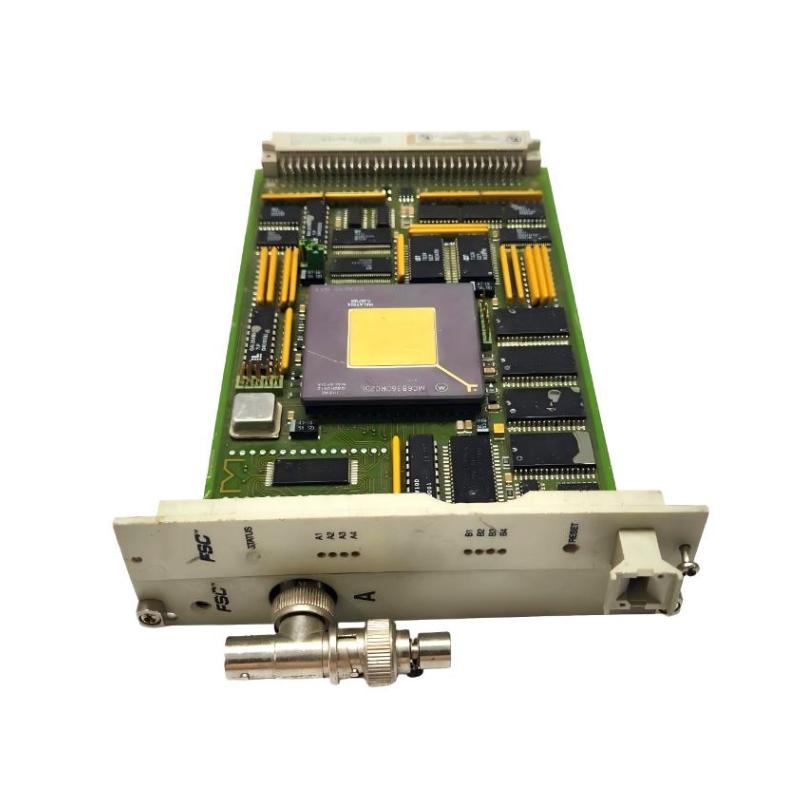
Honeywell 10018/E/1 Fault Diagnosis Guide for FSC Ethernet Communication Failure
Honeywell 10018/E/1 communication faults are usually linked to network configuration errors, backplane contact degradation, or PlantScape handshake failures rather than module hardware breakdown.
In FSC systems, this module is responsible for maintaining stable Ethernet communication between the central controller and supervisory control systems. Any disruption can trigger system-wide data loss or delayed process visualization.
Honeywell 10018/E/1 Fault Symptoms During Operation
Typical field symptoms include:
- No communication with PlantScape server
- Intermittent Ethernet link LED activity
- Delayed process variable updates
- System freeze in supervisory display
- Random disconnect/reconnect cycles
- Diagnostic buffer showing communication timeout
Offshore Control Room Case
In an offshore platform control system, operators reported:
- Intermittent loss of process data
- 10–15 second delay in alarm updates
- Communication recovery without physical intervention
Trend analysis showed:
| Event | Observation |
|---|---|
| Normal operation | Stable for 30–40 min |
| Failure window | Random 2–3 min drop |
| Recovery | Automatic reconnect |
The fault was not in the module itself.
Root cause: vibration-induced micro-disconnection in rack backplane due to loose mechanical locking screws.
Honeywell 10018/E/1 Diagnostic Thinking Process
Instead of replacing the module immediately, engineers follow a layered diagnostic approach:
1. Power Layer Check
Verify stable 24VDC supply during communication failure events.
- Voltage dip below 22VDC may trigger communication reset
2. Network Layer Check
Inspect:
- Switch port configuration
- IP address conflicts
- Duplex mismatch
- Packet loss rate
A mismatch between FSC Ethernet module and PlantScape switch is a common hidden failure point.
3. Backplane Integrity Check
Check physical rack condition:
- Connector oxidation
- Module seating depth
- Mechanical vibration looseness
In one chemical plant, repeated communication loss was traced to slight oxidation on backplane contacts, increasing resistance by ~0.6Ω—enough to cause intermittent reset behavior.
After cleaning and reseating modules:
- Communication stabilized immediately
- No further downtime recorded
Honeywell 10018/E/1 vs Network Fault Misdiagnosis
A common engineering mistake is assuming module failure when symptoms actually originate elsewhere.
| Symptom | Likely Cause |
|---|---|
| No Ethernet link | Switch configuration / cable issue |
| Intermittent dropout | Backplane contact or vibration |
| Slow data update | Network congestion |
| Full system loss | Power instability or rack reset |
| Random recovery | Environmental interference |
Honeywell 10018/E/1 Recovery Strategy in Field Maintenance
When faults persist, engineers isolate the system in stages:
- Disconnect PlantScape communication link
- Monitor FSC internal diagnostics only
- Inject controlled Ethernet test signal
- Observe link stability over 30–60 minutes
- Reintroduce network step-by-step
If the module remains stable under isolated conditions, the fault is almost always external.
LNG Terminal Case Study
In an LNG facility, repeated Ethernet communication failures occurred during compressor startup cycles.
Investigation revealed:
- VFD-driven compressors generating electromagnetic interference
- Network cable routed parallel to high-power lines
After rerouting Ethernet cables and adding shielding separation:
- Communication dropout frequency reduced to zero
- System latency normalized
- FSC diagnostic logs cleared of timeout errors