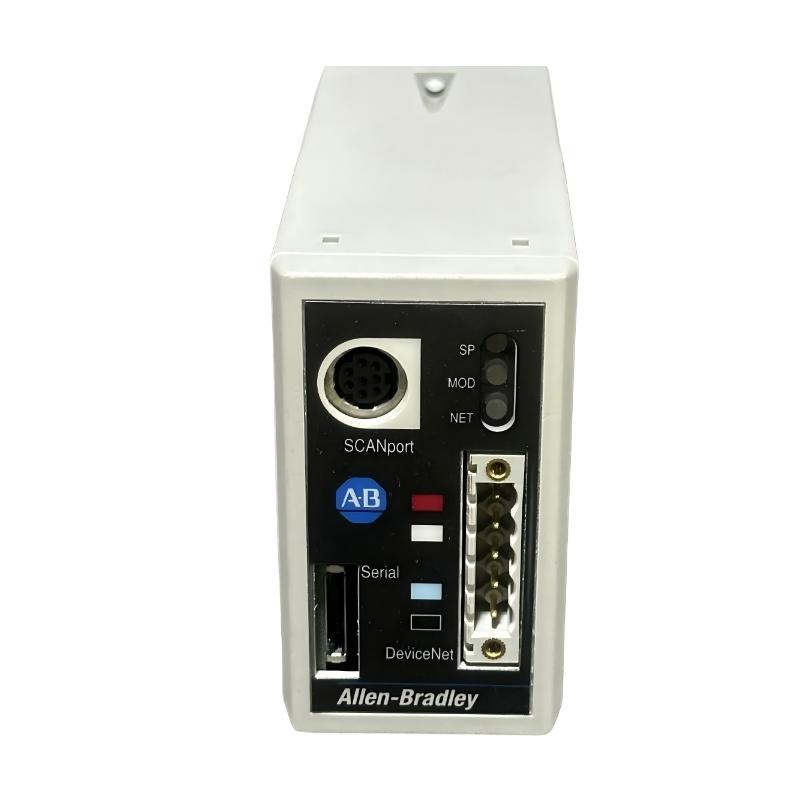
Allen-Bradley 1203-GU6 Fault Troubleshooting Guide (DeviceNet Dropout & SCANport Communication Failure)
Allen-Bradley 1203-GU6 faults are commonly misdiagnosed as PLC or drive failures. Field evidence shows most issues originate from network configuration errors, SCANport cable degradation, or power instability, rather than module hardware failure.
Fault Symptoms in Field Operation
- DeviceNet node not visible in scanner
- Intermittent drive communication loss
- Parameter read/write failure
- SCANport device randomly disconnecting
- Full network timeout under load
Field Diagnostic Approach
1. DeviceNet Network Integrity
- Check MAC ID uniqueness
- Verify CAN wiring polarity
- Inspect termination resistor placement
- Confirm trunk cable continuity
Even a single termination fault can destabilize the entire network segment.
2. SCANport Cable Inspection
- Verify mini-DIN connector seating
- Check shielding continuity
- Inspect routing away from VFD output cables
Field case: replacing a damaged SCANport cable immediately restored stable drive communication.
3. Power Supply Stability
- Measure 24V DC under dynamic load
- Check voltage dip during motor startup
- Separate supply from high inductive loads
Voltage instability is often seen as “random communication failure”.
Common Field Failure Modes
DeviceNet Address Conflict (Critical)
- Symptoms: node offline or duplicated identity
- Fix: assign unique node address
SCANport EMI Interference
- Symptoms: intermittent parameter loss
- Fix: improve shielding and cable routing
Power Drop During Load Events
- Symptoms: module reset or dropout
- Fix: stabilize DC supply or isolate loads
Field Recovery Case Study
Scenario: Drive parameters intermittently unavailable from PLC.
Diagnosis:
- 1203-GU6 node dropped during conveyor start
- SCANport cable routed alongside inverter output cable
- Improper termination resistor detected
Corrective Actions:
- Rewired DeviceNet trunk correctly
- Rerouted SCANport cable
- Replaced damaged cable section
Result:
Stable communication restored; full drive diagnostics continuously available.