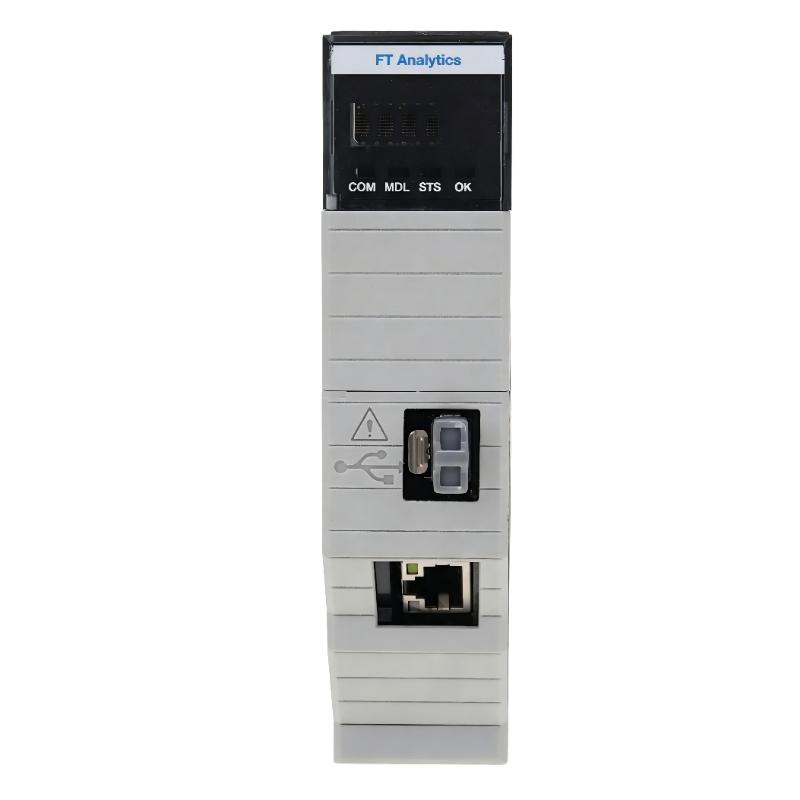
Allen-Bradley 1756-CMS1B4 FactoryTalk Analytics LogixAI Module Troubleshooting Guide (Fault Diagnosis)
Allen-Bradley 1756-CMS1B4 FactoryTalk Analytics LogixAI Module faults are often caused by poor-quality machine data, incorrect PLC scaling, or communication problems rather than failure of the analytics module itself. In real industrial troubleshooting, engineers must analyze the complete data chain from sensors to final analytics results before replacing hardware.
This article describes a field case involving a 1756-CMS1B4 module that generated incorrect equipment condition warnings while the ControlLogix system continued operating normally.
Allen-Bradley 1756-CMS1B4 Analytics Fault Symptoms in Industrial Systems
A manufacturing plant reported:
- Unexpected equipment warning alarms
- Incorrect maintenance recommendations
- Machine operation remained normal
- No module hardware fault indication
Initial inspection:
- ControlLogix processor: Normal
- 1756-CMS1B4 status: Healthy
- Communication: Stable
The maintenance team suspected a problem with the analytics module.
However, experienced engineers started troubleshooting from the data source.
Allen-Bradley 1756-CMS1B4 Fault Diagnosis Process and Data Analysis
The troubleshooting path was:
Machine Sensor
       |
PLC Input Signal
       |
ControlLogix Tag
       |
1756-CMS1B4 Analytics Module
       |
Condition Result
Each section was checked independently.
Allen-Bradley 1756-CMS1B4 Sensor and PLC Data Verification
The first step was checking whether the analytics input matched actual machine conditions.
Field measurement:
Actual motor temperature:
- 58°C
PLC displayed value:
- 86°C
Additional observation:
- Temperature signal changed rapidly during normal operation
- Physical equipment showed no overheating
Engineering conclusion:
The analytics system was correctly detecting abnormal data, but the input information was incorrect.
Allen-Bradley 1756-CMS1B4 Root Cause Analysis of False Analytics Faults
The final root cause was incorrect sensor replacement configuration.
Maintenance history:
- Temperature transmitter replaced
- New device calibration range changed
- PLC scaling parameters remained unchanged
Failure pattern:
Before correction:
- False equipment warnings occurred repeatedly
- Analytics confidence decreased
- Maintenance team received incorrect alerts
After correction:
- PLC values matched field measurements
- Analytics results returned to normal
The 1756-CMS1B4 module was operating correctly.
The actual problem was incorrect input data.
Allen-Bradley 1756-CMS1B4 Troubleshooting Repair and Recovery Procedure
Corrective actions included:
PLC Data Correction
Engineers performed:
- Sensor range verification
- PLC scaling adjustment
- Tag value comparison
Analytics Verification
Checked:
- Data trend stability
- Equipment operating pattern
- Warning generation
Final results:
Before repair:
- False alarms: 6–8 times per shift
After repair:
- False alarms: 0 during seven-day monitoring
The system returned to normal operation without replacing the analytics module.
Allen-Bradley 1756-CMS1B4 Common Fault Patterns and Diagnostic Methods
Communication Data Loss
Symptoms:
- Analytics data stops updating
- Module appears online but no new information
Check:
- Controller communication
- Network stability
- Data transfer status
Incorrect Sensor Signal
Symptoms:
- Abnormal predictions
- Equipment condition mismatch
Check:
- Sensor calibration
- Signal scaling
- Engineering units
Configuration Error
Symptoms:
- Module operates normally
- Analysis results are unreliable
Check:
- Selected PLC tags
- Monitoring parameters
- Machine operating range
Allen-Bradley 1756-CMS1B4 Long-Term Reliability Maintenance Strategy
For reliable FactoryTalk Analytics LogixAI operation:
- Maintain accurate PLC tag documentation
- Verify sensor calibration regularly
- Monitor signal quality trends
- Record normal equipment behavior
- Compare analytics results with actual machine conditions
A practical engineering rule:
“When a 1756-CMS1B4 analytics result looks incorrect, verify the data source before investigating the module hardware.”
The most effective troubleshooting sequence is:
Sensor inspection → PLC signal verification → Communication check → Analytics configuration review → Model validation → Final performance test.