Siemens 6AG1124-0GC13-2AX0 OIT Replacement Display Touchscreen Troubleshooting Guide: Fault Diagnosis and Repair
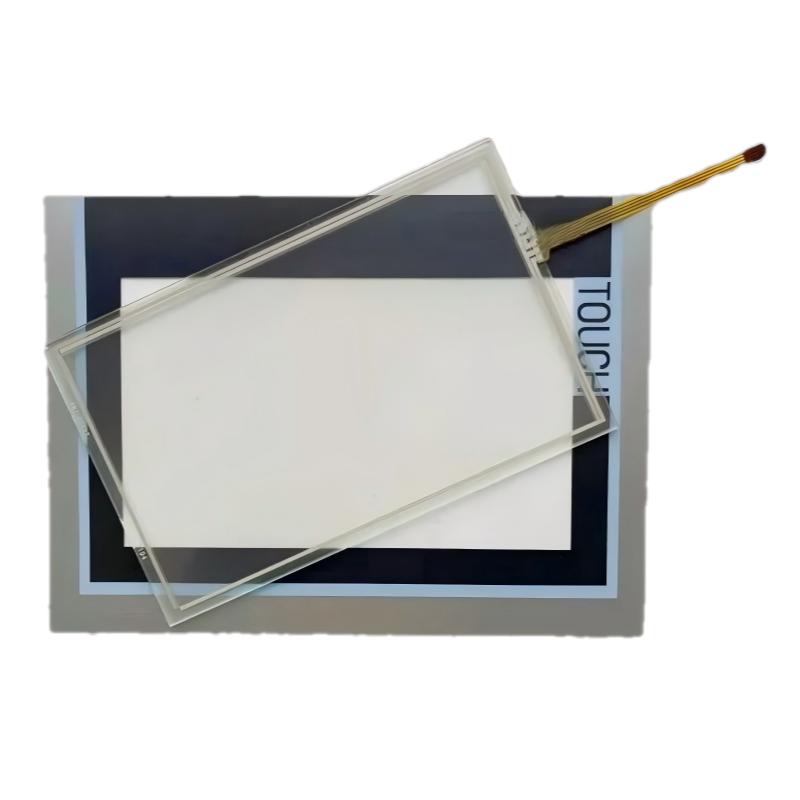
Siemens 6AG1124-0GC13-2AX0 OIT Replacement Display Touchscreen troubleshooting requires separating display hardware problems from HMI software, communication, and wiring issues. In industrial applications, many touchscreen failures are caused by connection problems, calibration errors, environmental conditions, or operator panel configuration.
Siemens 6AG1124-0GC13-2AX0 OIT Display Fault Symptoms
Common fault symptoms include:
- No image on screen
- Touch function unavailable
- Incorrect touch position
- Screen flickering
- Partial touch failure
- HMI cannot communicate with PLC
- Random operator input
The first diagnostic question should be:
Is the replacement display faulty, or is another part of the HMI system causing the problem?
Siemens 6AG1124-0GC13-2AX0 Touchscreen Fault Diagnosis Process
A practical Fault Diagnosis path is:
Power Supply → Display Hardware → Touch Interface → HMI Configuration → PLC Communication
The engineer should check:
- Power voltage
- Display cable
- Touch cable
- Calibration status
- HMI project settings
- Communication status
Replacing the touchscreen immediately without testing the system can result in unnecessary maintenance work.
Siemens 6AG1124-0GC13-2AX0 No Display Troubleshooting
When the screen remains blank, check:
- Power input
- Internal connection
- Display cable
- Backlight condition
- HMI startup status
Diagnostic method:
- Confirm power supply.
- Check HMI startup indicators.
- Inspect display connection.
- Test with known-good hardware conditions.
If the HMI controller operates normally but no image appears, the display assembly becomes a primary investigation point.
Siemens 6AG1124-0GC13-2AX0 Touch Response Failure Diagnosis
Touch failure may appear as:
- No response
- Incorrect button activation
- Only some areas responding
Possible causes:
- Touchscreen damage
- Loose connector
- Calibration loss
- Contamination on the panel surface
A practical test is to compare touch response across the entire screen area.
If only one area fails, the issue may be related to physical touchscreen damage.
Siemens 6AG1124-0GC13-2AX0 Real Fault Diagnosis Case
During a packaging machine maintenance project, operators reported that the HMI touchscreen activated incorrect buttons during operation.
The maintenance team initially suspected a software problem.
The engineer checked:
- HMI communication: Normal
- Display output: Normal
- Touch accuracy: Incorrect
Calibration testing showed significant touch deviation.
After recalibrating the replacement touchscreen, the operator interface returned to normal.
The final diagnosis was touchscreen alignment error, not PLC or communication failure.
Siemens 6AG1124-0GC13-2AX0 Communication Fault Troubleshooting
If the display works but PLC data is unavailable, investigate communication separately.
Possible causes:
- Incorrect HMI project
- Wrong communication parameters
- Cable issue
- PLC address mismatch
Check:
- PLC connection status
- HMI driver settings
- Network parameters
- Communication cable
A display replacement does not automatically repair communication configuration problems.
Siemens 6AG1124-0GC13-2AX0 Environmental Fault Diagnosis
Industrial environments can affect touchscreen reliability.
Check:
- Temperature
- Humidity
- Dust
- Oil contamination
- Vibration
Common environmental problems:
- Reduced touch sensitivity
- False touch signals
- Display aging
- Connector oxidation
Field conditions should always be included in the Fault Diagnosis process.
Siemens 6AG1124-0GC13-2AX0 Hardware Failure Diagnosis
Confirm hardware failure only after checking external factors.
Verify:
- Correct power supply
- Proper cable connection
- Correct HMI configuration
- Stable operating environment
Possible hardware failure indicators:
- No display output
- Touch remains unavailable after calibration
- Physical damage
- Repeated abnormal operation
Siemens 6AG1124-0GC13-2AX0 Repair Decision
Before replacing the OIT Replacement Display Touchscreen, confirm:
- Actual fault location
- Cable condition
- Configuration status
- Calibration condition
- Environmental influence
Replacing the correct component avoids unnecessary downtime and maintenance cost.
Siemens 6AG1124-0GC13-2AX0 Post-Repair Validation
After repair, perform:
- Display function test
- Touch accuracy test
- PLC communication verification
- Alarm screen test
- Operator operation test
The final goal is stable operator interaction during normal machine operation.
Siemens 6AG1124-0GC13-2AX0 Troubleshooting Checklist
| Fault Condition | Diagnostic Priority |
|---|---|
| Blank screen | Power and display connection |
| Touch failure | Touch cable and calibration |
| Wrong touch position | Calibration |
| No PLC data | Communication settings |
| Intermittent operation | Cable and environment |
| Repeated failure | Hardware condition |