Siemens 6SN1145-1BB00-0EA1 Troubleshooting Guide: Infeed and Regenerative Drive Fault Diagnosis
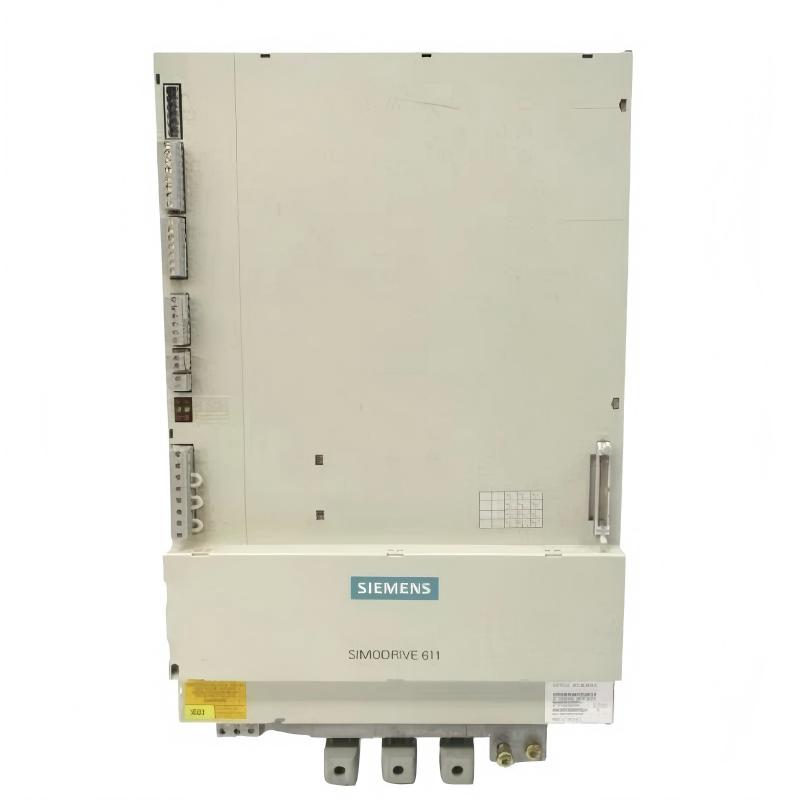
When a Siemens 6SN1145-1BB00-0EA1 Infeed/Regenerative Feedback Module is associated with drive-system shutdowns, unstable operation, or regenerative faults, troubleshooting should focus on the complete power-conversion system. The underlying cause may involve the incoming supply, associated line-side components, drive configuration, connected loads, or the module itself.
The most effective approach is to record the fault conditions, identify when the fault occurs, and isolate potential causes systematically. Use the exact module documentation and the installed system's diagnostic information rather than relying on generic fault assumptions.
1. Record the Fault Conditions
Before resetting the drive system, record the diagnostic messages and operating conditions associated with the failure.
Determine whether the fault occurs:
During initial power-up.
When the infeed system is expected to become ready.
When a connected drive receives an enable command.
During high-load operation.
During deceleration or regenerative braking.
After the equipment has been running for an extended period.
Also establish whether the fault affects a single axis or several connected drives. Multiple simultaneous faults may point toward a shared supply or infeed condition, whereas a fault confined to one axis may require closer examination of its motor circuit, configuration, or mechanical load.
2. Diagnose Infeed Readiness and Supply Faults
If the module fails to reach its expected operating state, begin with the incoming supply and the associated protective circuits.
With the equipment safely isolated, inspect accessible connections, protective devices, and wiring for visible damage, contamination, or signs of overheating. Where measurements are necessary, use the specified test points and compare the results with the documented limits for the installed system.
Symptom | Potential cause | Diagnostic action |
|---|---|---|
Infeed does not become ready | Supply problem or unmet startup condition | Review supply status and diagnostic sequence |
Protective device trips during startup | Electrical fault or protection-circuit issue | Isolate and investigate the affected circuit |
Startup fault appears intermittently | Connection problem or unstable supply condition | Inspect connections and compare fault timestamps |
Several drives become unavailable together | Shared infeed or system-level fault | Examine common supply and infeed diagnostics |
Do not repeatedly reset a protective trip without identifying its cause. If there is evidence of damaged insulation, a short circuit, or abnormal heating, keep the system isolated until qualified personnel complete the necessary checks.
3. Investigate Regenerative Faults During Deceleration
A fault that appears primarily during braking or deceleration should be investigated in relation to regenerative operation.
During deceleration, connected drives may return energy to the drive system. The infeed arrangement and associated components must be appropriate for the system design and operating conditions.
Follow this diagnostic sequence:
Record the machine speed, load condition, and motion sequence when the fault occurs.
Compare the fault timestamp with the deceleration command.
Check whether the problem affects one axis or multiple connected drives.
Review the installed line-side components against the approved drawings.
Verify that recent hardware or configuration changes have not introduced a mismatch.
Consult the applicable diagnostics to determine whether the fault points toward the supply, regenerative operation, or another drive component.
Avoid increasing operating limits or changing protection settings merely to suppress the fault. First establish the cause and confirm that the proposed corrective action is permitted by the system design.
4. Inspect Associated Line-Side Components
An infeed-related fault does not necessarily originate inside the Siemens 6SN1145-1BB00-0EA1 module. Associated line-side components, wiring, and protective devices should be included in the investigation.
With the equipment isolated and hazardous voltage verified absent:
Check component identification against the approved electrical drawings.
Inspect accessible connectors and terminals for looseness or heat damage.
Examine wiring for insulation deterioration or mechanical stress.
Verify that replacement components have the correct ratings.
Review maintenance records for recent changes to the infeed arrangement.
If a line-side component was replaced shortly before the fault began, confirm its suitability for the exact drive configuration. Do not assume that similar-looking components are electrically interchangeable.
5. Diagnose Faults That Develop After Extended Operation
If the drive system starts normally but develops a fault after operating for some time, investigate the operating environment and thermal conditions.
Potential causes include restricted cabinet airflow, contamination, deteriorating electrical connections, excessive load, or an issue elsewhere in the connected drive system.
A useful procedure is to:
Record how long the equipment operates before the fault appears.
Review diagnostic history for a gradual change in fault behavior.
Inspect cabinet filters, ventilation passages, and accessible cooling components.
Look for signs of overheating or discoloration around electrical connections.
Compare the affected operating cycle with normal machine operation.
Check whether the fault occurs on one drive or across the complete drive group.
Do not assume that cooling is the cause simply because the fault appears after extended operation. Use diagnostic evidence and inspection findings to distinguish thermal issues from electrical, load-related, and configuration problems.
6. Field Case: Infeed Fault Appears After Extended Production
A production machine runs successfully after startup but develops an infeed-related fault several hours into a shift. The operator reports that the problem is more frequent during demanding production cycles.
The maintenance engineer records the fault timestamps and compares them with the machine's operating history. The team then inspects the cabinet environment and checks accessible electrical connections under the required isolation procedure.
The inspection reveals restricted airflow caused by accumulated contamination around the cabinet's ventilation path. The team restores the specified cooling conditions, checks for any resulting component damage, and follows the equipment's approved restart procedure.
The machine is then tested through a representative operating cycle, with particular attention to the conditions that previously preceded the fault.
Diagnostic takeaway: A fault that develops after extended operation can be related to cabinet cooling or another condition that worsens with operating time. Confirm the cause through inspection and diagnostic evidence rather than replacing the infeed module immediately.
7. Decide Whether the Module Requires Repair or Replacement
Consider module replacement only after the external supply, wiring, associated components, configuration, and relevant operating conditions have been investigated.
Replacement or specialist inspection may be appropriate when:
A qualified diagnostic procedure identifies an internal module fault.
Visible damage is present on the module or its power connections.
The fault persists after documented external causes have been eliminated.
The system's diagnostic evidence consistently identifies the module as the source of the problem.
Before fitting another unit, verify the full ordering number and compatibility with the installed SIMODRIVE 611 system. Do not assume that the 0EA0 and 0EA1 variants can be substituted directly without confirming the applicable replacement information.
Internal power-electronic repairs should be performed only by qualified specialists. Improper repair can compromise insulation, protective functions, and operational reliability.
8. Post-Repair Verification
After corrective action, verify the original operating condition under controlled circumstances before returning the equipment to normal production.
Test | Expected result |
|---|---|
Initial startup | Infeed follows the documented startup sequence |
Diagnostic review | Original fault is cleared and does not immediately recur |
Drive enable | Connected drives reach the expected operating state |
Normal operation | The machine operates within its approved limits |
Regenerative sequence | Relevant deceleration tests complete as expected |
Thermal inspection | No abnormal heating or visible damage |
Maintenance records | Root cause and corrective actions are documented |
If the fault returns, compare the new diagnostic record with the original event. Changes in timing or affected drives can help narrow the remaining diagnostic possibilities.
9. Preventive Maintenance for Siemens 6SN1145-1BB00-0EA1
A preventive maintenance plan should cover the infeed module and the complete electrical environment in which it operates.
Clean cabinet ventilation paths and filters according to the maintenance schedule.
Inspect accessible wiring and power connections during safely isolated maintenance.
Monitor repeated infeed and regenerative-operation faults.
Verify the compatibility of line-side components following maintenance or replacement.
Record the conditions associated with intermittent and load-dependent failures.
Keep accurate hardware identification and spare-parts records.
Systematic fault diagnosis helps maintenance engineers distinguish internal module defects from problems involving the supply, associated components, cooling, and connected drive loads. This reduces unnecessary replacement and supports more reliable operation of the SIMODRIVE drive system.