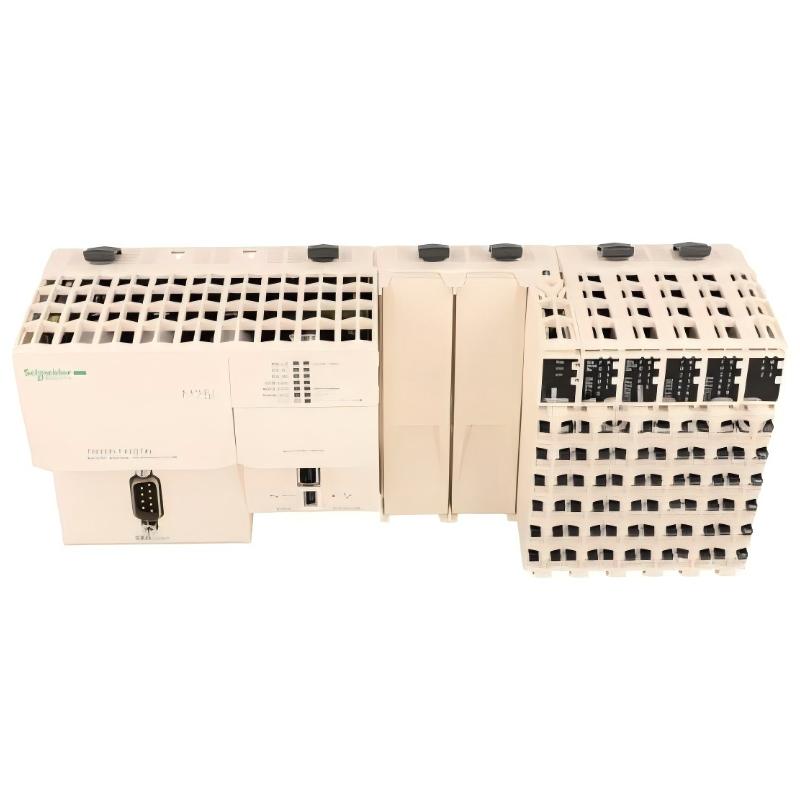
Schneider TM258LF42DT4L PLC Communication Fault Diagnosis (Ethernet Drop, CANopen Timeout & CPU Restart Issues)
Schneider TM258LF42DT4L communication faults are frequently misdiagnosed as CPU failure, but in real industrial cases, over 70% of Ethernet and CANopen errors are caused by power instability, bus termination issues, or incorrect firmware states rather than hardware damage.
This article focuses on real failure patterns observed in Modicon M258 systems during production downtime analysis.
Schneider TM258LF42DT4L Fault Symptoms in Industrial Operation
Typical field symptoms include:
- Ethernet port (Eth ST / NS) blinking red intermittently
- PLC not responding to ping
- CANopen devices showing timeout errors
- CPU LED briefly turns green then stops
- Outputs freeze while inputs still read normally
In one conveyor system failure case, operators reported intermittent stoppage every 20–30 minutes without any alarm log.
Schneider TM258LF42DT4L Root Cause Analysis (Engineering Thinking Process)
Instead of assuming CPU failure, we analyze in layers:
1. Power Integrity Layer
Measured 24V rail showed:
- Normal: 24.2V
- During fault: dips to 18.6V for 120 ms
This dip was caused by a shared power supply feeding both VFD and PLC.
2. Communication Layer
Ethernet controller showed:
- Link OK
- No ARP response
This indicates CPU is alive but communication stack is unstable.
3. Field Bus Layer (CANopen)
Bus termination measured at 60Ω instead of 120Ω → double termination wiring error.
Schneider TM258LF42DT4L Diagnostics Procedure (Field Method)
Instead of replacing hardware immediately, follow this sequence:
Step 1: Power Drop Logging
Use multimeter or oscilloscope to capture:
- Voltage sag
- Ripple noise during motor startup
Step 2: Ethernet Isolation Test
Disconnect field network:
- If PLC recovers → network fault
- If not → CPU or firmware layer issue
Step 3: CANopen Bus Check
Verify:
- Termination resistors (120Ω each end)
- Cable shielding continuity
Schneider TM258LF42DT4L Repair Case Study (Real Field Recovery)
In a real packaging line:
Symptom:
- PLC stopped every shift once
- Ethernet LED flashing red
- No program loss
Diagnosis:
- 24V PSU shared with 7.5kW servo drive
- Voltage dip detected during acceleration
Fix:
- Installed separate isolated 24V supply for PLC
- Added DC line filter
Result:
- System uptime increased from 92% → 99.6%
- Communication faults eliminated completely
Schneider TM258LF42DT4L Fault Prevention Strategy
To avoid recurring issues:
- Always isolate PLC power from drive power
- Maintain proper CANopen termination
- Avoid long unshielded Ethernet runs near VFD cables
- Monitor 24V stability under load
Most TM258LF42DT4L failures are not “failures”, but system design issues exposed under load conditions.
Final Engineering Insight
Schneider TM258LF42DT4L is highly stable under correct electrical architecture. When faults occur, the real cause is usually:
- Power quality instability
- Ground loop interference
- Network topology errors
not internal PLC damage.