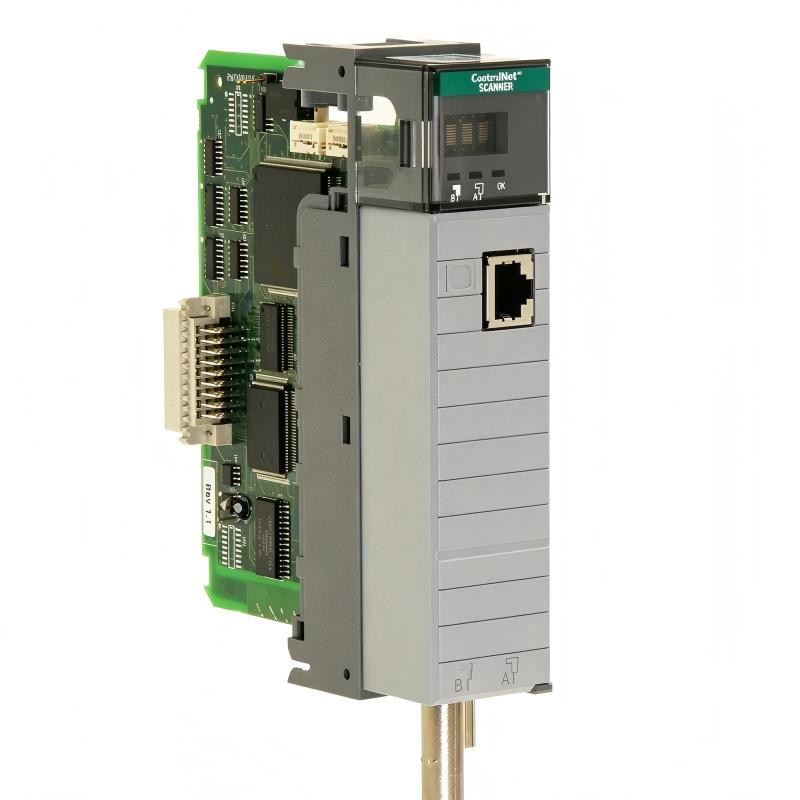
Allen-Bradley 1747-SCNR ControlNet Scanner Module Troubleshooting Guide (Communication Fault Diagnosis)
Allen-Bradley 1747-SCNR ControlNet Scanner Module communication faults are usually caused by network configuration errors, ControlNet signal instability, or remote device problems rather than scanner module failure. In industrial troubleshooting, replacing the scanner without analyzing the communication path often results in repeated failures.
This article describes a real field troubleshooting case involving an SLC500 system where the 1747-SCNR intermittently lost communication with remote ControlNet I/O stations.
Allen-Bradley 1747-SCNR ControlNet Communication Fault Symptoms
A production machine experienced:
- Random remote I/O loss
- Output devices stopped responding
- PLC processor remained in RUN mode
- Communication recovered after system restart
Initial observations:
- SLC500 processor operation normal
- Local I/O operation normal
- 1747-SCNR module powered correctly
The first troubleshooting question was:
Was the scanner module defective, or was the ControlNet communication path failing?
Allen-Bradley 1747-SCNR Fault Diagnosis Process and Signal Analysis
Engineers analyzed the system from the controller outward.
Diagnostic sequence:
PLC Program
      |
1747-SCNR Module
      |
ControlNet Network
      |
Remote Adapter
      |
Field I/O
PLC Processor Check
Observation:
- Processor remained in RUN
- No major controller fault
- Logic execution normal
Conclusion:
The PLC application was not the source of failure.
Scanner Module Status Analysis
Inspection results:
- Module power: normal
- Slot communication: normal
- Scanner recognized by processor
Conclusion:
The 1747-SCNR module itself was functioning.
The investigation continued toward the ControlNet network.
Allen-Bradley 1747-SCNR ControlNet Fault Root Cause Investigation
The final root cause was an incorrect ControlNet network schedule after a remote device replacement.
Maintenance history:
- Original remote adapter replaced
- New device installed
- Node address changed
- Network configuration not updated
Observed data:
Before correction:
- Remote node status: intermittent fault
- Communication timeout: 15–20 events/hour
Engineering analysis:
The scanner was attempting communication based on the previous network configuration.
The problem was not a hardware failure but a system configuration mismatch.
Allen-Bradley 1747-SCNR Communication Fault Repair and Recovery
Corrective actions:
Network Configuration Update
Performed:
- Verified all ControlNet node addresses
- Updated scanner network configuration
- Confirmed remote device mapping
System Testing
After repair:
- Remote I/O response time: <50 ms
- Communication errors: 0
- Continuous operation test: 72 hours
The production line returned to normal operation without replacing the 1747-SCNR module.
Allen-Bradley 1747-SCNR Common Troubleshooting Patterns in Industrial Systems
Based on field troubleshooting experience, common faults include:
ControlNet Node Address Conflict
Symptoms:
- Random communication loss
- Multiple devices disappearing
Diagnosis:
- Check duplicate node addresses
- Verify network configuration
ControlNet Cable Signal Problems
Symptoms:
- Intermittent communication
- Unstable remote I/O updates
Diagnosis:
- Inspect connectors
- Check cable condition
- Verify shielding
Incorrect SLC500 Scanner Configuration
Symptoms:
- Scanner online
- Remote devices unavailable
Diagnosis:
- Check I/O mapping
- Verify scanner setup
- Confirm processor data handling
Allen-Bradley 1747-SCNR Long-Term Reliability Maintenance Strategy
For stable operation of legacy SLC500 ControlNet systems:
- Keep network configuration records updated
- Document every node address change
- Monitor scanner diagnostic status
- Inspect aging communication cables
- Record normal communication performance values
A practical engineering rule:
“When a 1747-SCNR system fails, diagnose the communication path before replacing the scanner module.”
The fastest troubleshooting method is:
PLC status verification → Scanner diagnostics → ControlNet analysis → Configuration check → Physical inspection → Recovery test.