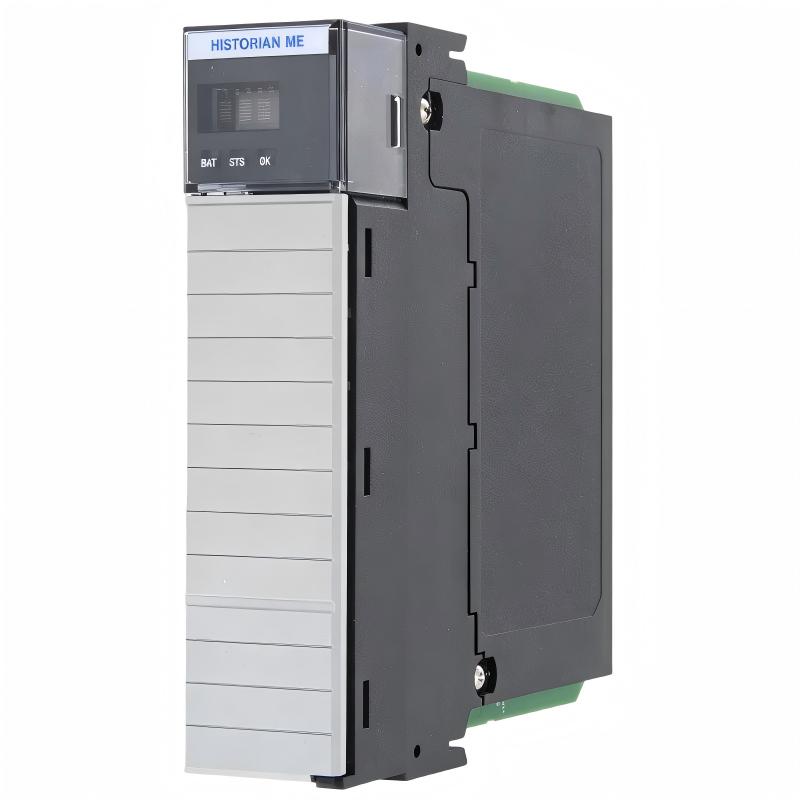
Allen-Bradley 1756-HIST2G FactoryTalk Historian Module Installation Guide (Setup & Commissioning)
Allen-Bradley 1756-HIST2G FactoryTalk Historian Module installation problems are usually caused by incorrect chassis configuration, incomplete tag setup, communication configuration errors, or time synchronization issues rather than module hardware failure. In industrial automation environments, the historian module may appear healthy while still failing to record production data because the PLC data path, historian points, or system configuration are not correctly commissioned.
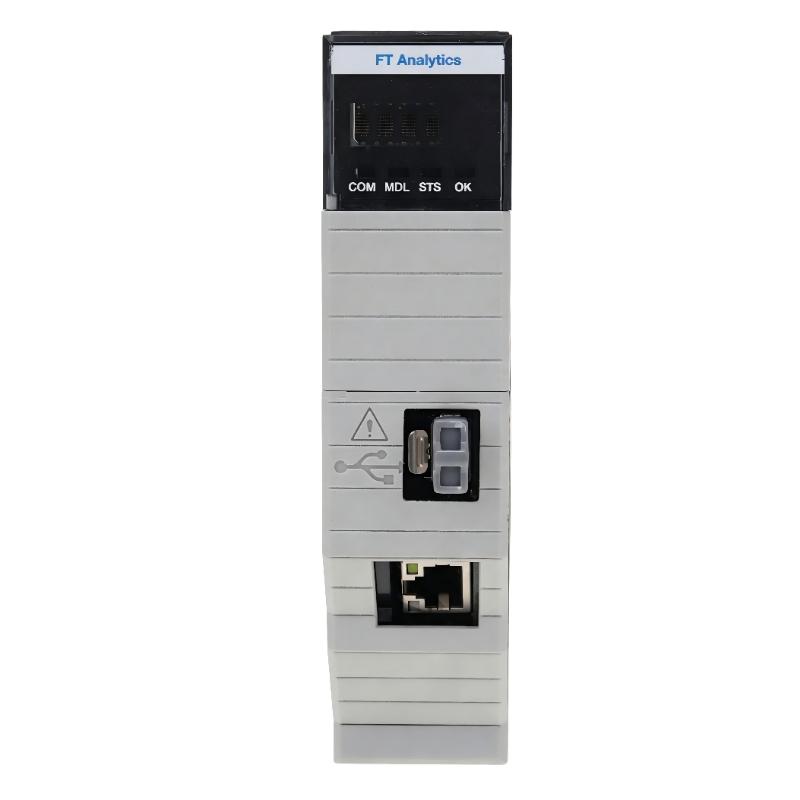
The Allen-Bradley 1756-HIST2G FactoryTalk Historian Module is designed for ControlLogix-based automation systems that require embedded historical data collection. It allows engineers to capture controller information, monitor process trends, analyze machine performance, and improve production visibility.
Allen-Bradley 1756-HIST2G FactoryTalk Historian Module Application Overview
The 1756-HIST2G operates as a data collection component inside a ControlLogix automation architecture.
Typical system structure:
ControlLogix PLC Controller
          |
          |
ControlLogix Backplane
          |
          |
1756-HIST2G Historian Module
          |
          |
Industrial Network
          |
          |
Production Data Analysis System
The main functions include:
- Recording PLC process values
- Collecting machine operating data
- Creating historical trends
- Supporting production analysis
- Monitoring equipment performance
Typical applications:
- Automotive manufacturing lines
- Process automation systems
- Packaging equipment
- Energy monitoring systems
- Large production facilities
In one automotive assembly plant, engineers installed a 1756-HIST2G module to collect motor current, cycle time, and temperature information from multiple ControlLogix controllers.
During initial commissioning:
- Module power status: Normal
- PLC communication: Active
- Historical records: Missing
The first assumption was a network communication failure.
Engineers performed a complete investigation:
- Checked chassis installation
- Verified controller communication
- Reviewed tag configuration
- Tested historian collection status
Measured condition:
Before correction:
- PLC values available: Yes
- Configured historian points: 120
- Recorded historical values: 0
The investigation found that the historian data points were created but not correctly enabled for collection.
After configuration correction:
- Data recording started normally
- Historical trends became available
- Production analysis functions operated correctly
The problem was caused by commissioning configuration, not module hardware.
Allen-Bradley 1756-HIST2G Installation Preparation and System Planning
Before installing the historian module, engineers should evaluate the complete ControlLogix system.
Preparation requirements:
- Confirm chassis compatibility
- Verify available slot location
- Check network structure
- Backup controller programs
- Prepare historian tag list
Installation checklist:
| Inspection Item | Engineering Requirement |
|---|---|
| ControlLogix chassis | Stable power operation |
| Module slot | Correct installation position |
| Network connection | Reliable communication |
| PLC tags | Proper identification |
| Time settings | Synchronized system clock |
A common field mistake is treating historian installation as only a hardware replacement task.
Successful commissioning requires planning:
- Which tags need recording
- Required sampling frequency
- Storage requirements
- Data access method
Without proper planning, the module may operate normally but provide incomplete production information.
Allen-Bradley 1756-HIST2G Module Installation Process
The physical installation requires careful inspection.
Recommended installation procedure:
- Turn off ControlLogix chassis power
- Install the 1756-HIST2G module
- Confirm secure connection with the backplane
- Restore system power
- Check module status
- Connect communication network
After installation, engineers should verify:
- Module operating status
- Controller communication
- Network availability
- Data collection readiness
In one commissioning case:
Before correction:
- Module status: Normal
- Communication: Available
- Historical database: Empty
Inspection results:
- Hardware installation was correct
- Controller communication was normal
- Data collection configuration was incomplete
After correcting the configuration:
- Data points updated continuously
- Trend records became available
- System passed production testing
Allen-Bradley 1756-HIST2G Setup and System Configuration
The setup stage determines whether the historian system can collect useful information.
Important configuration areas:
- Controller data source
- Historian point definition
- Data collection settings
- Network communication
- Time synchronization
Typical commissioning logic:
IF Module_Status = Healthy
AND PLC_Data = Available
AND Historian_Point = Enabled

THEN

Start Historical Data Collection
Engineers should verify:
- Real-time PLC values
- Historical data updates
- Timestamp accuracy
- Trend display performance
Field experience shows that many historian problems come from incomplete configuration after system expansion or PLC program changes.
Allen-Bradley 1756-HIST2G Commissioning Validation and Performance Testing
Final commissioning should confirm long-term data reliability.
Data Collection Test
Check:
- PLC tag updates
- Recording frequency
- Historical value storage
Communication Test
Verify:
- Network stability
- Module response
- Data transfer reliability
Example commissioning results:
Before optimization:
- Configured points: 150
- Active recording: 0%
- Trend data unavailable
After optimization:
- Active recording: 100%
- Historical values updated continuously
- Production monitoring restored
A successful Allen-Bradley 1756-HIST2G installation requires correct module setup, accurate system configuration, and complete commissioning validation.