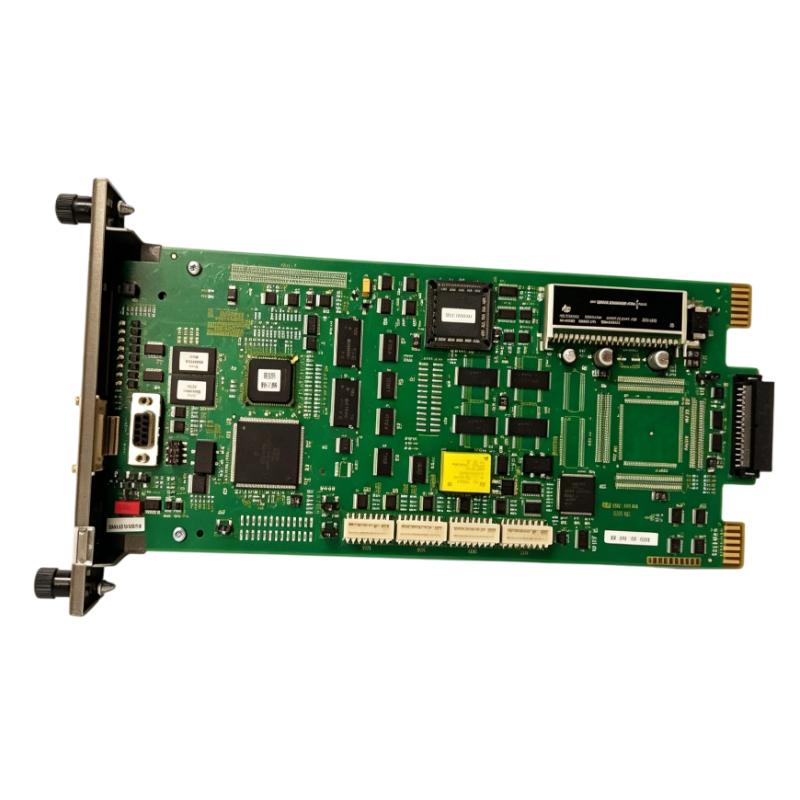
ABB Bailey INICI03 Cnet-to-Computer Communication Interface Module Troubleshooting Guide (Fault Diagnosis)
ABB Bailey INICI03 Cnet-to-Computer Communication Interface Module communication faults are commonly caused by cable problems, incorrect addressing, configuration mismatch, or host communication settings rather than internal module damage. In legacy DCS systems, engineers should verify the complete communication path before replacing the interface module.
This article describes a field case where an operator workstation lost communication with a Bailey Cnet network.
ABB Bailey INICI03 Cnet Communication Fault Symptoms
Typical fault symptoms include:
- Computer cannot access DCS data
- HMI displays communication failure
- Process tags stop updating
- Network connection appears offline
- Communication alarms are generated
Field case:
A chemical plant operator station suddenly lost access to several process monitoring points.
Initial observations:
- Bailey controllers operating normally
- Cnet network status normal
- Operator computer showed communication timeout
The maintenance team suspected:
- INICI03 module failure
- Computer software issue
- Network interruption
Engineers began troubleshooting from the communication chain.
ABB Bailey INICI03 Fault Diagnosis Process and Communication Analysis
Troubleshooting path:
 id="inici03_diag"
DCS Controller Network
          |
          |
       Cnet Network
          |
          |
ABB Bailey INICI03
          |
          |
Computer / HMI System
Engineers checked:
- Module status indicators
- Network communication
- Host interface connection
- Data transfer response
Diagnostic results:
- DCS controllers: Normal
- Cnet network: Normal
- INICI03 communication: Intermittent
The problem was isolated to the computer interface communication path.
ABB Bailey INICI03 Communication Timeout Fault Investigation
Field measurements:
Before repair:
- Cnet status: Active
- Host response: Delayed
- Communication retries: Frequent
Engineers analyzed:
- Communication cable condition
- Interface configuration
- Computer port settings
The investigation found:
- Host communication parameters did not match the configured interface settings
Technical impact:
Incorrect communication settings caused:
- Data request failures
- Connection timeout
- Intermittent communication loss
The INICI03 module was operating correctly.
ABB Bailey INICI03 Root Cause Analysis and Recovery
The final root cause was configuration mismatch after computer system maintenance.
Original condition:
- Computer interface operated normally
- Communication parameters matched
After maintenance:
- Host software configuration changed
- Communication settings no longer matched the DCS interface
Failure pattern:
Normal condition:
- Data requests processed correctly
Fault condition:
- Host requests rejected
- Communication timeout occurred
Engineering conclusion:
The failure was caused by system configuration changes, not module hardware damage.
ABB Bailey INICI03 Troubleshooting Repair and System Recovery
Corrective actions:
Communication Configuration Repair
Performed:
- Verified interface parameters
- Restored correct communication settings
- Tested host connection
Network Validation
Checked:
- Cnet communication
- Data update performance
- Operator station response
Final results:
Before repair:
- Process data unavailable
- Operator monitoring affected
After repair:
- Communication restored
- Process data updated normally
- System operation stabilized
ABB Bailey INICI03 Common Fault Patterns and Diagnostic Methods
Communication Cable Fault
Symptoms:
- Intermittent communication
- Random data loss
Diagnosis:
- Inspect cable condition
- Check connector reliability
- Test communication stability
Address Configuration Fault
Symptoms:
- Module online but no data transfer
- Host cannot identify interface
Diagnosis:
- Verify module addressing
- Check network configuration
Host Interface Configuration Fault
Symptoms:
- Computer connection fails
- Data requests rejected
Diagnosis:
- Review communication parameters
- Confirm software configuration
- Test interface settings
ABB Bailey INICI03 Long-Term Maintenance Strategy
For reliable operation:
- Keep communication drawings updated
- Record module configuration
- Inspect interface cables regularly
- Backup host communication settings
- Monitor communication alarms
A practical engineering rule:
“When an ABB Bailey INICI03 communication fault occurs, verify the complete Cnet-to-computer communication path before replacing the interface module.”
Recommended troubleshooting sequence:
Check module status → Verify Cnet network → Inspect communication cable → Confirm configuration → Test host connection → Validate system operation.