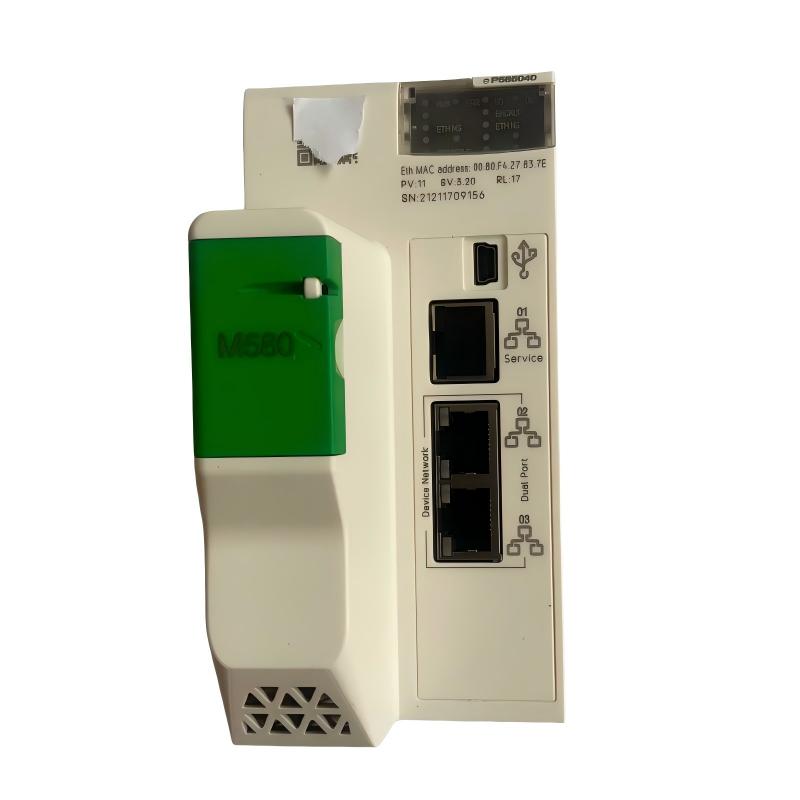
Schneider BMEP585040 Independent Processor Troubleshooting Guide (Fault Diagnosis)
Schneider BMEP585040 Independent Processor faults are commonly related to communication configuration, application loading errors, network interruptions, or I/O synchronization problems rather than processor hardware failure. In industrial PLC troubleshooting, engineers should analyze the complete M580 control architecture before replacing the CPU module.
This article describes a field case where a BMEP585040 processor caused intermittent remote I/O communication alarms.
Schneider BMEP585040 PLC Processor Fault Symptoms
Typical fault symptoms include:
- PLC system enters warning status
- Remote I/O communication alarms appear
- HMI data refresh becomes slow
- Field devices respond intermittently
- Network diagnostics show communication errors
Field case:
A chemical processing plant reported intermittent loss of remote I/O communication.
Initial observations:
- CPU remained in RUN mode
- Local control functions operated normally
- Remote devices occasionally disconnected
The maintenance team suspected:
- Processor communication port failure
- Remote I/O module damage
- Ethernet network failure
Engineers started troubleshooting from the complete control network.
Schneider BMEP585040 Fault Diagnosis Process and System Analysis
Troubleshooting path:
Field Devices
      |
      |
Remote I/O Network
      |
      |
BMEP585040 Processor
      |
      |
SCADA / HMI System
Engineers checked:
- CPU diagnostics
- Ethernet communication status
- Remote I/O health
- Network traffic
Diagnostic results:
- Processor status: RUN
- Application execution: Normal
- Communication errors: Present
The fault was isolated to the communication layer.
Schneider BMEP585040 Ethernet Communication Fault Investigation
Field measurements:
Before repair:
- CPU status: RUN
- Network packet loss: Detected
- Remote I/O update delay: Increased
- Communication alarm frequency: High
Engineers analyzed:
- Ethernet switch configuration
- IP address assignment
- Network load
The investigation found:
- Two network devices had conflicting IP settings
Technical impact:
The IP conflict caused:
- Communication interruptions
- Data exchange errors
- Remote I/O instability
The BMEP585040 processor was functioning correctly.
Schneider BMEP585040 Root Cause Analysis and Recovery
The final root cause was an incorrect network configuration after maintenance work.
Original condition:
- PLC network operated normally
- All devices had unique addresses
After maintenance:
- New Ethernet device added
- Existing IP address duplicated
Failure pattern:
Normal condition:
- Stable communication
- Continuous control operation
Fault condition:
- Network collision
- Remote I/O communication interruption
Engineering conclusion:
The problem was caused by Ethernet configuration, not processor hardware failure.
Schneider BMEP585040 Troubleshooting Repair and System Recovery
Corrective actions:
Network Configuration Repair
Performed:
- Assigned correct IP address
- Updated network documentation
- Tested communication stability
PLC System Validation
Checked:
- CPU operation
- Remote I/O response
- HMI communication
Final results:
Before repair:
- Communication alarms occurred repeatedly
- Remote devices disconnected
After repair:
- Stable Ethernet communication
- Normal PLC operation
- Process system restored
Schneider BMEP585040 Common Fault Patterns and Diagnostic Methods
Application Download Failure
Symptoms:
- Program transfer unsuccessful
- CPU cannot enter RUN mode
Diagnosis:
- Check firmware compatibility
- Verify project configuration
- Review memory status
Remote I/O Communication Fault
Symptoms:
- Remote devices offline
- Control response delayed
Diagnosis:
- Check Ethernet network
- Verify I/O configuration
- Inspect communication modules
CPU Diagnostic Warning
Symptoms:
- Processor remains RUN but reports alarms
Diagnosis:
- Review diagnostic buffer
- Check task loading
- Analyze communication status
Schneider BMEP585040 Long-Term Maintenance Strategy
For reliable processor operation:
- Maintain PLC project backups
- Record network configuration
- Monitor CPU diagnostics
- Check Ethernet performance
- Keep firmware records updated
A practical engineering rule:
“When a Schneider BMEP585040 processor fault occurs, verify application configuration and network communication before replacing the CPU module.”
Recommended troubleshooting sequence:
CPU status check → Application diagnosis → Ethernet analysis → Remote I/O verification → Configuration review → Final system validation.