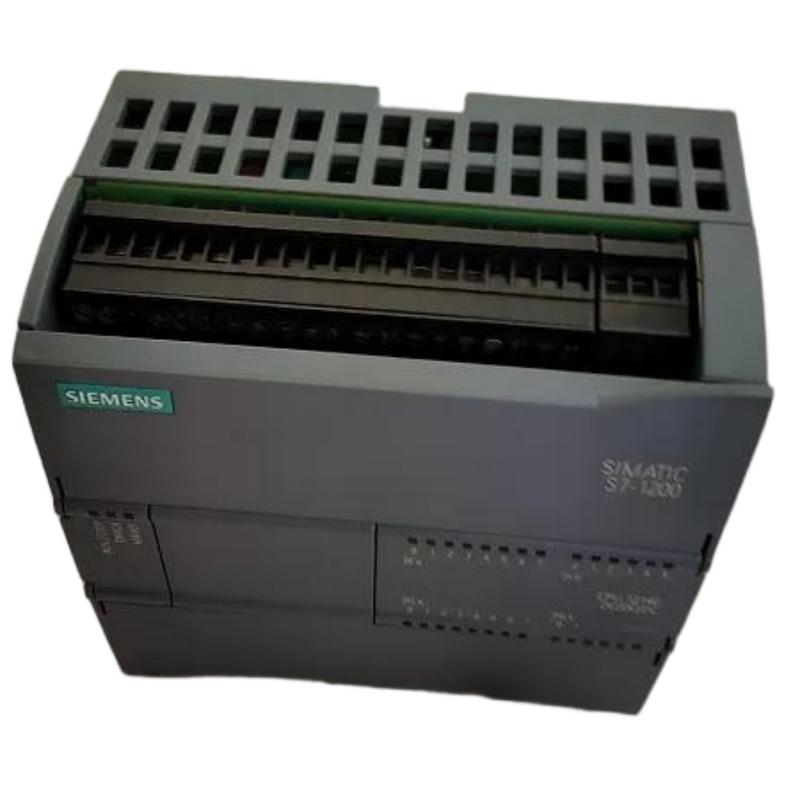
Siemens 6AG1214-1HG40-2XB0 PLC CPU Installation Guide (Wiring, Setup & Commissioning)
Siemens 6AG1214-1HG40-2XB0 PLC CPU Installation Guide for Industrial Automation Applications
Siemens 6AG1214-1HG40-2XB0 PLC CPU installation requires correct wiring, hardware configuration, and commissioning procedures to ensure reliable operation in industrial automation systems. Most startup problems during PLC projects are not caused by CPU hardware defects but by incorrect power connections, communication settings, firmware compatibility, or system configuration errors.
The Siemens 6AG1214-1HG40-2XB0 Central Processing Unit is designed for automation applications requiring stable control logic execution, industrial communication, and integration with distributed I/O systems. During field installation, engineers must consider electrical conditions, network architecture, module compatibility, and application requirements before placing the PLC CPU into production.
This Siemens 6AG1214-1HG40-2XB0 PLC CPU Installation Guide explains practical engineering methods for mounting, wiring, configuring, and commissioning the CPU in real industrial environments.
Siemens 6AG1214-1HG40-2XB0 PLC CPU System Role and Application Overview
In an industrial control system, the PLC CPU is the decision-making unit responsible for executing user programs, processing input signals, controlling output devices, and communicating with other automation components.
The Siemens 6AG1214-1HG40-2XB0 Central Processing Unit normally works together with:
- Digital input and output modules
- Analog signal modules
- Communication modules
- HMI panels
- Industrial Ethernet devices
- Remote I/O stations
Before installation, engineers should understand the complete control architecture rather than treating the CPU as an independent device.
For example, during one machine upgrade project, a new PLC CPU was installed to replace an older controller. The hardware installation was completed successfully, but the machine failed to start because the communication parameters between the CPU and HMI were not transferred correctly. After checking the system configuration and restoring the correct device settings, the machine returned to normal operation.
This case shows that PLC commissioning requires both hardware and software verification.
Siemens 6AG1214-1HG40-2XB0 PLC CPU Installation Preparation and Engineering Checklist
A professional Siemens 6AG1214-1HG40-2XB0 Installation Guide begins with preparation.
Before mounting the CPU, technicians should confirm:
Hardware Preparation
- PLC rack or mounting position availability
- Compatible expansion modules
- Correct power supply capacity
- Required communication cables
- Proper grounding arrangement
Software Preparation
- Engineering software availability
- Correct device configuration file
- Compatible firmware version
- Backup of existing PLC program
Environmental Check
The installation location should be evaluated for:
- Temperature range
- Humidity level
- Vibration condition
- Electrical interference sources
- Cabinet ventilation
In field applications, many PLC failures happen because installation conditions are ignored. A CPU installed near high-power drives may experience communication instability due to electromagnetic interference.
Siemens 6AG1214-1HG40-2XB0 CPU Wiring and Power Connection Setup
Correct wiring is the foundation of Siemens 6AG1214-1HG40-2XB0 PLC CPU commissioning.
The main wiring checks include:
- Power supply polarity
- Protective grounding
- Terminal tightness
- Communication cable routing
- Shielding connection
Before energizing the CPU, engineers usually perform electrical measurements.
Typical commissioning inspection:
| Check Item | Engineering Verification |
|---|---|
| Power voltage | Confirm within specified range |
| Ground connection | Verify reliable protective earth |
| Cable installation | Check correct routing |
| Communication wiring | Confirm connector position |
A real commissioning example involved a PLC CPU that failed to communicate with remote I/O modules after installation.
The diagnostic process showed:
- CPU power: Normal
- Program download: Successful
- Network cable: Connected
- Communication status: Intermittent
After inspection, engineers found the communication cable was installed parallel to a motor power cable for approximately 8 meters. After rerouting the cable and improving separation, communication became stable.
Siemens 6AG1214-1HG40-2XB0 PLC CPU Hardware Configuration and System Setup
After physical installation, Siemens 6AG1214-1HG40-2XB0 System Configuration is required before operation.
The setup process normally includes:
- Creating PLC hardware configuration
- Assigning module addresses
- Configuring communication parameters
- Checking CPU operating mode
- Downloading the control program
A practical engineering workflow:
Hardware Identification
        ↓
PLC Device Configuration
        ↓
Network Parameter Setup
        ↓
Program Transfer
        ↓
Online Diagnostic Check
During commissioning, engineers should compare the configured hardware with the actual installed modules.
A mismatch between the project configuration and physical hardware can result in:
- Module recognition errors
- Diagnostic alarms
- Communication failures
- Unexpected machine behavior
Siemens 6AG1214-1HG40-2XB0 PLC CPU Commissioning Procedure and Validation
The final stage of installation is commissioning validation.
A complete Siemens 6AG1214-1HG40-2XB0 PLC CPU Commissioning process includes:
CPU Status Verification
Engineers check:
- RUN/STOP status
- Diagnostic indicators
- Hardware recognition
- Program execution
I/O Testing
The team verifies:
- Sensor input response
- Actuator output operation
- Safety signals
- Machine sequence logic
Communication Testing
The engineer confirms:
- HMI communication
- Network connectivity
- Data exchange reliability
In one production line commissioning case, engineers performed a 48-hour continuous operation test after installing a new CPU system.
Observed results:
- PLC communication remained stable
- Input response time remained consistent
- No unexpected CPU stop events occurred
The validation confirmed that the Siemens PLC system was ready for production.
Siemens 6AG1214-1HG40-2XB0 PLC CPU Installation Best Practices for Long-Term Reliability
Long-term PLC reliability depends on proper maintenance after installation.
Recommended practices include:
- Keep updated PLC program backups
- Record hardware configuration changes
- Monitor diagnostic information
- Maintain cabinet cleanliness
- Check communication quality regularly
Industrial automation systems often operate continuously for years. A correctly installed Siemens 6AG1214-1HG40-2XB0 Central Processing Unit provides a stable control platform for manufacturing equipment, process systems, and automated machines.