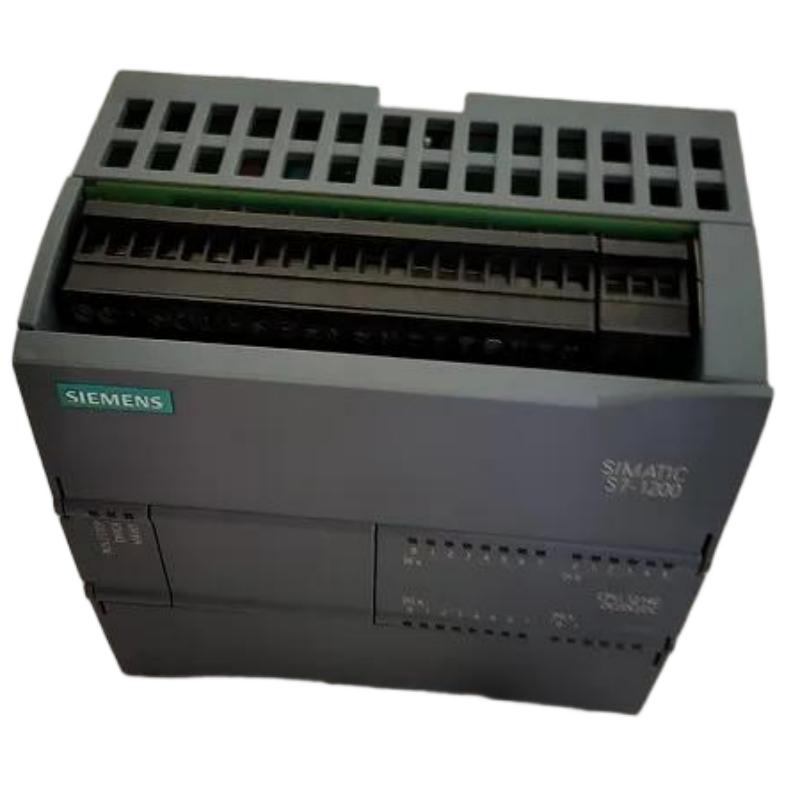
Siemens 6AG1214-1HG40-2XB0 PLC CPU Troubleshooting Guide (Fault Diagnosis & Repair)
Siemens 6AG1214-1HG40-2XB0 PLC CPU Troubleshooting Guide for Control System Failures
Siemens 6AG1214-1HG40-2XB0 PLC CPU troubleshooting requires a structured Fault Diagnosis approach because CPU-related problems are often connected with external devices, communication networks, or incorrect system configuration.
When a PLC CPU stops working, replacing the controller immediately is usually not the correct engineering solution. Experienced technicians first analyze operating symptoms, diagnostic information, electrical measurements, and system behavior to locate the real cause.
This Siemens 6AG1214-1HG40-2XB0 Troubleshooting Guide focuses on practical fault analysis methods used during industrial maintenance.
Siemens 6AG1214-1HG40-2XB0 PLC CPU Fault Symptoms and Initial Diagnosis
The first step in Siemens 6AG1214-1HG40-2XB0 Fault Diagnosis is identifying the failure pattern.
Common symptoms include:
- CPU cannot enter RUN mode
- Machine sequence stops unexpectedly
- Communication interruption
- I/O modules become unavailable
- PLC diagnostic alarms appear
Engineers usually divide the problem into several layers:
Power Layer
     ↓
Hardware Layer
     ↓
Communication Layer
     ↓
Program Layer
     ↓
Application Layer
This prevents incorrect troubleshooting decisions.
For example, a machine stop does not automatically mean the PLC CPU has failed. The actual problem may be a damaged sensor, incorrect program condition, or communication interruption.
Siemens 6AG1214-1HG40-2XB0 PLC CPU Startup Failure Fault Diagnosis
One common Siemens 6AG1214-1HG40-2XB0 repair case involves CPU startup failure.
Field Observation
The machine operator reported:
- PLC system powered on
- CPU remained in STOP mode
- Production sequence unavailable
The engineering team performed diagnostic checks.
Observed data:
- Power supply voltage: 24.1 VDC
- CPU hardware status: Normal
- Program download: Completed
- Diagnostic buffer: Configuration-related warning
Further investigation showed that a recently replaced expansion module did not match the original hardware configuration.
After updating the PLC hardware configuration and downloading the corrected project, the CPU returned to RUN mode.
The failure was caused by system configuration mismatch, not CPU damage.
Siemens 6AG1214-1HG40-2XB0 PLC CPU Communication Fault Troubleshooting
Communication problems are another frequent issue in PLC systems.
Typical symptoms:
- HMI loses connection
- Remote I/O disappears
- Data exchange becomes unstable
- Network alarms occur
The troubleshooting process includes:
Network Check
Verify:
- Cable connection
- Connector condition
- IP parameters
- Network topology
PLC Diagnostic Check
Analyze:
- Communication status
- Error codes
- Device availability
Signal Analysis
Engineers may monitor:
- Packet loss
- Response time
- Connection stability
In one factory application, the Siemens 6AG1214-1HG40-2XB0 PLC CPU experienced intermittent HMI communication loss.
Measured network condition:
Before repair:
- Packet loss: 6%
- Response delay: 250 ms
After replacing a damaged network connector:
- Packet loss: <0.1%
- Response delay: 5–10 ms
The PLC CPU was functioning correctly; the communication hardware caused the fault.
Siemens 6AG1214-1HG40-2XB0 PLC CPU I/O Processing Fault Analysis
Sometimes the CPU appears to fail because field signals are incorrect.
Typical symptoms:
- Output does not activate
- Input signal is unstable
- Machine sequence stops
The diagnostic method:
- Check sensor signal voltage.
- Compare online PLC input status.
- Verify program logic conditions.
- Test output response.
A field case involved a packaging machine where the PLC output command was correct, but the actuator did not operate.
Measurements showed:
- PLC output command: ON
- Output voltage: 24 VDC
- Actuator input voltage: 0 VDC
The investigation found a damaged terminal connection between the PLC output module and field device.
After repairing the wiring connection, the machine resumed operation.
Siemens 6AG1214-1HG40-2XB0 PLC CPU Program and Configuration Fault Diagnosis
Software-related problems can create symptoms similar to hardware failures.
Common causes:
- Incorrect program download
- Modified parameters
- Missing hardware configuration
- Wrong communication settings
A practical troubleshooting method:
Compare Current Project
          ↓
Check PLC Online Data
          ↓
Review Diagnostic Buffer
          ↓
Verify Program Logic
          ↓
Restore Correct Configuration
Engineers should always compare the running system with the approved backup project before modifying PLC parameters.
Siemens 6AG1214-1HG40-2XB0 PLC CPU Maintenance Strategy After Repair
After completing Siemens 6AG1214-1HG40-2XB0 PLC CPU repair, engineers should confirm system reliability.
Recommended verification:
- Run machine cycles repeatedly
- Monitor CPU diagnostics
- Check communication stability
- Record final parameters
- Update maintenance documentation
In one maintenance project, technicians completed 500 automatic machine cycles after PLC CPU troubleshooting. No further CPU stops occurred, confirming that the root cause had been correctly identified.
Siemens 6AG1214-1HG40-2XB0 PLC CPU Troubleshooting Conclusion
The Siemens 6AG1214-1HG40-2XB0 Central Processing Unit is designed for reliable industrial automation control, but effective maintenance depends on systematic troubleshooting.
Professional Fault Diagnosis requires analyzing the complete automation system, including power supply, communication networks, I/O devices, and software configuration.
By applying practical Siemens 6AG1214-1HG40-2XB0 Troubleshooting methods, engineers can reduce downtime, avoid unnecessary component replacement, and maintain stable PLC-based production systems.