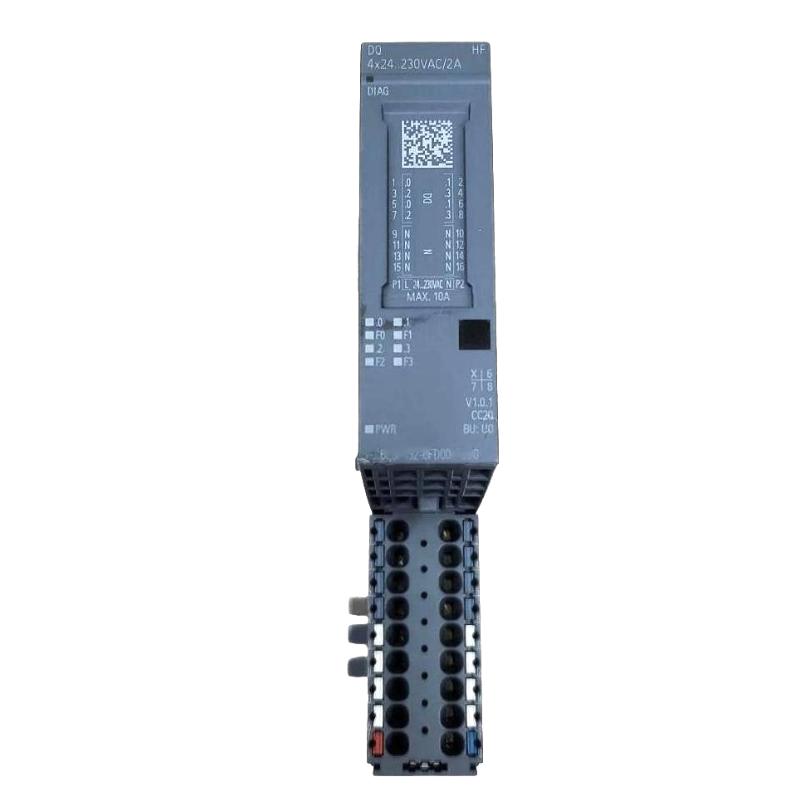
Siemens 6AG2132-6FD00-4CU0 Digital Output Module Installation Guide (Hardware Setup & Commissioning)
Introduction
The Siemens 6AG2132-6FD00-4CU0 Digital Output Module must be installed and configured according to the requirements of the automation system in which it operates. Correct installation helps ensure reliable output switching, consistent PLC control, and dependable operation of connected field devices. This guide covers hardware preparation, electrical wiring, engineering configuration, commissioning checks, and practical installation considerations.
Before installation, verify the exact module variant, output technology, rated voltage, current limits, and compatibility requirements against the applicable Siemens documentation. Do not assume that wiring specifications or output characteristics are identical across different digital output modules.
1. Pre-Installation Checks for the Siemens 6AG2132-6FD00-4CU0
A successful installation begins with confirming that the module matches the project requirements.
Inspect the module label and compare the complete order number with the approved bill of materials. Check the housing, terminals, connector interfaces, and mounting components for damage. If the module is intended for a replacement, record the existing wiring and configuration before disconnecting the original unit.
Pay particular attention to the following items:
Hardware compatibility: Confirm that the module is supported by the intended controller, station, base unit, and mounting arrangement.
Output specifications: Verify the output type, rated voltage, permissible current per channel, and total module current limits.
Load compatibility: Confirm that connected actuators, relays, contactors, valves, or indicator devices are suitable for the module's documented output characteristics.
Power requirements: Check the relevant load supply, protective devices, and common-reference arrangements.
Engineering configuration: Verify the correct hardware catalog entry and any required firmware or software compatibility.
Prepare the electrical drawings, terminal assignments, load list, and PLC I/O mapping before beginning physical work.
2. Digital Output Module Mounting and Wiring
Isolate the relevant power sources and follow the plant's lockout/tagout procedures before installing or wiring the module. Verify that the circuit is de-energized using an appropriate instrument. Never handle terminals or connectors while energized unless the manufacturer's documentation explicitly permits the operation.
Installation procedure
Identify the correct mounting location from the approved hardware configuration.
Inspect the mounting interface and ensure that the module can be seated without force.
Install the module using the specified mounting and locking method.
Connect the required load supply and output wiring according to the verified terminal diagram.
Confirm that each field device is connected to the intended PLC output address.
Check wire identification, conductor condition, terminal tightness, and cable strain relief.
Verify protective grounding and any required separation between signal wiring and power wiring.
Inspect the completed wiring before restoring power.
For inductive loads such as contactors and solenoid valves, confirm whether external suppression is required and whether the selected suppression method is compatible with the output circuit. Incorrect suppression or excessive inrush current can affect switching performance and module service life.
3. Siemens 6AG2132-6FD00-4CU0 PLC Configuration
After physical installation, configure the hardware in the appropriate Siemens engineering environment.
Select the exact supported module entry and verify that the configured slot or mounting position matches the physical installation. Assign output addresses according to the project I/O list, and confirm that the PLC program uses the intended addresses.
Review the following configuration items:
Module identification and hardware compatibility.
Output address allocation and channel mapping.
Relevant diagnostic settings, where supported.
Load supply and output-group arrangements.
Firmware or engineering software requirements specified for the device.
Avoid downloading a modified hardware configuration to a running machine without an approved change procedure. Changes to output mapping can cause unintended field-device operation if existing PLC logic continues to use previous addresses.
4. Commissioning and Output Function Testing
Commissioning should verify both the electrical installation and the relationship between PLC commands and actual field-device responses.
Test | Procedure | Acceptance criterion |
|---|---|---|
Hardware recognition | Check the engineering diagnostics after startup | Correct hardware identification with no unexplained configuration fault |
Supply verification | Measure the relevant supply at the specified test points | Within documented operating limits |
Output mapping | Command a known test output under approved conditions | The intended channel responds |
Load operation | Observe the connected field device | Device operates consistently with the control command |
Channel isolation | Test channels individually where practical | No unintended cross-channel activation |
Diagnostic review | Inspect PLC and module diagnostics | No unresolved output or supply-related faults |
Operational test | Run the approved machine sequence | Outputs switch as required throughout the test |
For a 24 V DC circuit, for example, a measured supply near 24 V is generally expected only if the verified module and load circuit are designed for that voltage. Use the actual rated range in the manufacturer's documentation as the acceptance criterion rather than treating a nominal value as a universal specification.
During functional testing, verify the voltage at appropriate points without creating short circuits or exposing personnel to energized conductors. Confirm that the field device responds correctly, not merely that the PLC output indicator changes state.
5. Field Installation Case: Output Address Does Not Match the Wiring
A common commissioning problem occurs when the PLC program commands one actuator but a different device responds, or the expected actuator remains inactive.
The engineer first compares the physical terminal assignment with the electrical drawing and then checks the output address configured in the engineering project. In this scenario, the field wiring is found to be connected to the next output channel, while the program references the originally planned address.
The issue is corrected by reconciling the terminal wiring, I/O list, and PLC program under the approved change process. Each affected output is then tested individually before the machine is returned to automatic operation.
This case illustrates why output-address verification should be performed before diagnosing the module as defective.
6. Installation Checklist
Before handover, confirm that:
The module order number and compatibility have been verified.
The module is securely installed in the approved position.
Load voltage and output current requirements have been checked.
Wiring matches the terminal diagram and I/O list.
Protective measures for inductive loads have been reviewed.
PLC addresses and physical channels are consistent.
Each required output has passed functional testing.
Diagnostic records contain no unresolved installation-related faults.
Wiring changes and commissioning results have been documented.
A complete commissioning record makes future troubleshooting and module replacement easier while reducing the risk of repeated wiring or configuration errors.