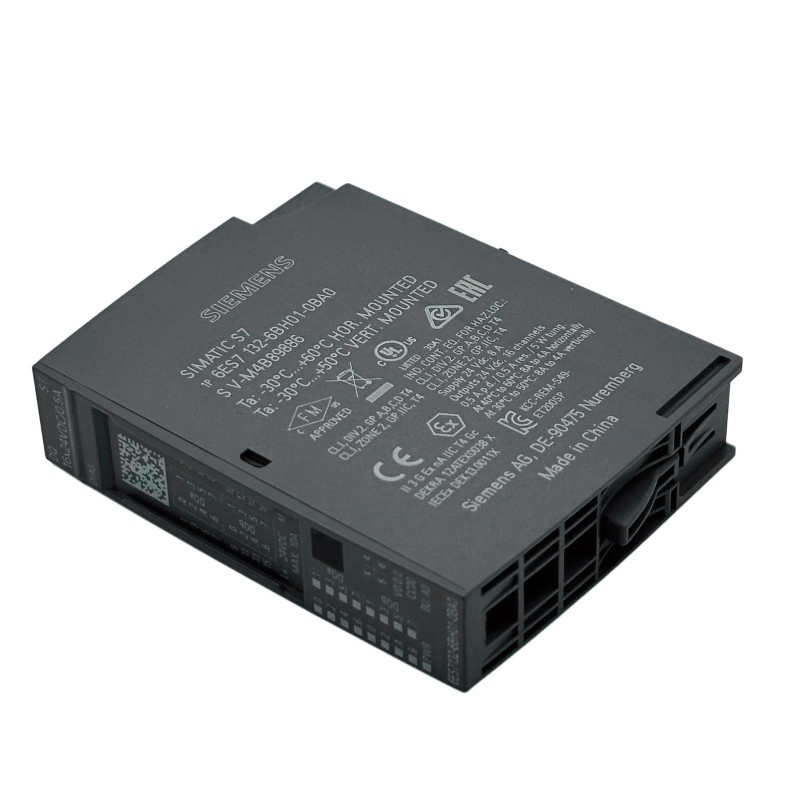
Siemens 6AG2132-6BH01-4BA0 数字输出模块 Siemens 6AG2132-6BH01-4BA0 Digital Output Module Installation Guide (Hardware Setup & Commissioning)
Introduction
The Siemens 6AG2132-6BH01-4BA0 Digital Output Module must be installed with the correct hardware configuration, electrical connections, and PLC output assignments to ensure reliable control of connected field devices. Proper installation helps prevent incorrect output switching, wiring errors, and commissioning delays in industrial automation systems.
This guide explains the installation workflow, wiring checks, PLC configuration, and functional testing for the Siemens 6AG2132-6BH01-4BA0. Before proceeding, verify the exact output technology, rated voltage, channel arrangement, current limits, and compatibility requirements in the product documentation for this specific order number.
1. Verify Hardware Compatibility Before Installation
Begin by confirming that the module matches the approved system design. Similar Siemens digital output modules may differ in electrical characteristics, supported hardware configurations, and diagnostic functions.
Check the following details before mounting the module:
Product identification: Confirm that the label matches Siemens order number 6AG2132-6BH01-4BA0.
System compatibility: Verify the supported controller, station, mounting position, and associated hardware.
Electrical ratings: Confirm the specified load voltage, output current limits, and permitted load characteristics.
Wiring requirements: Identify the correct terminal assignments, common connections, and supply arrangement.
Engineering compatibility: Check the required hardware catalog entry and any documented firmware or software dependencies.
Environmental conditions: Confirm that the installation environment meets the manufacturer's requirements.
For a replacement installation, save the existing PLC configuration and photograph or document the original wiring before removing the old module.
2. Mounting and Wiring the Siemens Digital Output Module
Before handling the module, isolate the relevant power supplies and follow the site's lockout/tagout procedure. Verify the de-energized condition using an appropriate instrument.
Installation procedure
Identify the designated installation position from the approved hardware layout.
Inspect the mounting interface and connector contacts for damage or contamination.
Install the module using the specified mounting procedure, ensuring that it is fully seated and secured.
Connect the load supply and field wiring according to the verified terminal diagram.
Match each physical output channel with its designated field device and PLC address.
Check conductor preparation, terminal tightness, wire identification, and strain relief.
Verify the required grounding, common connections, and cable separation.
Inspect the wiring against the electrical drawings before restoring power.
Pay particular attention to the distinction between the PLC output signal and the external power circuit supplying the load. A valid PLC command cannot operate a field device if the required load supply or return path is missing.
For inductive loads such as contactor coils and solenoid valves, confirm the need for suitable suppression components and ensure that their characteristics comply with the module manufacturer's requirements.
3. Configure the Module in the PLC Engineering Project
Once the hardware is installed, verify that the engineering configuration accurately represents the physical system.
Open the applicable Siemens engineering project and select the correct hardware entry for the complete order number. Confirm that the configured mounting position matches the actual installation and that the assigned output addresses agree with the electrical drawings.
Review these configuration items:
Hardware identification and compatibility.
Output address allocation.
Channel-to-field-device mapping.
Relevant diagnostic settings, where supported.
Required firmware and engineering software versions.
Any documented restrictions affecting output operation.
Before downloading a modified project, compare the proposed changes with the current system configuration. Incorrect output addressing can cause the wrong actuator to operate even when the module and field wiring are electrically sound.
Where the equipment is already in production, perform configuration changes only under an approved maintenance or commissioning procedure.
4. Commissioning Tests for the 6AG2132-6BH01-4BA0
Commissioning should verify the entire control path, from the PLC command to the connected field device.
Test item | Verification method | Expected result |
|---|---|---|
Hardware recognition | Review the engineering diagnostics | Correct module identification |
Load supply | Measure at approved test points | Within documented operating limits |
Output addressing | Command an approved test output | Correct physical channel responds |
Field wiring | Compare terminal assignments with drawings | No wiring or channel mismatch |
Load response | Observe the connected actuator or indicator | Consistent response to the command |
Diagnostic status | Review available module and PLC diagnostics | No unresolved faults |
Sequence operation | Run an approved machine test | Outputs operate in the intended sequence |
For a system designed around a 24 V DC load supply, measurements should be compared with the actual specified voltage range. Do not apply that voltage assumption to the module until its electrical ratings have been confirmed.
Test outputs individually before running the complete machine sequence. This makes it easier to identify swapped channels, incorrect addresses, or unexpected interactions between connected loads.
5. Field Case: Output Mapping Error During Commissioning
A machine upgrade introduces a newly installed digital output module. During testing, the PLC command intended to activate a pneumatic valve instead operates an indicator on another part of the machine.
The engineer initially checks the module's diagnostic status, which does not reveal an obvious hardware fault. The next step is to compare the PLC output address with the terminal assignment and the updated electrical drawing.
The investigation reveals that the physical wiring and software mapping were updated inconsistently. The engineer reconciles the output address, terminal assignment, and field-device label under the approved change procedure. Each affected output is then tested separately before the machine returns to automatic operation.
This type of commissioning issue demonstrates why hardware recognition alone is not sufficient. The logical address, physical channel, and connected load must all correspond to the intended design.
6. Installation Acceptance Checklist
Before completing the installation, confirm that:
The order number and hardware compatibility have been verified.
The module is correctly mounted and secured.
Output voltage and current requirements match the connected loads.
Field wiring follows the approved terminal diagram.
PLC output addresses match the physical channels.
Load supply and return connections have been checked.
Required protective and suppression arrangements are in place.
Functional tests have been completed under approved conditions.
Diagnostic results and configuration changes have been recorded.
A documented commissioning baseline provides a useful reference for future maintenance and helps reduce repeat installation errors.