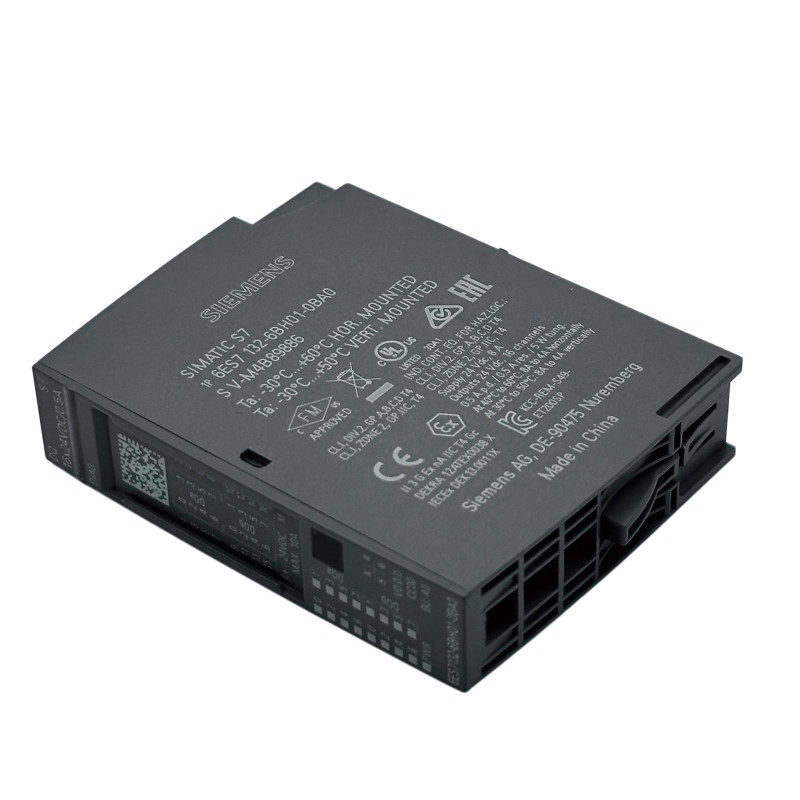
Siemens 6AG2132-6BH01-4BA0 Digital Output Module Troubleshooting Guide (Intermittent Output Fault Diagnosis)
Introduction
Intermittent output behavior in a Siemens 6AG2132-6BH01-4BA0 Digital Output Module can interrupt actuator operation and cause unexpected machine stoppages. When an output works during initial testing but becomes unreliable after extended operation, the cause may involve load characteristics, supply conditions, terminal connections, PLC logic, or the module itself.
A systematic troubleshooting process helps identify the source without unnecessary component replacement. The exact channel ratings, protection behavior, and diagnostic capabilities of this model must be confirmed from its documentation before electrical tests or corrective actions are selected.
1. Record the Output Fault Under Real Operating Conditions
Begin by identifying the exact channel and the conditions under which the problem occurs.
Determine whether the output fails immediately, after the machine has been running for some time, or only when a particular actuator operates. Record the PLC command state, any available diagnostic messages, and whether other channels are affected.
Useful observations include:
Whether the PLC output command remains active during the failure.
Whether the problem occurs with one field device or several.
Whether the fault follows a specific machine cycle.
Whether the output recovers after the equipment stops or cools.
Whether the fault coincides with changes in load demand or supply conditions.
These details help distinguish a software issue from an electrical or hardware problem.
2. Confirm the PLC Logic and Output State
Monitor the relevant output variable in the engineering software while the machine is operating under an approved test condition.
If the command changes to the inactive state when the fault occurs, investigate the PLC program, interlocks, operating mode, sequence conditions, and any logic that may overwrite the output value.
If the PLC command remains active but the field device stops responding, proceed to the electrical circuit.
Also verify that the monitored address belongs to the intended physical channel. A misleading address assignment can make an unrelated output appear to be defective.
Do not force outputs or bypass safety-related conditions merely to reproduce the fault. Any test must preserve the machine's required safety functions.
3. Investigate Supply Stability Under Load
An output circuit may operate correctly at startup but become unreliable when the load supply is stressed during normal operation.
Using approved test points and appropriate instruments, measure the relevant supply under both idle and loaded conditions. Compare the measurements with the manufacturer's specified operating range. Inspect supply terminals, protective devices, and common connections for loose wiring or signs of overheating.
If several outputs become unreliable at the same time, prioritize checks of shared supply circuits and common connections. If only one channel is affected, examine its individual wiring and connected load as well.
Avoid relying exclusively on a no-load measurement. A supply may appear normal when the actuators are inactive but drop outside the permitted range when current demand increases.
4. Check for Excessive Load Demand or Thermal Stress
When an output fault develops only after repeated operation, review the electrical characteristics of the connected load.
Check the steady-state current, startup or inrush current, duty cycle, and switching frequency against the module's documented limits. Inductive loads may produce switching transients, while a load with excessive current demand may stress the output circuit.
A practical diagnostic approach is to compare the affected channel's operating conditions with those of a known-good channel, provided both channels have compatible ratings and the test can be performed safely.
Inspect the cabinet temperature and ventilation if the fault correlates with prolonged operation. However, do not assume that a thermal protection feature exists or that a particular diagnostic response is expected unless the module documentation confirms it.
Correct the underlying load or environmental condition before repeating the test.
5. Inspect Terminals and Field Wiring
A loose or deteriorated connection may produce an intermittent fault that is difficult to reproduce during a stationary inspection.
With the relevant circuits safely isolated, inspect the affected channel's wiring, terminal connections, connectors, and conductor condition. Check for damaged insulation, loose strands, incorrect termination, corrosion, and heat discoloration.
Where permitted, perform continuity and connection checks using the procedure appropriate to the circuit. Do not use a continuity tester on an energized circuit or apply an external test voltage to the output without confirming that the method is permitted.
If the field device is accessible, inspect its terminals and wiring as well. A defective coil, damaged cable, or intermittent return connection can create symptoms similar to an output-channel failure.
6. Field Case: Output Becomes Unreliable After Repeated Switching
Consider an automated assembly station where a digital output controls a frequently operated solenoid valve. The valve operates correctly during the first production cycles, but later begins missing commands. The PLC variable remains active during at least some of the failures.
The maintenance engineer records the fault timing and reviews the load's rated current, switching frequency, and duty cycle. The wiring is inspected, and the supply is measured during operation. The investigation identifies a mismatch between the actual operating demand and the permitted conditions for the installed output circuit.
The team corrects the underlying load arrangement according to the approved design and checks whether the required suppression and protective measures are suitable. The original production sequence is then repeated while monitoring the output and load response.
The lesson is to investigate repeated-switching and load-related conditions when the fault depends on operating duration, rather than immediately replacing the module.
7. Interpret the Fault Pattern
Use the relationship between the PLC command, electrical measurements, and field-device response to narrow the diagnosis.
Observed behavior | Potential cause | Next diagnostic step |
|---|---|---|
PLC command becomes inactive | Logic condition, interlock, or sequence issue | Monitor the program and related conditions |
Command remains active, but the load stops | Supply, wiring, load, or output-channel problem | Measure the circuit at approved test points |
Several outputs fail together | Shared supply or common connection issue | Test the shared circuit under load |
Fault occurs after repeated switching | Load demand, duty cycle, or thermal condition | Compare operating conditions with documented limits |
Output fails when a cable or connector moves | Intermittent wiring or terminal connection | Inspect the isolated connection |
Fault persists with a verified load and supply | Possible module or configuration fault | Review diagnostics and consider controlled substitution |
These patterns guide the investigation but do not establish a definitive cause on their own. Confirm the diagnosis with measurements and repeatable tests.
8. Determine Whether Module Replacement Is Necessary
Consider replacing the Siemens 6AG2132-6BH01-4BA0 only after external causes have been investigated and the available diagnostics support a possible hardware fault.
Before replacement, save diagnostic records, document the wiring, verify the replacement's compatibility, and follow the site's electrical isolation procedures.
After installation, confirm hardware recognition and test the affected output using the same operating conditions that previously produced the fault. If the problem returns, investigate the load, supply, wiring, and system configuration again.
A replacement module should not be treated as a permanent solution until the original failure mechanism has been identified or reasonably excluded.
9. Preventive Maintenance Recommendations
To reduce recurring digital output faults, include the following checks in scheduled maintenance:
Inspect output terminals and load wiring for deterioration.
Review load current and switching frequency against documented limits.
Monitor shared supply conditions during representative operating cycles.
Check cabinet temperature and ventilation.
Verify output addresses after PLC or hardware changes.
Preserve diagnostic logs for intermittent faults.
Confirm that replacement modules and connected loads match the approved design.
Effective troubleshooting depends on separating software commands, electrical supply, wiring, field-device behavior, and module diagnostics. Following this sequence helps maintenance teams identify the actual cause of output failures, minimize unnecessary replacement, and restore reliable machine operation.