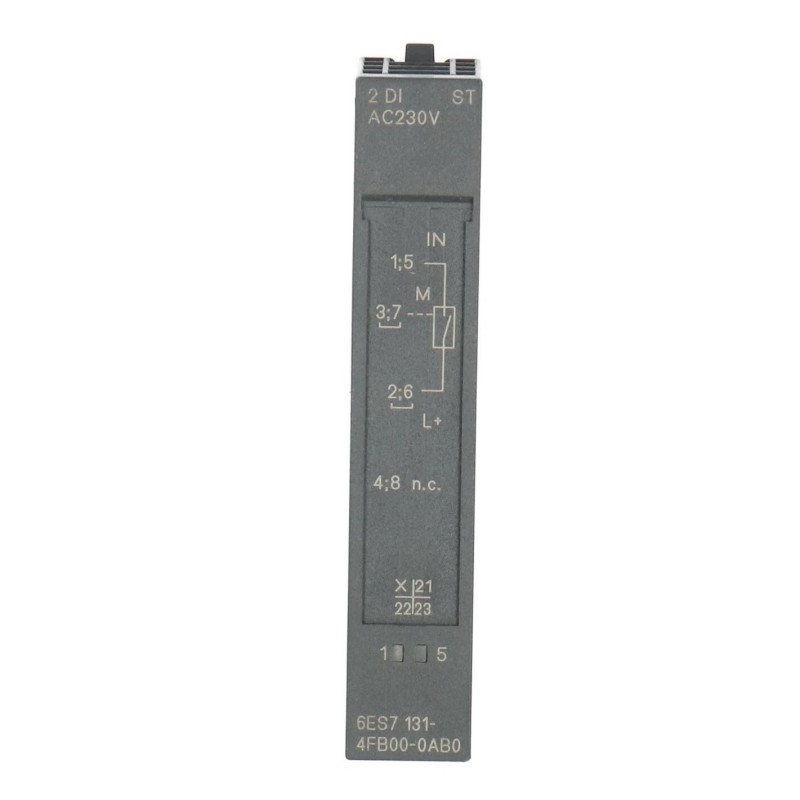
Siemens 6ES7131-4FB00-0AB0 Digital Input Electronic Module Troubleshooting Guide (Missed Signal & Input Response Fault Diagnosis)
Introduction
When the Siemens 6ES7131-4FB00-0AB0 Digital Input Electronic Module fails to register a sensor event, produces inconsistent input states, or reports unexpected signal behavior, the fault may originate from the field device, electrical wiring, input timing, PLC addressing, or module hardware.
The most reliable troubleshooting method is to compare the actual field signal with the input state reported by the control system. This guide provides a practical diagnostic workflow for maintenance engineers while emphasizing that electrical limits and available diagnostics must be verified for the exact module variant.
1. Classify the Input Fault
Start by recording what the input does and when the problem occurs.
Typical symptoms include:
A sensor activates, but the PLC does not register the event.
The input changes state later than expected.
The PLC reports intermittent input transitions.
One input fails while neighboring channels continue to operate.
Several inputs become unavailable at the same time.
The problem begins after a sensor replacement or software update.
Record the affected channel, physical sensor state, PLC variable, event timing, and any available diagnostic messages.
Determine whether the failure occurs at a particular machine speed, during startup, after a long operating period, or only when a specific field device is active. A repeatable relationship between the symptom and operating conditions often provides the first useful clue.
2. Trace the Signal From the Sensor to the PLC
Do not start by replacing the input module. First establish where the expected signal disappears.
Follow this sequence under approved test conditions:
Confirm that the field device detects the intended physical event.
Check the sensor's power supply and output status.
Measure the sensor output using an appropriate instrument.
Verify the signal at the corresponding module input connection.
Monitor the relevant input channel and PLC address.
Compare the physical signal, module indication if available, and software state.
If the sensor output is incorrect, investigate the sensor, its power supply, alignment, or switching condition.
If the sensor output is correct but the signal is absent at the module connection, examine the cable, connectors, and terminal assignment.
If the expected signal reaches the module but the PLC state does not change, check the configured input address, hardware configuration, signal timing, and available diagnostics.
Always use the correct reference point when measuring input voltage. An apparently reasonable measurement against an unrelated ground point may lead to an incorrect diagnosis.
3. Investigate Missed Pulses and Input Timing
A missed sensor event may occur even when the sensor and wiring are functioning normally.
In high-speed applications, the duration of a signal pulse may be too short for the configured input processing or the control program's sampling behavior. Mechanical switches can also generate multiple transitions because of contact bounce.
Review the actual signal duration using a suitable measurement method and compare it with the documented input response characteristics. Then inspect any supported input-filtering settings and the PLC logic that processes the signal.
If the application requires reliable detection of short pulses, confirm that the selected input hardware and configuration are appropriate for the required pulse duration. Do not assume that changing a filter parameter alone will resolve a limitation of the hardware or application design.
Any adjustment should be validated at the maximum intended operating speed and under representative production conditions.
4. Check for Unstable Electrical Signals
Intermittent input changes can result from electrical noise, poor connections, unstable sensor power, or unsuitable cable routing.
Inspect the installation for:
Loose or damaged terminals.
Poor conductor termination.
Incorrect signal-reference connections.
Sensor supply fluctuations.
Cable routing close to switching or high-current conductors.
Inadequate shielding or grounding where these are required.
Sensor output characteristics that do not match the input circuit.
If several channels become unstable during the same event, investigate shared power and reference connections before focusing on an individual channel.
For faults associated with motor starts or contactor switching, compare the timestamps of the input transitions with nearby equipment activity. This correlation can help distinguish electrical interference from a genuine change in the field condition.
5. Verify PLC Addressing and Program Logic
A signal may reach the electronic module correctly while the PLC program reads the wrong address or evaluates the input incorrectly.
Compare the physical module position, configured address range, and channel mapping with the current electrical drawings. Confirm that the relevant PLC logic uses the address assigned to the intended field device.
Check whether the input is used directly or processed through intermediate logic, timers, edge-detection instructions, or sequence conditions. A signal may be acquired correctly but ignored by the program because the event occurs outside the expected logic window.
If the fault started after a hardware or software change, compare the current configuration with the last known working version. Review diagnostic records for configuration mismatches or module identification issues before making further changes.
6. Field Case: Sensor Input Becomes Unstable During Motor Startup
A machine uses a digital sensor to confirm the position of a moving fixture. During normal operation, the PLC input remains stable, but the signal occasionally changes during startup of a nearby motor.
The maintenance engineer records the transition times and confirms that the fixture has not actually moved. The sensor supply and signal wiring are then checked. Inspection shows that the sensor cable shares part of its route with a motor power cable.
The team reviews the installation against the applicable separation, shielding, and grounding requirements and makes an approved routing correction. The motor-start sequence is repeated while the sensor signal and PLC input are monitored.
If the false transitions disappear, the evidence supports an interference-related cause. If they remain, the next checks should include sensor supply stability, connection integrity, signal-reference wiring, and input configuration.
The important diagnostic principle is to reproduce the operating condition and verify the result instead of assuming that an unstable input necessarily indicates a failed electronic module.
7. Input Fault Diagnosis Table
Observed symptom | Possible cause | Recommended action |
|---|---|---|
Sensor operates but PLC input remains off | Incorrect wiring, wrong address, or invalid signal level | Measure the signal at the module input and verify mapping |
Short events are missed | Pulse duration or input-processing limitation | Review signal timing and documented input characteristics |
Input toggles without a real event | Electrical noise, contact bounce, or loose wiring | Inspect the circuit and evaluate signal quality |
Several inputs fail together | Shared supply or reference fault | Check common power and wiring |
Input changes after a software update | Address or logic modification | Compare the current project with the approved configuration |
Input signal is correct at the terminal but not reflected in the PLC | Configuration, processing, or possible hardware fault | Verify channel mapping and review diagnostics |
These symptoms are diagnostic clues rather than definitive proof of a specific failure. Confirm the cause through measurements and repeatable tests.
8. When to Replace the Siemens 6ES7131-4FB00-0AB0
Consider module replacement only after the field device, supply, wiring, signal timing, address mapping, and configuration have been checked.
Before replacement, save diagnostic records and document the existing installation. Confirm that the replacement is compatible with the station and associated hardware, and follow the required isolation and electronic-component handling procedures.
After installation, repeat the same test that previously produced the fault. Verify both the physical input response and the corresponding PLC variable.
If the problem persists with a verified replacement, return to the field circuit, signal characteristics, and engineering configuration instead of continuing to exchange modules.
9. Preventive Maintenance Recommendations
To improve input reliability and reduce unnecessary downtime:
Inspect sensor connections and terminal conditions during scheduled maintenance.
Confirm that field-device output characteristics match the input specifications.
Review signal pulse duration in high-speed applications.
Check common supplies and reference connections.
Investigate electrical interference where false transitions occur.
Verify address mapping after hardware or program changes.
Preserve diagnostic records for intermittent input failures.
A structured diagnosis that separates sensor behavior, electrical signal quality, module acquisition, and PLC logic provides a more reliable path to identifying the actual fault and restoring stable operation.