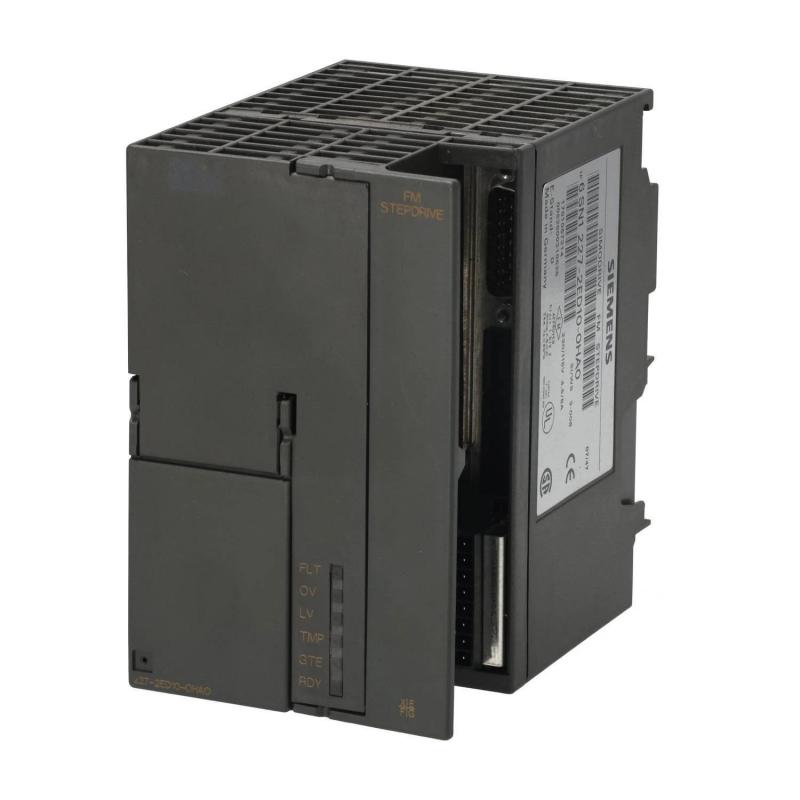
Siemens 6SN1227-2ED10-0HA0 Drive Troubleshooting Guide (Fault Diagnosis & Repair)
Siemens 6SN1227-2ED10-0HA0 Drive Troubleshooting: Motor Does Not Respond
When a Siemens 6SN1227-2ED10-0HA0 drive fails to respond to a movement command, troubleshooting should begin by separating power-supply problems from enable-chain, command-signal, and configuration faults. A motor that remains stationary does not necessarily indicate a defective drive. The cause may be an inactive enable signal, an unmet interlock, incorrect command scaling, or a communication problem between the controller and the drive.
Before replacing the unit, establish what the controller is requesting, what status the drive is reporting, and whether the required operating conditions have been satisfied.
Siemens 6SN1227-2ED10-0HA0 Fault Symptoms and Initial Observations
A no-motion condition may present in several forms:
The drive powers up but does not accept a movement command.
The controller issues a command while the motor remains stationary.
An enable or readiness status is missing.
A drive alarm appears during startup.
The motor responds intermittently after a reset or configuration change.
These symptoms can have different causes. A missing enable signal requires a different investigation from an incorrect motor connection or an unsupported command interface.
Record the active alarm text, the drive's status indicators, the controller command state, and the timing of the fault before resetting the system. This preserves useful diagnostic evidence.
Siemens Drive Fault Diagnosis: Trace the Enable and Command Path
A practical troubleshooting method follows the control path from the machine controller to the motor.
Controller output: Verify that the controller is executing the intended motion command. Check the relevant program state, interlocks, and output conditions.
Drive enable: Determine whether the drive has received its required enable signal and whether any safety or machine permissive is preventing operation.
Command interface: Confirm that the configured command method matches the installed hardware. Pulse-and-direction control, analog reference control, and network-based commands require different checks.
Drive status: Review the drive's diagnostic messages and readiness information. If the drive reports an active fault, resolve the underlying condition according to the manufacturer's instructions before attempting further movement.
This sequence helps isolate the problem without introducing additional variables through unnecessary parameter changes.
Case Study: Siemens 6SN1227-2ED10-0HA0 Drive Fails to Start After Maintenance
Consider a representative troubleshooting case in which a machine axis stops responding after electrical cabinet maintenance.
The motor and drive appear physically intact, but the controller reports that the axis cannot be enabled. Rather than replacing the drive, the engineer compares the current control state with the pre-maintenance configuration.
The investigation identifies a missing permissive in the machine's enable chain. Once the wiring and safety-related logic are checked and corrected by authorized personnel, the drive is tested again under controlled conditions.
The key finding is that the motor's lack of movement was caused by a control condition rather than confirmed drive hardware failure.
This is an illustrative fault scenario. It does not establish that the same issue is characteristic of the 6SN1227-2ED10-0HA0 model.
Siemens 6SN1227-2ED10-0HA0 Electrical and Signal Troubleshooting
Electrical measurements should be selected according to the verified drive interface and the manufacturer's diagnostic procedure.
Observation | Possible cause | Diagnostic direction |
|---|---|---|
Drive shows no normal power-up status | Supply or protection problem | Verify the supply path and protective devices |
Drive is powered but not enabled | Interlock or enable-chain issue | Inspect control logic and enable wiring |
Controller command is present but motion is absent | Command configuration or drive-state issue | Verify interface settings and drive diagnostics |
Network-controlled drive is unavailable | Communication or configuration fault | Check device identity and network status |
Fault returns after reset | Underlying fault remains active | Review the original diagnostic message |
For pulse-commanded systems, a suitable instrument may be used to verify the command signal against the configured pulse format. For network-controlled systems, communication status and process data are generally more relevant than a simple voltage measurement.
Do not apply assumed signal thresholds or test energized terminals without an approved procedure.
Siemens 6SN1227-2ED10-0HA0 Repair Decisions and Component Verification
A drive should not be replaced until the evidence points to a hardware failure or an approved diagnostic procedure identifies it as defective.
Check the following before authorizing replacement:
The power supply meets the verified equipment requirements.
The motor wiring and protective grounding are correct.
The required enable and interlock conditions are satisfied.
The command interface and System Configuration match the installed hardware.
The alarm persists after the documented corrective actions.
The motor and associated wiring have been assessed independently where appropriate.
If a hardware defect is suspected, follow the applicable service procedure. Do not open or modify the drive's internal power electronics unless the work is specifically authorized and performed by qualified personnel.
Siemens Drive Recovery and Post-Repair Commissioning
After correcting the root cause, repeat the original operating test rather than relying solely on the disappearance of an alarm.
Confirm that the drive reaches its expected ready state, accepts the correct command, and operates the motor in the intended direction. Verify controlled acceleration and deceleration within the machine's approved operating limits, and ensure that safety functions remain effective.
For intermittent faults, review the diagnostic history during a controlled test period. Record the identified cause, corrective action, relevant configuration changes, and final test results.
A complete repair record helps distinguish recurring control-logic issues from genuine drive hardware faults.
Siemens 6SN1227-2ED10-0HA0 Troubleshooting: When to Escalate
If the drive has the correct supply, the enable chain is valid, the command interface is configured correctly, and the original fault persists, broaden the investigation to the controller, motor, feedback arrangement where applicable, and drive hardware.
Compare the installed configuration with the approved machine documentation. Check whether the fault follows a particular command channel, occurs only under load, or remains present during a controlled test with the machine safely isolated from production demands.
The most reliable Fault Diagnosis process uses measured evidence and documented acceptance criteria. For the Siemens 6SN1227-2ED10-0HA0, confirm the exact product function and supported interfaces before applying model-specific wiring instructions or repair procedures.