Allen-Bradley 1336-BDB-SP76D Gate Driver Troubleshooting Guide (Fault Diagnosis)
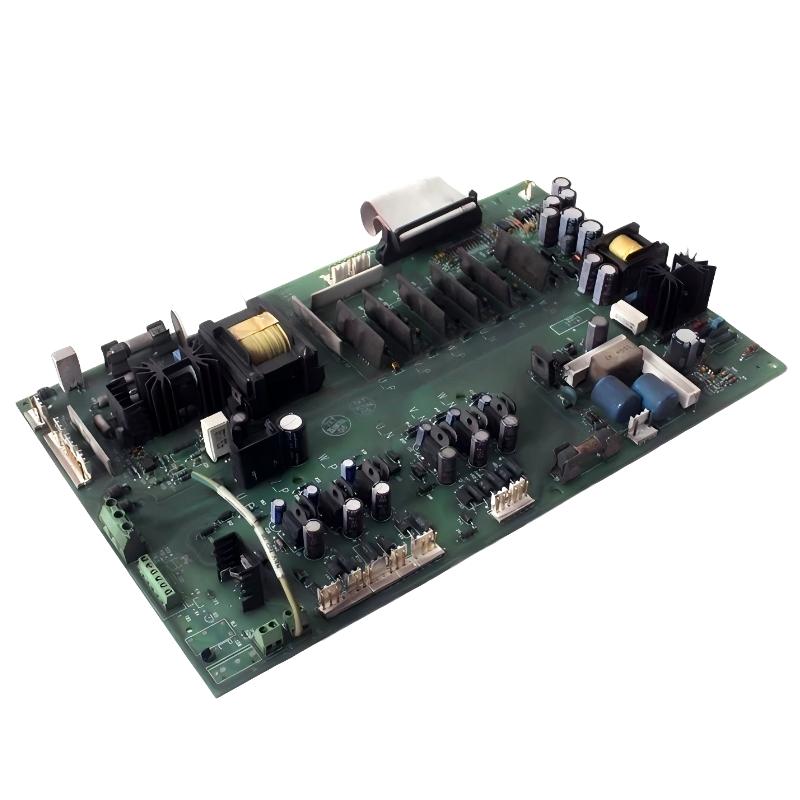
Allen-Bradley 1336-BDB-SP76D Gate Driver faults are often caused by unstable switching signals, damaged power components, overheating, or DC bus problems rather than the driver board alone. In industrial repair situations, engineers should diagnose the complete inverter system before replacing the gate driver.
This troubleshooting guide explains a field failure where a 1336 drive repeatedly stopped during acceleration because the gate control system could not drive the power section correctly.
Allen-Bradley 1336-BDB-SP76D Gate Driver Fault Symptoms
Typical fault symptoms:
- Drive trips during startup
- Motor accelerates unevenly
- Overcurrent alarms appear
- Reset temporarily restores operation
- Fault occurs under higher load
A production machine showed:
Initial condition:
- Drive powered normally
- Start command accepted
- Motor rotated briefly
- Fault occurred during acceleration
The maintenance team suspected:
- Motor failure
- Incorrect parameters
- Control board issue
However, the engineering team focused on the power switching path.
Allen-Bradley 1336-BDB-SP76D Fault Diagnosis Process and Power Analysis
The troubleshooting path:
PLC Start Command
        |
Drive Control Circuit
        |
1336-BDB-SP76D Gate Driver
        |
Power Switching Stage
        |
Motor
Each section was inspected separately.
Allen-Bradley 1336-BDB-SP76D Gate Signal Analysis and Testing
Diagnostic measurements:
Before repair:
- DC bus voltage: Normal
- Start command: Correct
- Motor output: Unstable
- Current waveform: Abnormal
The control system was sending the correct command, but the inverter switching response was inconsistent.
Engineering conclusion:
The problem existed between the control circuit and power switching section.
Allen-Bradley 1336-BDB-SP76D Root Cause Investigation
The final root cause was gate driver degradation caused by long-term electrical and thermal stress.
Failure pattern:
Normal condition:
- Drive worked under light load
Fault condition:
- High acceleration demand
- Increased switching stress
- Random protection trips
Additional inspection:
- Gate control response unstable
- Connector contact resistance increased
- Heat marks visible around driver connection area
The gate driver could no longer provide stable switching control.
Allen-Bradley 1336-BDB-SP76D Troubleshooting Repair and Recovery
Corrective actions:
Gate Driver Replacement
Performed:
- Removed failed gate driver
- Checked power switching devices
- Installed replacement board
- Verified all connections
Functional Testing
Checked:
- Startup performance
- Acceleration response
- Current balance
- Long-duration operation
Final results:
Before repair:
- Faults: 6 times per shift
- Production interruptions: frequent
After repair:
- 72-hour continuous operation completed
- No overcurrent trips occurred
Allen-Bradley 1336-BDB-SP76D Common Fault Patterns and Diagnostic Methods
Power Switching Module Failure
Symptoms:
- Immediate overcurrent trip
- Drive cannot start
Diagnosis:
- Inspect switching devices
- Check output phase condition
- Verify short circuit possibility
Gate Signal Instability
Symptoms:
- Random startup failures
- Motor vibration
- Uneven current output
Diagnosis:
- Check gate control connections
- Inspect driver board condition
- Compare phase switching behavior
Thermal Stress Failure
Symptoms:
- Fault appears after long operation
- Restart temporarily works
Diagnosis:
- Check cabinet temperature
- Inspect cooling fans
- Review operating load
Allen-Bradley 1336-BDB-SP76D Long-Term Maintenance Strategy
For reliable operation of 1336 drive systems:
- Maintain clean cooling airflow
- Monitor drive temperature
- Inspect power connections regularly
- Record fault patterns
- Check motor insulation condition
A practical engineering rule:
“When a 1336-BDB-SP76D gate driver fails, always inspect the power switching section before installing another replacement board.”
Recommended troubleshooting sequence:
Fault history review → DC bus inspection → Power module check → Gate signal analysis → Driver board verification → Load testing.