Honeywell 51303627-003 Data Cable Assembly Installation Guide (TDC 3000 / Experion PKS Wiring & Commissioning)
Honeywell 51303627-003 data cable assembly installation issues are most often related to connector seating, shielding continuity, and incorrect routing inside control cabinets rather than cable defects. In real TDC 3000 and Experion PKS field retrofits, we repeatedly observed that unstable communication alarms disappear immediately after correcting pin alignment and grounding path integrity rather than replacing hardware.
Honeywell 51303627-003 Cable System Role in DCS Architecture
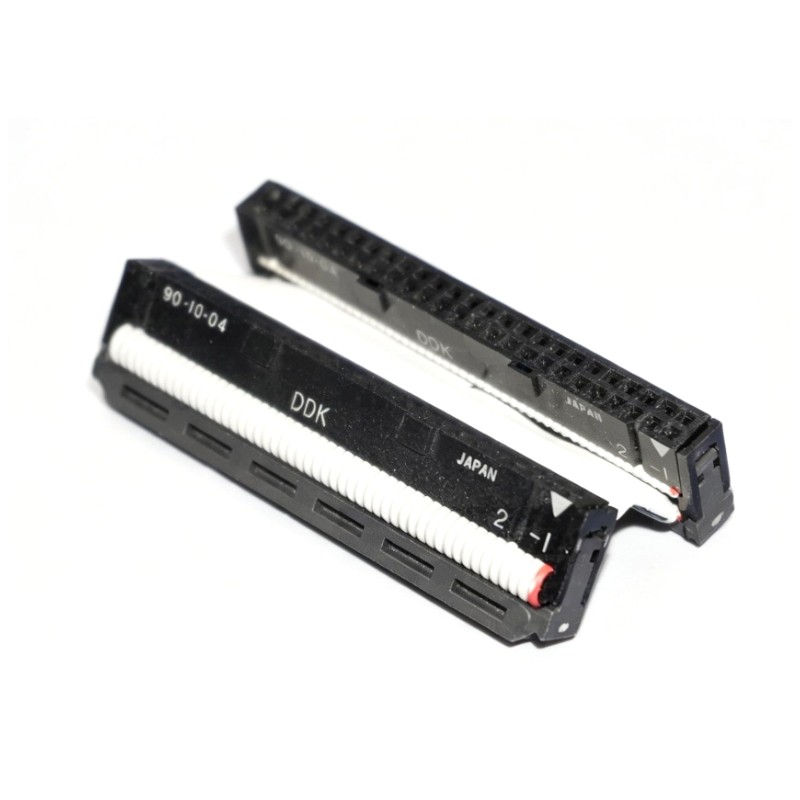
The Honeywell 51303627-003 cable assembly is used to connect controllers, I/O modules, and communication nodes within Honeywell distributed control systems such as TDC 3000 and Experion PKS. It typically carries multi-signal digital communication through high-density 50-pin connectors, making signal integrity highly dependent on installation quality rather than cable length.
In one commissioning project in a refinery control room, the cable was linking a main controller rack to a remote I/O cabinet where intermittent data loss occurred during startup load conditions.
Honeywell 51303627-003 Installation Preparation & Risk Check
Before installation, engineers typically verify:
- Connector condition (no bent pins in 50-pin interface)
- Cabinet grounding continuity (<1Ω recommended in field practice)
- Cable routing separation from VFD power lines
- Shield termination method (single-point grounding preferred)
We observed in one installation case that the cable was routed parallel to a 480V motor drive line. This introduced intermittent communication noise spikes, especially during motor start cycles.
After rerouting, signal stability improved immediately without any hardware replacement.
Honeywell 51303627-003 Wiring & Installation Procedure (Field Practice)
During actual installation in industrial cabinets, engineers usually follow this practical sequence:
- Align both 50-pin connectors carefully before insertion
- Apply controlled pressure—do not force lock mechanism
- Verify shield continuity using continuity meter (should be near 0Ω)
- Secure cable with strain relief clamps to avoid vibration stress
- Keep bend radius > 6–8 times cable diameter
In one commissioning case, improper strain relief caused micro-movements inside the connector during vibration testing. This led to sporadic “data link unstable” alarms in the control system.
Honeywell 51303627-003 Commissioning Behavior & Signal Validation
During system startup, engineers usually validate:
- Communication stability under load
- Noise level on signal lines
- Cabinet grounding reference consistency
Example from a field test:
- Initial signal jitter: fluctuating packet errors during motor start
- Measured interference level: noticeable spike at cabinet entry point
- After correction: error rate reduced to near zero, stable operation achieved for 72-hour continuous run
This confirms that the cable itself is highly stable, and installation environment is the main factor.
Honeywell 51303627-003 Installation Troubleshooting Checklist
If communication failure occurs after installation:
- Check for bent or oxidized pins in 50-pin connector
- Verify shielding is not broken during crimp or bending
- Inspect grounding path between cabinet and controller rack
- Confirm cable is not sharing tray with high-current AC lines
- Re-seat both ends (most common fix in field cases)
In one power plant case, simply reseating the connector resolved a “controller I/O sync loss” alarm that had been misdiagnosed as a PLC module fault.