Allen-Bradley 1747-SN/B SLC500 Remote I/O Scanner Module Troubleshooting Guide (Fault Diagnosis)
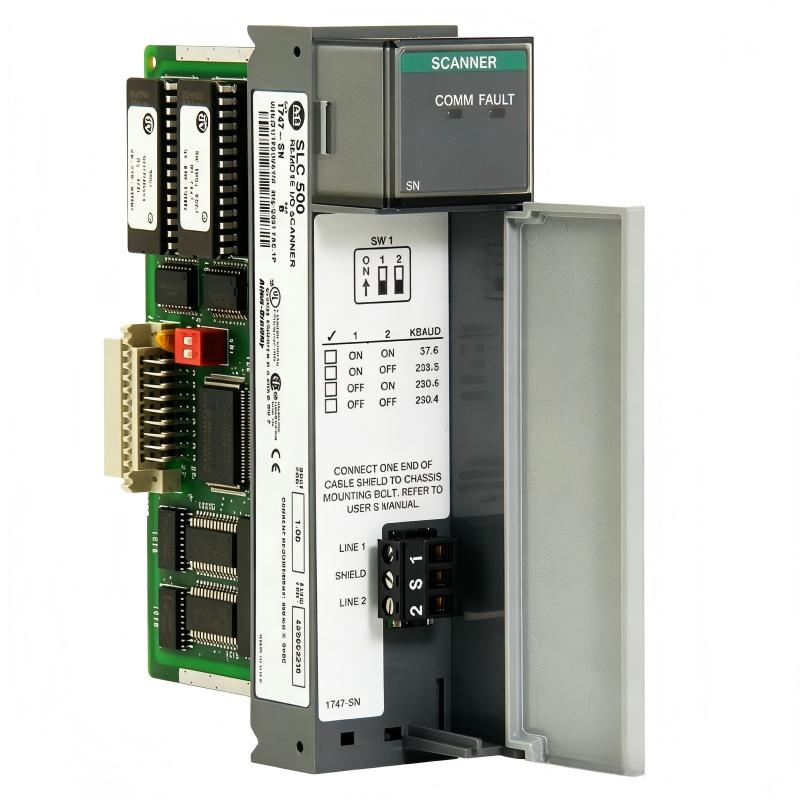
Allen-Bradley 1747-SN/B Remote I/O Scanner Module faults are often caused by incorrect rack addressing, communication cable problems, or remote adapter configuration errors rather than scanner hardware failure. In real industrial troubleshooting, engineers should analyze the complete Remote I/O communication path before replacing the scanner module.
This article describes a field case involving an SLC500 system where remote I/O communication was lost intermittently during production operation.
Allen-Bradley 1747-SN/B Remote I/O Fault Symptoms in Industrial Operation
A packaging machine experienced:
- Remote output devices stopped responding
- Machine sequence paused
- PLC processor stayed in RUN mode
- System recovered temporarily after restart
Initial inspection:
- SLC500 processor: Normal
- Local I/O: Operating correctly
- Scanner module: Powered
The maintenance team suspected a damaged 1747-SN/B module.
However, experienced fault diagnosis requires separating:
- Scanner hardware failure
- Network communication failure
- Configuration mismatch
- Remote device problems
Allen-Bradley 1747-SN/B Fault Diagnosis Process and Signal Analysis
The troubleshooting process followed the communication path:
PLC Logic
    |
1747-SN/B Scanner
    |
Remote I/O Communication Link
    |
Remote Adapter
    |
Field I/O Modules
Engineers checked each section independently.
Allen-Bradley 1747-SN/B Scanner Module Communication Analysis
First step:
Check communication between the SLC processor and scanner.
Observed:
- Processor recognized scanner module
- Scanner remained active
- No backplane communication error
Engineering conclusion:
The scanner was communicating correctly with the PLC.
The fault location moved toward the Remote I/O network.
Allen-Bradley 1747-SN/B Remote I/O Communication Fault Root Cause Investigation
The final root cause was incorrect remote rack addressing after maintenance replacement.
Maintenance history:
- Remote adapter replaced
- Address switches changed
- PLC configuration remained unchanged
Failure pattern:
Normal condition:
- Remote rack online
After replacement:
- Remote rack disappeared randomly
- Output commands were ignored
Measured diagnostic information:
Before repair:
- Communication faults: 15–20 events/hour
- Remote input update delay: unstable
Engineering analysis:
The scanner was searching for the original rack configuration, while the physical remote adapter used a different address.
The 1747-SN/B module was not defective; the system configuration was inconsistent.
Allen-Bradley 1747-SN/B Troubleshooting Repair Procedure and Recovery
Corrective actions:
Remote Address Correction
Engineers performed:
- Remote adapter address verification
- Scanner configuration update
- I/O mapping confirmation
System Functional Test
Verified:
- Remote inputs changing correctly
- Output devices responding
- Machine sequence completing normally
Final test results:
Before repair:
- Machine stopped several times per shift
- Remote communication unstable
After repair:
- 72-hour continuous operation completed
- No communication interruptions recorded
Allen-Bradley 1747-SN/B Common Fault Patterns and Diagnostic Methods
Remote I/O Address Conflict
Symptoms:
- Scanner cannot communicate with remote rack
- Data exchange abnormal
Diagnostic method:
- Verify rack address
- Check adapter settings
- Compare physical configuration with PLC program
Communication Cable Failure
Symptoms:
- Random remote I/O dropout
- Intermittent machine stops
Diagnostic method:
- Inspect cable condition
- Check connector tightness
- Verify shielding quality
Remote Adapter or Power Supply Problem
Symptoms:
- Single remote rack unavailable
- Other racks operate normally
Diagnostic method:
- Measure remote power supply voltage
- Check adapter status
- Verify field power stability
Allen-Bradley 1747-SN/B Long-Term Reliability Maintenance Strategy
For reliable SLC500 Remote I/O operation:
- Maintain updated rack address records
- Document all hardware replacement changes
- Inspect aging communication cables
- Record normal communication performance
- Monitor scanner diagnostic information
A practical field rule:
“When a 1747-SN/B Remote I/O system fails, verify configuration and communication integrity before replacing the scanner module.”
The most effective troubleshooting sequence is:
PLC status verification → Scanner diagnostics → Remote address check → Cable inspection → Adapter verification → System recovery test.