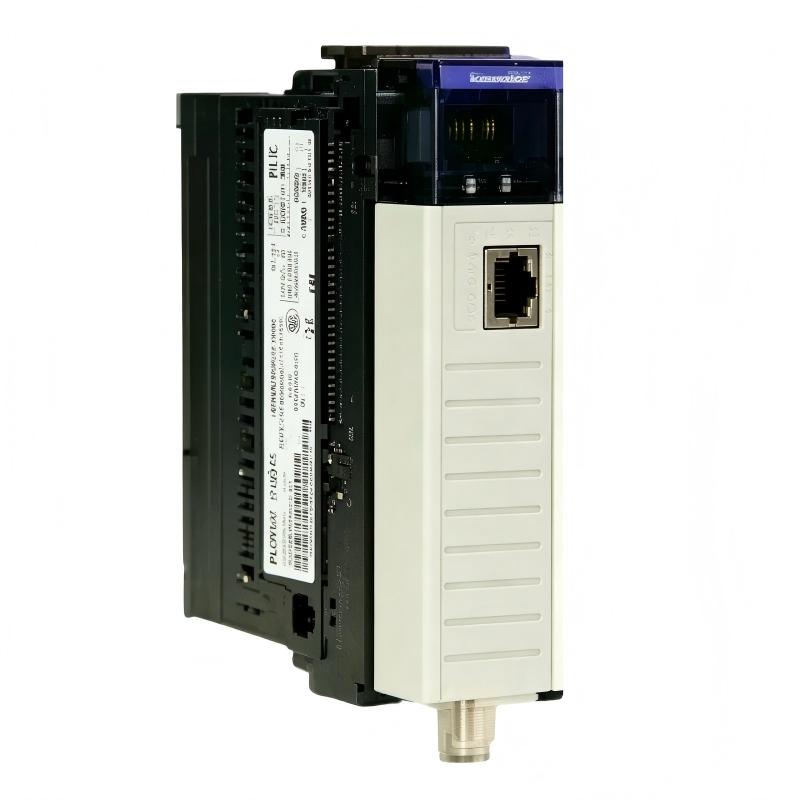
Allen-Bradley 1756-CNB/E ControlLogix ControlNet Bridge Module Troubleshooting Guide (Fault Diagnosis)
Allen-Bradley 1756-CNB/E ControlNet Bridge Module communication faults are commonly caused by ControlNet configuration mismatch, node addressing problems, or network signal issues rather than internal module failure. In industrial troubleshooting, engineers should diagnose the complete communication system before replacing the bridge module.
This article describes a field case involving a 1756-CNB/E module that remained online while remote ControlNet devices intermittently disconnected during production operation.
Allen-Bradley 1756-CNB/E ControlNet Communication Fault Symptoms
A manufacturing line reported:
- Remote I/O devices stopped responding
- Machine sequence interrupted
- ControlLogix processor remained in RUN
- Communication recovered after restart
Initial inspection:
- Controller operation: Normal
- Bridge module power: Normal
- Network connection: Intermittent
The maintenance team suspected a defective ControlNet bridge.
However, the troubleshooting process started from the communication chain.
Allen-Bradley 1756-CNB/E Fault Diagnosis Process and Communication Analysis
Engineers analyzed the system in layers:
ControlLogix Program
          |
1756-CNB/E Bridge Module
          |
ControlNet Network
          |
Remote Adapter
          |
Field I/O Equipment
Each section was checked separately.
Allen-Bradley 1756-CNB/E Bridge Module Status Verification
The first diagnostic step was checking communication between the processor and the bridge module.
Observed:
- ControlLogix recognized the module
- Backplane communication remained normal
- Module status showed no internal fault
Engineering conclusion:
The 1756-CNB/E hardware was operating correctly.
The investigation moved toward the ControlNet network.
Allen-Bradley 1756-CNB/E ControlNet Fault Root Cause Investigation
The final root cause was a network configuration mismatch after maintenance work.
Maintenance history:
- Remote I/O adapter replaced
- New device address assigned
- ControlNet configuration not updated
Failure pattern:
Before repair:
- Remote station disappeared randomly
- Communication timeout occurred repeatedly
- Production stopped several times per shift
Diagnostic measurements:
- Communication errors: 25–30 events/hour
- Remote device response: unstable
Engineering analysis showed:
The physical ControlNet network and configured network information were different.
The 1756-CNB/E was correctly reporting the communication problem.
Allen-Bradley 1756-CNB/E Troubleshooting Repair and System Recovery
Corrective actions:
Network Configuration Correction
Engineers performed:
- Verified all node addresses
- Updated ControlNet device configuration
- Confirmed communication paths
Physical Network Inspection
Checked:
- Cable connections
- Connector condition
- Shield grounding
Final verification:
Before repair:
- Frequent remote communication loss
- Machine interruptions
After repair:
- 72-hour continuous operation test completed
- No communication faults recorded
The system returned to normal without replacing the bridge module.
Allen-Bradley 1756-CNB/E Common Fault Patterns and Diagnostic Methods
ControlNet Node Address Conflict
Symptoms:
- Remote devices disappear
- Communication becomes unstable
Diagnostic approach:
- Check node assignments
- Verify network configuration
- Compare physical devices with project settings
ControlNet Cable Quality Problem
Symptoms:
- Intermittent communication
- Random system recovery
Diagnostic approach:
- Inspect communication connectors
- Check cable damage
- Verify shielding quality
Configuration Mismatch Fault
Symptoms:
- Bridge module appears healthy
- Remote devices unavailable
Diagnostic approach:
- Verify network settings
- Check device mapping
- Confirm communication schedule
Allen-Bradley 1756-CNB/E Long-Term Maintenance Strategy
For reliable ControlLogix ControlNet systems:
- Maintain updated network documentation
- Record all node address changes
- Keep configuration backups
- Inspect aging communication cables
- Monitor network diagnostic information
A practical engineering rule:
“When a 1756-CNB/E communication problem occurs, verify the ControlNet network configuration before replacing the bridge module.”
The most effective troubleshooting sequence is:
Controller verification → Bridge module check → ControlNet diagnostics → Node configuration review → Cable inspection → System recovery test.