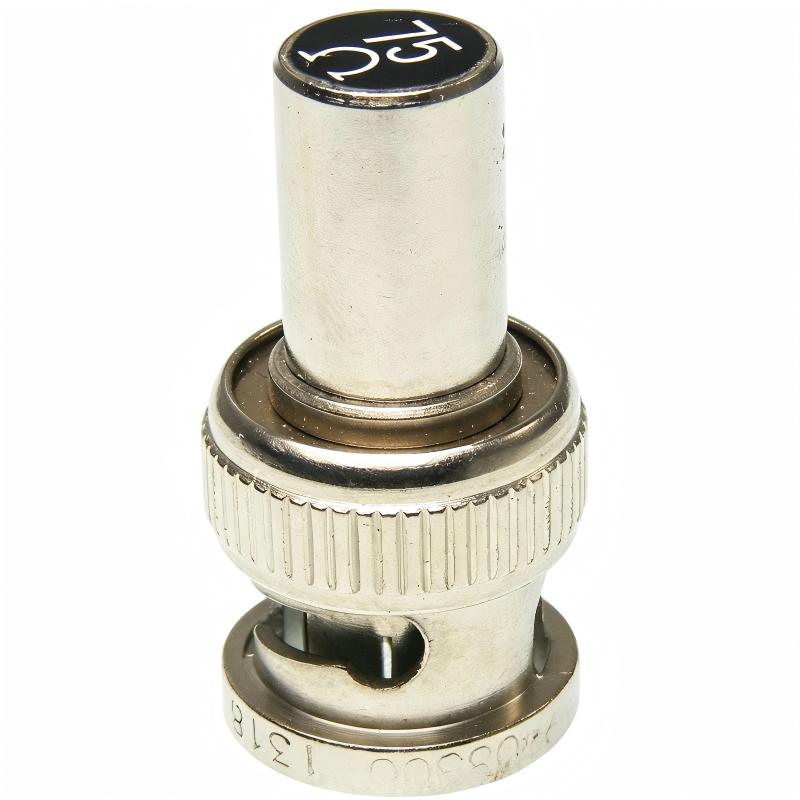
Allen-Bradley 1786-XT ControlNet 75 Ohm Terminator Plug Troubleshooting Guide (Fault Diagnosis)
Allen-Bradley 1786-XT ControlNet 75 Ohm Terminator Plug related faults are usually caused by missing termination, incorrect installation position, damaged connectors, or cable impedance problems rather than failures of PLC processors or communication modules. In industrial troubleshooting, engineers should always check the ControlNet physical layer before replacing expensive automation equipment.
This article describes a field case where a ControlNet network experienced random communication interruptions after routine maintenance.
Allen-Bradley 1786-XT ControlNet Network Fault Symptoms
Typical symptoms include:
- ControlNet nodes randomly disconnect
- Remote I/O communication interruptions
- PLC communication alarms
- Slow data updates
- Intermittent machine stops
Field case:
A water treatment system reported unexpected remote I/O communication failures.
Initial observations:
- PLC CPU operating normally
- Communication modules powered correctly
- Field devices functioning normally
The maintenance team suspected:
- Communication module failure
- PLC hardware problem
- Network card damage
Engineers started troubleshooting from the physical communication path.
Allen-Bradley 1786-XT Fault Diagnosis Process and Network Analysis
Troubleshooting path:
PLC Controller
      |
      |
ControlNet Communication Module
      |
      |
Coaxial Network Segment
      |
      |
1786-XT Terminator
      |
      |
Remote Nodes
Engineers inspected:
- ControlNet cable
- Network connectors
- Terminator installation
- Node communication status
Diagnostic results:
- PLC system: Normal
- Communication modules: Normal
- Physical network: Abnormal
The fault was isolated to the ControlNet termination system.
Allen-Bradley 1786-XT Termination Fault Investigation
Field measurements:
Before repair:
- Network status: Intermittent
- Communication alarms: Several per hour
- Remote I/O response delay: 1–5 seconds
Engineering inspection discovered:
- A 1786-XT terminator had been removed during cabinet maintenance
- The ControlNet segment end was left open
Technical analysis:
Without proper termination:
- Signal reflection increases
- Data transmission quality decreases
- Communication errors occur randomly
The communication hardware was healthy.
Allen-Bradley 1786-XT Root Cause Analysis and Recovery
The final root cause was incorrect network restoration after maintenance work.
Original condition:
- ControlNet network stable
- Both ends correctly terminated
After maintenance:
- Terminator removed temporarily
- Network restored without verification
Failure pattern:
Normal operation:
- Stable communication
Fault condition:
- Random packet errors
- Temporary node loss
- Automatic communication recovery
Engineering conclusion:
The failure was caused by incorrect ControlNet termination.
Allen-Bradley 1786-XT Troubleshooting Repair and Network Recovery
Corrective actions:
ControlNet Physical Layer Repair
Performed:
- Installed correct 1786-XT terminator
- Checked BNC connector condition
- Verified cable routing
Communication Validation
Tested:
- PLC communication
- Remote I/O update
- Network stability
Final results:
Before repair:
- Communication failures: Daily
- Production interruptions: Frequent
After repair:
- Stable network communication
- No communication alarms during testing
- System returned to normal production
Allen-Bradley 1786-XT Common Fault Patterns and Diagnostic Methods
Missing Terminator Fault
Symptoms:
- Random ControlNet communication loss
- Network instability
Diagnosis:
- Check physical network ends
- Confirm 1786-XT installation
Incorrect Terminator Location
Symptoms:
- Network works but communication quality is poor
- Error counters increase
Diagnosis:
- Review network topology
- Verify actual cable endpoints
Damaged BNC Connector Fault
Symptoms:
- Communication changes with vibration
- Intermittent node failures
Diagnosis:
- Inspect connector condition
- Check mechanical stress
- Replace damaged connections
Allen-Bradley 1786-XT Long-Term Maintenance Strategy
For reliable ControlNet operation:
- Keep network drawings updated
- Record terminator locations
- Inspect BNC connectors regularly
- Avoid unnecessary cable movement
- Monitor communication diagnostics
A practical engineering rule:
“When a ControlNet communication fault occurs, verify the 1786-XT termination condition before replacing communication modules.”
Recommended troubleshooting sequence:
Network topology review → Terminator inspection → Cable verification → Connector testing → Communication diagnostics → Final stability test.