Siemens 6AG1443-5DX05-4XE0 Communication Processor Troubleshooting Guide (Fault Diagnosis & Repair)
Siemens 6AG1443-5DX05-4XE0 Communication Processor Troubleshooting Guide for PROFIBUS Fault Diagnosis
Siemens 6AG1443-5DX05-4XE0 Communication Processor troubleshooting requires analyzing communication behavior, network conditions, and system configuration before replacing hardware. In many industrial applications, CP communication faults are caused by PROFIBUS wiring problems, address conflicts, parameter errors, or external field device issues.
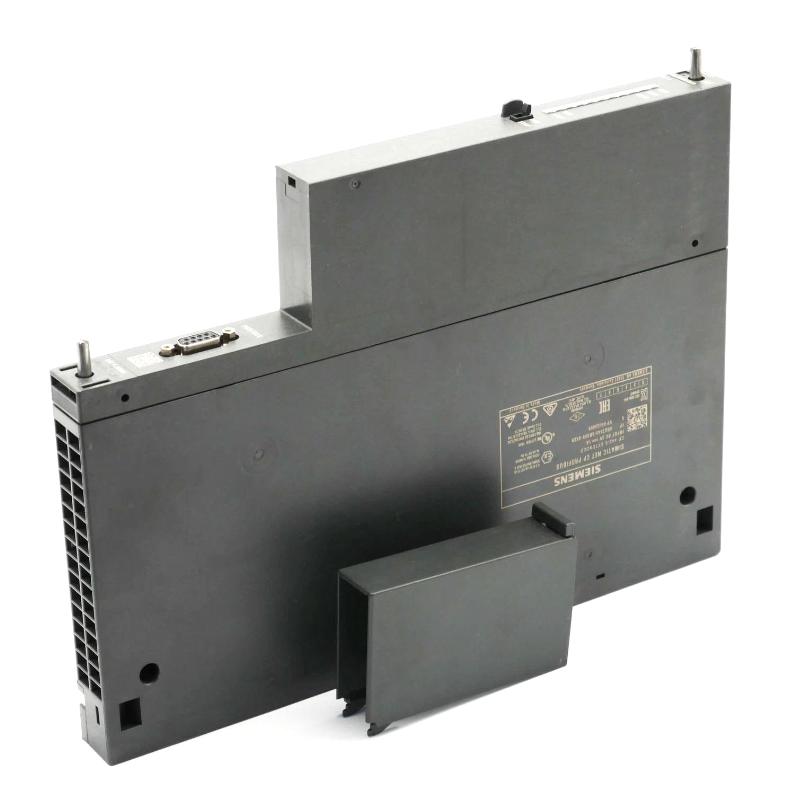
The Siemens 6AG1443-5DX05-4XE0 Communication Processor acts as an interface between SIMATIC S7-400 systems and PROFIBUS networks. When communication fails, engineers must determine whether the problem originates from the CP module, PROFIBUS infrastructure, or connected devices.
This Troubleshooting Guide provides practical Fault Diagnosis methods based on industrial maintenance experience.
Siemens 6AG1443-5DX05-4XE0 Communication Processor Fault Symptoms and Diagnostic Thinking
The first stage of Siemens 6AG1443-5DX05-4XE0 Fault Diagnosis is understanding the failure pattern.
Typical symptoms include:
- PROFIBUS station failure
- Remote I/O communication loss
- PLC data exchange interruption
- Diagnostic alarms
- Intermittent network faults
Experienced engineers avoid immediately replacing the CP module.
The troubleshooting logic usually follows:
Is CP Module Powered?
        ↓
Is PROFIBUS Interface Active?
        ↓
Is Bus Communication Stable?
        ↓
Are Device Parameters Correct?
        ↓
Is External Equipment Responding?
This method separates hardware problems from network problems.
Siemens 6AG1443-5DX05-4XE0 PROFIBUS Communication Failure Case Study
A real maintenance case involved a Siemens 6AG1443-5DX05-4XE0 Communication Processor installed in a production system.
Initial Symptoms
Operators reported:
- Remote I/O occasionally disappeared
- Machine stopped randomly
- Communication recovered after restart
The engineering team collected diagnostic information.
Measured results:
- CPU status: Normal
- CP module: Operational
- PROFIBUS errors: Increasing continuously
The team inspected the physical network.
They discovered:
- PROFIBUS cable installed near motor power wiring
- Excessive electrical interference
- Poor cable separation
After rerouting the PROFIBUS cable and improving shielding, the communication fault disappeared.
The root cause was electromagnetic interference, not a failed communication processor.
Siemens 6AG1443-5DX05-4XE0 PROFIBUS Address Conflict Troubleshooting
Incorrect PROFIBUS addresses can create communication failures.
Common symptoms:
- Device cannot join network
- Multiple stations report errors
- Communication becomes unstable
Diagnostic procedure:
- Compare project configuration with physical devices.
- Check every PROFIBUS node address.
- Confirm unique addresses.
- Download corrected configuration.
In one field repair case:
Before correction:
- Two devices assigned the same address
- Network diagnostic errors: continuous
After correction:
- Unique addresses restored
- Communication recovered immediately
This type of fault is common during system expansion projects.
Siemens 6AG1443-5DX05-4XE0 Communication Timeout Fault Diagnosis
Communication timeout faults may appear when response time exceeds network expectations.
Possible causes:
- Incorrect bus parameters
- Excessive network length
- Damaged connectors
- Slow slave response
Engineers normally analyze:
- Diagnostic buffer information
- PROFIBUS error counters
- Device response timing
Example field measurement:
Before repair:
- Communication retry frequency: 15/minute
- Device response delay: unstable
After replacing a damaged connector:
- Communication retry: 0/minute
- Response time: normal
The repair restored network reliability without replacing the CP module.
Siemens 6AG1443-5DX05-4XE0 Hardware Fault Diagnosis and Module Replacement Decision
Although communication faults are often caused by external factors, hardware failure can occur.
Possible CP module fault symptoms:
- No module recognition
- Permanent diagnostic error
- Interface failure
- Abnormal LED indication
Before replacing the Siemens 6AG1443-5DX05-4XE0 Communication Processor, engineers should confirm:
- Backplane power availability
- Correct hardware configuration
- PROFIBUS cable condition
- Network device status
A replacement decision should only be made after eliminating external causes.
Siemens 6AG1443-5DX05-4XE0 Communication Recovery and Maintenance Strategy
After repairing a communication fault, engineers should perform system validation.
Recommended recovery steps:
- Clear diagnostic messages
- Restart communication service
- Verify PROFIBUS devices
- Monitor long-term operation
- Save updated configuration
A maintenance team once completed a 96-hour observation period after repairing a PROFIBUS fault. During monitoring:
- Communication interruptions: 0
- Remote I/O availability: 100%
- Network status: stable
This confirmed that the actual fault source had been correctly identified.
Siemens 6AG1443-5DX05-4XE0 Communication Processor Troubleshooting Conclusion
The Siemens 6AG1443-5DX05-4XE0 Communication Processor is widely used in SIMATIC S7-400 PROFIBUS automation systems, but reliable operation depends on correct network design, configuration, and maintenance.
Effective Siemens 6AG1443-5DX05-4XE0 Troubleshooting requires engineering analysis rather than direct component replacement.
By combining PROFIBUS signal inspection, configuration verification, diagnostic analysis, and field measurement, technicians can quickly restore communication performance and maintain stable industrial automation operations.