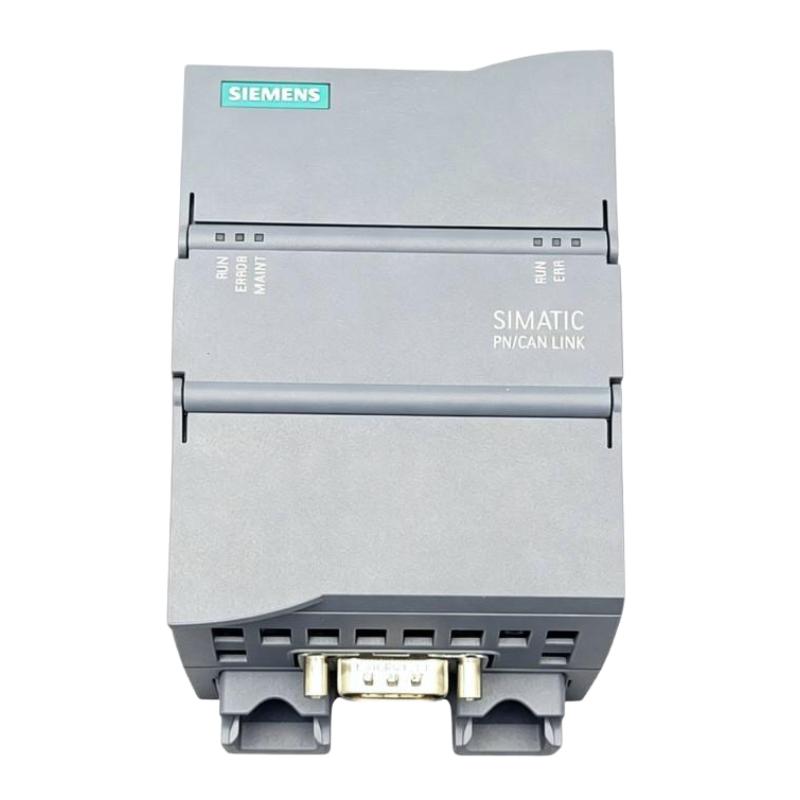
Siemens 6AG1620-0AA00-7AA0 Communication Module Troubleshooting Guide (Intermittent Communication Fault Diagnosis)
Overview
When a Siemens 6AG1620-0AA00-7AA0 Communication Module is associated with intermittent data exchange or recurring communication alarms, the most effective troubleshooting method is to identify where the failure occurs before changing the configuration. The issue may involve the physical connection, the surrounding system, an incorrect configuration, or a fault in another connected device.
The exact diagnostic indicators and supported interface functions must be confirmed from the module's documentation. The workflow below provides a general industrial troubleshooting method without assuming an unverified protocol or interface.
Symptoms That Require Investigation
Intermittent communication problems may appear in several ways:
Data updates stop temporarily and then recover.
A supervisory system reports a device as unavailable.
Communication alarms occur during machine starts or switching events.
The engineering software records recurring connection or hardware diagnostics.
The communication path works during initial testing but becomes unreliable during operation.
These symptoms do not necessarily mean that the module itself has failed. A fault in a cable, connector, remote device, power source, or upstream network can produce similar behavior.
Step 1: Establish the Failure Pattern
Start by recording when the fault occurs rather than immediately replacing hardware.
Determine whether the interruption happens at startup, during high machine activity, after a configuration change, or at irregular intervals. Check whether one connected device is affected or whether multiple devices lose communication simultaneously.
Use the engineering diagnostic buffer and available system logs to record timestamps, fault messages, and recovery behavior. If the problem appears only during a specific operating sequence, compare the event with nearby equipment activity, such as motor starts, contactor switching, or changes in the connected device's operating state.
This evidence helps distinguish an isolated connection problem from a broader system disturbance.
Step 2: Inspect the Physical Connection
With the equipment placed in a safe condition, examine the relevant connectors, cable routing, mounting points, and any accessible communication interface.
Look for loose connectors, damaged insulation, excessive cable tension, contamination, corrosion, or evidence of vibration. Confirm that the cable type, pin assignment, termination, and shielding arrangement match the requirements for the actual interface.
Where an approved spare cable is available, a controlled substitution test can help determine whether the cable is responsible. Change one item at a time and document the result. Replacing multiple cables or components simultaneously makes the diagnosis less reliable.
Do not apply generic termination or resistance values unless they are specified for the verified interface.
Step 3: Check Power and Environmental Conditions
A communication interruption may coincide with a power disturbance even when the module appears normal most of the time.
Review the applicable supply measurements and diagnostic records during the failure period. Compare measured values with the manufacturer's specified operating limits instead of relying on a nominal voltage alone. Inspect nearby terminals and power connections for looseness or overheating, following the required electrical safety procedures.
Also consider environmental causes such as excessive temperature, cabinet contamination, vibration, or electromagnetic interference. If the fault appears during the switching of a nearby motor or contactor, examine cable separation, shielding, and grounding before concluding that the module is defective.
Step 4: Verify Configuration and Connected Devices
If the physical connection appears sound, compare the engineering configuration with the actual system.
Confirm that the module is represented by the correct hardware entry and that the surrounding system supports the installed device. Review any relevant addressing, connection parameters, device identification, firmware requirements, or communication settings that apply to the verified interface.
Next, check the connected device. A remote device that reboots, loses power, or changes its own configuration can cause interruptions that appear to originate at the communication module.
Where the system supports it, compare local diagnostics with the remote device's event log. If both devices report a fault at the same time, investigate the shared connection or system condition before replacing either unit.
Step 5: Use a Controlled Isolation Test
When the fault remains intermittent, isolate the communication path methodically.
Record the original configuration and current diagnostic messages.
Confirm that the test can be performed without creating a process or safety risk.
Inspect the existing connection and, where approved, substitute one known-good cable or connection component.
Repeat the operating sequence that previously produced the fault.
Compare the new diagnostic record with the original record.
Restore the approved configuration and document any change that resolves the problem.
If the fault disappears after a single controlled substitution, the removed component becomes a stronger suspect. If the problem persists, return to the diagnostic evidence and investigate the next possible cause instead of continuing to replace parts at random.
Field Case: Communication Drops During Equipment Switching
Consider a production line where communication interruptions occur whenever a nearby motor-driven machine starts. The module appears to operate normally during idle periods, but alarms recur during the switching event.
The maintenance engineer first correlates the timestamps of the communication alarms with the motor start sequence. Inspection then reveals that the communication cable runs close to a power cable for part of its route. The team reviews the installation against the interface's shielding, grounding, and cable-separation requirements and makes an approved routing correction.
After the change, the team repeats the same machine-start sequence and monitors the diagnostic log. If the interruptions no longer occur, the evidence supports an electromagnetic-interference-related cause. If they continue, the investigation should move to supply stability, connector integrity, connected-device behavior, and documented module diagnostics.
This approach avoids replacing the communication module before the surrounding installation has been properly assessed.
When Should the Module Be Replaced?
Consider replacement only after the external connection, power conditions, configuration, and connected devices have been checked. A replacement should be confirmed compatible with the existing system and installed according to the applicable procedures.
Before removing the original unit, save diagnostic records and document the system configuration. After installing the replacement, verify hardware recognition and repeat the functional test that previously exposed the problem.
If the same fault returns with a compatible replacement, investigate the surrounding system rather than assuming that both modules are defective.
Troubleshooting Reference Table
Observed symptom | Initial checks | Recommended next action |
|---|---|---|
Module not recognized | Order number, mounting position, connector seating | Verify hardware compatibility and engineering configuration |
Intermittent data exchange | Cable condition, connector security, diagnostic timestamps | Conduct a controlled cable or connection test |
Faults during equipment switching | Cable routing, grounding, shielding, supply behavior | Review electromagnetic interference and power quality |
Only one remote device is affected | Remote device power and status | Check that device's configuration and connection |
Several devices fail together | Shared connection, common power source, upstream equipment | Investigate the common communication path |
Fault persists after configuration verification | System diagnostics and approved substitution results | Escalate with recorded evidence and assess hardware condition |
Final Recommendations
Reliable troubleshooting of the Siemens 6AG1620-0AA00-7AA0 Communication Module depends on confirming the exact product function and using the appropriate manufacturer-defined diagnostics. Start with the fault pattern, inspect the physical installation, verify supply conditions, and compare the configuration with the installed hardware. Change one variable at a time and retain the diagnostic records.
A structured process reduces unnecessary downtime, limits avoidable component replacement, and provides a clearer basis for deciding whether the fault lies in the module or elsewhere in the automation system.