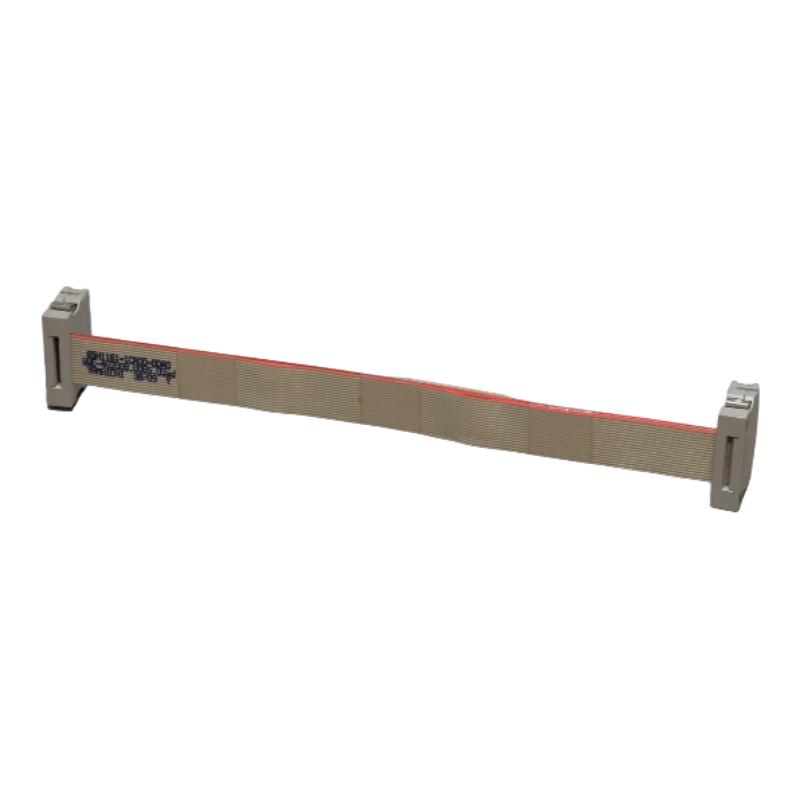
Siemens 6SN1161-1CA00-0DA0 Drive Bus Cable Installation Guide (SIMODRIVE 611)
Siemens 6SN1161-1CA00-0DA0 Drive Bus Cable Installation Guide for SIMODRIVE 611 Systems
The Siemens 6SN1161-1CA00-0DA0 drive bus cable is designed for the SIMODRIVE 611 drive system and is specified for bridging a module width of 300 mm. Correct cable selection, connector alignment, and drive-system configuration are essential for reliable communication between drive components and the SINUMERIK control environment. During installation and commissioning, engineers should verify the exact order number and cable routing before investigating control faults that may actually originate from an incorrect bus connection.
Siemens 6SN1161-1CA00-0DA0 Drive Bus Cable Function and System Configuration
In a SIMODRIVE 611 installation, the drive bus cable provides the control and communication connection required by drives using a digital setpoint interface. It is distinct from the equipment bus cable, which serves a different interconnection function within the drive assembly. Confusing these two cable types can lead to unnecessary troubleshooting and incorrect spare-parts selection.
The 6SN1161-1CA00-0DA0 variant is associated with a 300 mm module width and a ribbon-cable configuration. The corresponding SIMODRIVE configuration documentation identifies the cable family by module width and cable type. Engineers should therefore confirm the installed hardware arrangement rather than selecting a replacement based only on physical appearance.
Installation Preparation for the Siemens 6SN1161-1CA00-0DA0 Cable
Before beginning the Installation Guide procedure, record the following information:
The complete cable part number, including every suffix.
The installed SIMODRIVE 611 module arrangement and the width to be bridged.
The location and orientation of the relevant drive-bus connectors.
The existing cable route and the clearance around adjacent power and signal wiring.
Any active drive alarms or communication faults recorded before shutdown.
The drive system must be placed in a safe state and isolated according to the machine manufacturer's procedures. Verify the absence of hazardous voltage before handling connectors inside the drive cabinet. A stopped spindle or stationary motor does not, by itself, prove that the drive cabinet is electrically safe.
Inspect the replacement cable for damaged insulation, bent contacts, contamination, or deformation at the connector ends. If the existing cable has been removed, label its connection points before disconnecting other components.
Siemens 6SN1161-1CA00-0DA0 Wiring and Connector Installation
This drive bus cable is not a general-purpose network cable. Its intended connectors, electrical arrangement, and cable construction must match the compatible SIMODRIVE configuration.
During installation:
Compare the replacement cable with the original part and the machine wiring documentation.
Confirm that both ends correspond to the intended drive-bus connection points.
Align each connector carefully and secure it using the specified retention method.
Route the cable without pinching it between modules or placing it under tension.
Keep the cable away from avoidable mechanical abrasion and unsuitable high-interference routing paths.
Recheck adjacent connectors that may have been disturbed during access.
Do not force a connector into position or modify the cable to compensate for an incorrect part number. If the installed modules have been rearranged, revalidate the cable length and compatibility against the applicable configuration manual.
SIMODRIVE 611 Drive Bus Cable Setup and Commissioning Checks
After installation, inspect the complete connection path before restoring power. Confirm that no connector has been left partially engaged and that all covers and protective components are correctly reinstalled.
During Setup / Commissioning, use the following engineering checks:
Inspection item | Acceptance criterion |
|---|---|
Part identification | Exact order number matches the approved parts list |
Module arrangement | Cable is suitable for the specified 300 mm module width |
Connector engagement | Both ends are fully seated and retained |
Cable routing | No pinching, excessive tension, or visible damage |
Drive configuration | Installed modules match the approved system configuration |
Initial startup | No new drive-bus or axis-communication alarms |
Restore power according to the machine commissioning procedure. Review the control system's diagnostic messages and verify that the expected drive components are recognized. Where the system provides relevant status information, compare the results with the baseline recorded before maintenance.
A successful startup should be followed by a controlled functional test. Confirm that the affected axes can be enabled and operated under the machine manufacturer's prescribed conditions. Do not begin with unrestricted motion simply because the communication alarm has disappeared.
Field Commissioning Example: Siemens 6SN1161-1CA00-0DA0
Consider a representative maintenance scenario in which a SIMODRIVE 611 system reports a drive communication fault immediately after cabinet maintenance.
The initial suspicion may be a failed drive controller. However, the more efficient diagnostic approach is to establish whether the fault appeared after the cable was disturbed, whether the module arrangement matches the parts list, and whether the connectors are correctly seated.
If inspection identifies a partially engaged drive-bus connector, correcting that connection and repeating the controlled startup test may resolve the issue without replacing the controller.
This is an illustrative engineering scenario, not a verified service record for a specific machine. Actual acceptance depends on the alarm history, hardware configuration, and diagnostic information available from the installed system.
Long-Tail SEO Keywords for Siemens 6SN1161-1CA00-0DA0
The following search phrases naturally describe common engineering tasks associated with this product:
Siemens 6SN1161-1CA00-0DA0 installation guide
6SN1161-1CA00-0DA0 drive bus cable setup
Siemens SIMODRIVE 611 drive bus cable commissioning
Siemens 6SN1161-1CA00-0DA0 cable compatibility
SIMODRIVE 611 drive communication connection
Siemens drive bus cable replacement procedure