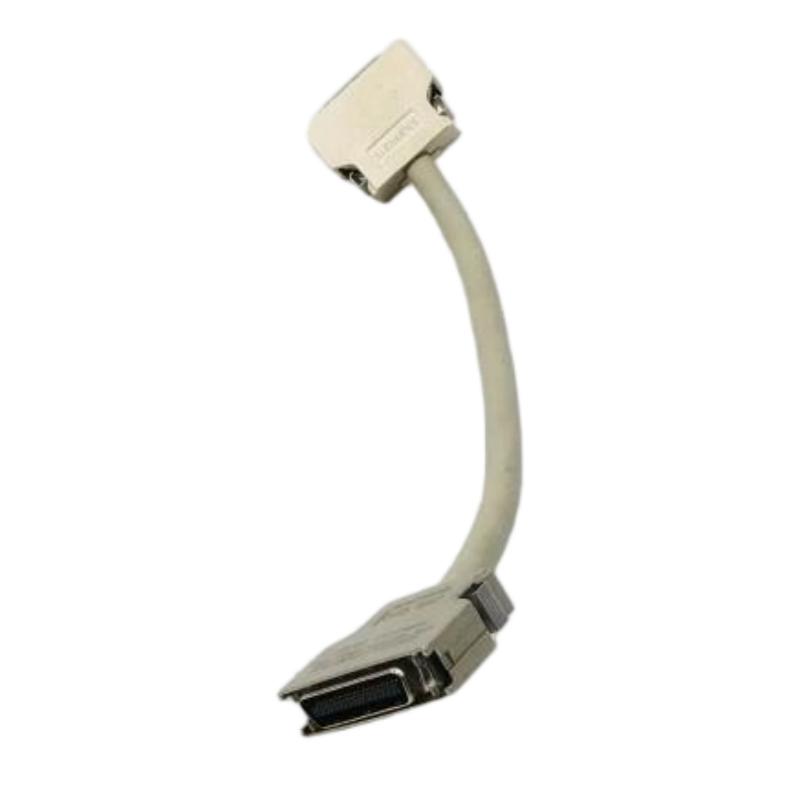
Siemens 6SN1161-1CA00-0CA1 Drive Bus Cable Installation Guide (SIMODRIVE 611)
Siemens 6SN1161-1CA00-0CA1 Drive Bus Cable Installation Overview
The Siemens 6SN1161-1CA00-0CA1 drive bus cable is used in SIMODRIVE 611-D drive systems and is associated with a 150 mm module-width configuration. Correct cable identification, connector installation, and system configuration checks are essential for reliable drive operation. This Installation Guide explains how to prepare the installation, inspect connections, complete Setup / Commissioning, and identify potential issues before returning the equipment to service.
Because drive-bus cables are designed for specific hardware arrangements, engineers should verify the complete order number against the machine's approved parts list instead of relying on connector appearance alone.
Siemens 6SN1161-1CA00-0CA1 Cable Selection and System Configuration
The 6SN1161-1CA00-0CA1 is identified as a round-cable variant associated with a 150 mm module width. The corresponding 6SN1161-1CA00-0CA0 designation is associated with a ribbon-cable variant. These cable types should not be considered interchangeable without confirming the requirements of the installed drive assembly.
Before installation, establish the following:
Confirm the complete Siemens order number.
Check that the cable matches the installed module arrangement.
Identify the designated drive-bus connection points.
Review the machine wiring diagrams and approved spare-parts documentation.
Record existing alarms and operating conditions before disconnecting any components.
Accurate identification reduces the risk of installing a cable that physically fits but does not match the required system configuration.
Preparing the Siemens 6SN1161-1CA00-0CA1 for Installation
Before opening the drive cabinet, stop the machine and isolate the relevant electrical supplies according to the manufacturer's safety procedure. Verify the absence of hazardous voltage using an approved method, and observe the specified discharge time for stored electrical energy.
Inspect the replacement cable for damaged insulation, cracked connector housings, bent contacts, and contamination. Examine the existing cable route for sharp edges, compression points, or excessive bending.
If the original cable is still installed, document its connection arrangement before removal. Clear identification of both connection points helps prevent accidental reconnection to the wrong interface.
A cable that shows physical damage should not be installed simply to restore production quickly. Replace it with a verified, compatible assembly.
Siemens 6SN1161-1CA00-0CA1 Wiring and Connector Installation
The Siemens 6SN1161-1CA00-0CA1 drive bus cable must be connected to the designated interfaces in accordance with the applicable SIMODRIVE configuration documentation.
During installation, align each connector carefully and secure it using the specified retention method. Avoid twisting the cable while engaging the connector. The cable should have sufficient routing clearance without being stretched, pinched between modules, or exposed to avoidable mechanical damage.
Keep the cable away from sharp cabinet edges and unsuitable routing paths near high-interference power wiring. Where the cabinet layout requires cables to cross, follow the machine manufacturer's separation and routing requirements.
Do not force a connector into position or modify its contacts to compensate for an apparent mismatch. If the cable does not fit the documented connection arrangement, stop and verify the part number and hardware configuration.
Siemens SIMODRIVE 611 Setup and Commissioning Checks
After installation, inspect both connection points and confirm that the cable is securely routed. Reinstall protective covers before restoring power according to the approved commissioning procedure.
Use the following checklist during Setup / Commissioning:
Inspection item | Acceptance criterion |
|---|---|
Cable identification | Full order number matches the approved parts list |
Module arrangement | Required 150 mm configuration verified |
Cable type | Round-cable variant confirmed |
Connector condition | No visible damage or contamination |
Cable routing | No pinching, excessive tension, or abrasion |
System Configuration | Drive modules and connections match documentation |
Startup diagnostics | No new unexplained communication alarms |
Functional testing | Affected drive passes the prescribed operational test |
If a communication alarm appears after startup, record the exact diagnostic message before resetting the system. A cleared alarm does not necessarily indicate that the underlying problem has been resolved.
Once the drive reports the expected status, perform the prescribed functional test under controlled conditions. Do not begin unrestricted machine movement until the applicable safety and commissioning checks are complete.
Field Engineering Example: Siemens 6SN1161-1CA00-0CA1 Commissioning
Consider a representative maintenance situation in which a SIMODRIVE 611-D system fails to recognize a drive component after cabinet servicing.
The initial suspicion may be a defective drive module. However, an experienced engineer first checks whether the cable was disturbed during maintenance, whether the replacement part matches the approved configuration, and whether the connectors are fully engaged.
If inspection reveals an incompletely seated connector, correcting the connection and repeating the controlled startup test may restore the expected drive status without replacing the controller.
If the fault persists, the investigation should continue with drive-module diagnostics and control-system configuration checks.
This is an illustrative engineering scenario rather than a verified service record for a specific machine.
Long-Tail SEO Keywords for Siemens 6SN1161-1CA00-0CA1
Siemens 6SN1161-1CA00-0CA1 Installation Guide
Siemens 6SN1161-1CA00-0CA1 drive bus cable setup
SIMODRIVE 611-D drive bus cable commissioning
Siemens 150 mm drive module cable compatibility
Siemens drive bus cable replacement procedure
SIMODRIVE 611 communication connection troubleshooting