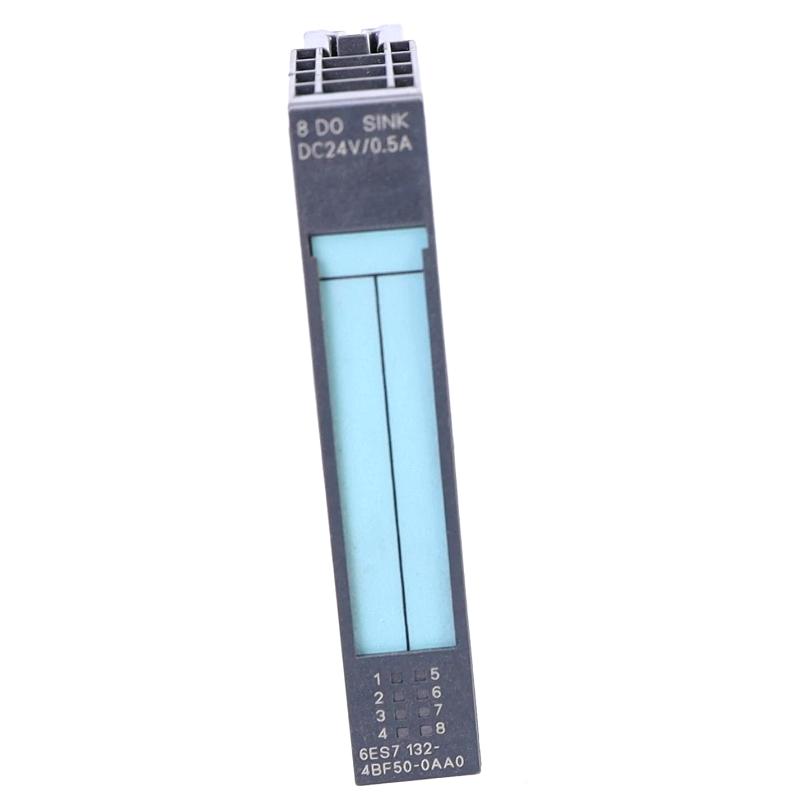
Siemens 6ES7132-4BF50-0AA0 Digital Output Module Installation Guide (ET 200S)
Siemens 6ES7132-4BF50-0AA0 Digital Output Module Installation Overview
The Siemens 6ES7132-4BF50-0AA0 digital output electronic module is part of the SIMATIC ET 200S distributed I/O system. Its installation requires correct terminal-module compatibility, output-channel wiring, load-voltage verification, and hardware configuration in the PLC engineering environment. Incorrect wiring or an unsuitable System Configuration can cause output-channel faults, missing actuator signals, or diagnostic alarms during commissioning.
This Installation Guide focuses on practical module preparation, electrical integration, PLC configuration, and functional validation. The module should be installed according to the actual ET 200S station arrangement rather than treated as a standalone PLC output device.
Siemens 6ES7132-4BF50-0AA0 Module Function and Application
The 6ES7132-4BF50-0AA0 belongs to the SIMATIC ET 200S digital output module family. It provides discrete output control within a distributed automation architecture, allowing a PLC controller to operate connected field devices through the remote I/O station.
Typical applications include:
Controlling industrial relays and contactor interface circuits.
Switching discrete actuator signals.
Operating indicator and signaling devices.
Integrating machine output points into distributed I/O stations.
Supporting automated production sequences and interlocking logic.
The exact output voltage, current rating, channel arrangement, and wiring requirements must be checked against the module's technical data and associated terminal-module documentation before installation.
Preparation for Siemens 6ES7132-4BF50-0AA0 Installation
Before installing the digital output module, inspect the ET 200S station and confirm that the selected terminal module is compatible with the electronic module.
The preparation process should include:
Verify the complete order number and hardware identification.
Check the ET 200S station configuration and module position.
Confirm the terminal-module type and wiring arrangement.
Verify the field load supply and protective-device ratings.
Review the PLC hardware configuration and assigned output addresses.
Record existing diagnostic messages before replacing an installed module.
Disconnect the relevant electrical supplies before inserting or removing components unless the equipment documentation explicitly permits the operation under energized conditions.
Inspect the module contacts and terminal-module interface for contamination, deformation, or signs of overheating. A damaged base connection can produce symptoms similar to an electronic output-module failure.
Siemens 6ES7132-4BF50-0AA0 Digital Output Wiring and Connection Checks
Correct field wiring is essential for reliable digital output operation. The module must be connected through the appropriate ET 200S terminal module, with load circuits and common connections arranged according to the approved wiring diagram.
During installation, pay particular attention to:
Correct assignment of output channels.
Compatibility between the electronic module and terminal module.
Proper load-supply voltage and polarity.
Secure conductor termination.
Appropriate protection for connected loads.
Separation of signal wiring from high-interference power circuits where required.
Do not assume that terminal positions are identical across different ET 200S output modules. Use the specific wiring diagram for the 6ES7132-4BF50-0AA0 configuration.
A useful commissioning practice is to compare each physical terminal number with the corresponding PLC output address before connecting the final field loads.
Siemens ET 200S PLC Hardware Configuration and Setup
After completing the physical installation, integrate the module into the PLC hardware configuration using the engineering software and device information appropriate to the installed system.
Verify the following configuration items:
Configuration item | Verification requirement |
|---|---|
Device identification | Correct 6ES7132-4BF50-0AA0 order number |
Station position | Correct ET 200S slot assignment |
Terminal module | Compatible base module installed |
Output addressing | PLC addresses match physical channels |
Load supply | Voltage and polarity match the field circuit |
Diagnostic settings | Applicable module diagnostics configured |
PLC program | Output logic and interlocks verified |
After downloading or updating the configuration, check whether the ET 200S station enters its expected operating state. If the module is not recognized, investigate hardware identification, station configuration, and bus diagnostics before replacing the electronic module.
Siemens 6ES7132-4BF50-0AA0 Commissioning and Output Testing
Commissioning should begin with unloaded or safely isolated output circuits wherever the machine design permits. Confirm the module's operating status before testing connected actuators.
For each output channel, verify that the PLC program generates the intended command and that the corresponding field signal changes as expected.
A practical test sequence includes:
Check the module's diagnostic indicators.
Verify the station's communication status.
Monitor the assigned PLC output address.
Compare the output command with the actual field-side signal.
Test connected loads under controlled operating conditions.
Confirm that interlocks and emergency-stop functions remain effective.
For example, if an output address changes from OFF to ON but the connected relay does not operate, compare the PLC command, module status, load supply, and terminal wiring. This separates a program-related issue from an electrical connection or hardware fault.
Field Engineering Example: Siemens 6ES7132-4BF50-0AA0 Installation
During a representative ET 200S commissioning task, an output module is installed and recognized by the PLC, but one connected actuator does not respond to its assigned output command.
The engineer first checks the PLC output address and confirms that the program is generating the expected ON state. The investigation then moves to the field wiring and load supply. If a missing common connection or incorrect terminal assignment is identified, correcting the wiring may restore operation without replacing the electronic module.
This illustrates why output testing should follow the complete signal path, from PLC logic through the digital output channel to the connected load. It is an illustrative engineering scenario, not a verified service record for this specific module.
Siemens 6ES7132-4BF50-0AA0 Installation Risks and Common Configuration Errors
Several installation problems can be avoided by checking the complete I/O assembly before powering the station.
Terminal-module mismatch: An incompatible terminal module may prevent correct installation or electrical connection. Always verify the permitted combination.
Incorrect output addressing: A physical output can operate differently from the engineer's expectation if the PLC address assignment does not match the wiring schedule.
Missing load supply: The electronic module may be recognized by the PLC while connected field devices remain inactive because their load circuit is not correctly supplied.
Loose terminal connections: Poor contact can cause intermittent actuator operation, especially when cabinet vibration or thermal cycling affects an inadequately secured conductor.
These conditions should be investigated independently rather than treating every output failure as an electronic module defect.
Long-Tail SEO Keywords for Siemens 6ES7132-4BF50-0AA0
Siemens 6ES7132-4BF50-0AA0 Installation Guide
Siemens 6ES7132-4BF50-0AA0 digital output module setup
SIMATIC ET 200S digital output wiring
Siemens ET 200S PLC output configuration
Siemens digital output module commissioning
6ES7132-4BF50-0AA0 troubleshooting and replacement
Siemens distributed I/O system configuration