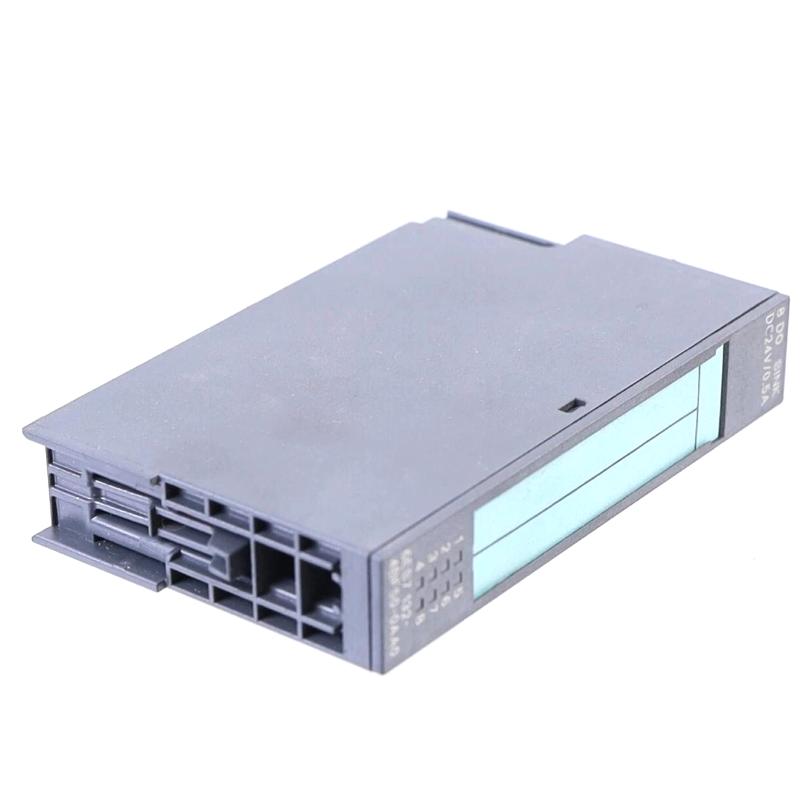
Siemens 6ES7132-4BF50-0AA0 Digital Output Module Troubleshooting Guide (ET 200S Fault Diagnosis)
Siemens 6ES7132-4BF50-0AA0 Digital Output Fault Diagnosis: Output Channel Not Switching
When a Siemens 6ES7132-4BF50-0AA0 digital output module fails to switch a connected actuator, troubleshooting should start by comparing the PLC output command with the actual field-side electrical condition. A missing output signal does not automatically indicate a defective electronic module. Incorrect addressing, missing load voltage, terminal-module problems, and wiring faults can produce similar symptoms.
The most effective Fault Diagnosis method follows the complete signal path from the PLC program to the output channel and finally to the connected load.
Siemens 6ES7132-4BF50-0AA0 Output Failure Symptoms
A digital output problem may appear in several different ways:
The PLC output address changes, but the actuator does not respond.
One output channel remains inactive while other channels work normally.
An output operates intermittently during machine operation.
The ET 200S station reports a diagnostic condition.
A connected relay or contactor fails to energize.
The output behaves differently after a module replacement or configuration update.
These symptoms should not be treated as equivalent. A single inactive channel may indicate a local wiring or channel problem, whereas several affected outputs may suggest a shared load-supply, terminal-module, or station-level issue.
Before resetting the PLC or replacing the module, record the affected channel, PLC address, diagnostic information, and operating conditions.
Siemens ET 200S Troubleshooting: Follow the Output Signal
The diagnostic process should move from the controller toward the field device.
PLC logic verification
Check whether the program actually generates the intended output command. Review the relevant sequence conditions, interlocks, permissives, and output assignments. An output that remains OFF because a program condition is false is not necessarily a hardware fault.
Address verification
Compare the PLC output address with the electrical drawings and physical terminal assignment. Incorrect mapping can cause an engineer to test the wrong channel.
Module status inspection
Review the electronic module and ET 200S station diagnostic information. Determine whether the module is recognized correctly and whether the system reports a channel-related or station-related problem.
Field circuit inspection
Under the required electrical safety procedure, inspect the load supply, terminal connections, common wiring, and connected device.
This sequence prevents unnecessary replacement of functioning I/O components.
Realistic Fault Scenario: Siemens 6ES7132-4BF50-0AA0 Intermittent Output Operation
Consider a representative production-line fault in which a PLC-controlled relay operates normally during initial startup but occasionally drops out while the machine is running.
The first suspicion may be an unstable digital output channel. However, replacing the module immediately would overlook other possible causes.
The engineer compares the PLC output command with the relay's actual operating condition. If the PLC command remains continuously ON while the relay drops out, attention shifts toward the field circuit rather than the program sequence.
The next checks include terminal tightness, load-supply stability, common connections, and the condition of the relay coil circuit. If a loose field-side connection is discovered, correcting it and repeating the operating test may resolve the intermittent problem.
The important diagnostic distinction is whether the PLC command disappears or the physical load stops responding despite the command remaining active.
This is an illustrative engineering scenario, not a documented Siemens field-service case.
Siemens 6ES7132-4BF50-0AA0 Electrical Troubleshooting and Signal Analysis
Electrical measurements should be performed using instruments suitable for the circuit and in accordance with the module's technical documentation.
The following diagnostic comparison can help narrow down the fault:
Diagnostic observation | Possible cause | Recommended action |
|---|---|---|
PLC output command remains OFF | Program condition or interlock | Review PLC logic |
PLC command is ON but field load is inactive | Wiring or load-supply problem | Inspect the field circuit |
Several outputs fail simultaneously | Shared supply or connection issue | Check common supply circuits |
One channel operates intermittently | Loose connection or channel-related fault | Inspect terminals and module diagnostics |
Module is not recognized | Configuration or station fault | Check hardware configuration and communication |
Fault remains after wiring correction | Possible module or external equipment defect | Continue component-level diagnosis |
For a voltage-controlled output circuit, compare the measured field-side voltage with the expected value specified for the actual module and load arrangement. Do not apply assumed voltage thresholds or perform measurements on energized terminals without an approved electrical testing procedure.
Siemens 6ES7132-4BF50-0AA0 Terminal Module and Wiring Faults
The electronic module and its associated terminal module form part of the complete ET 200S I/O assembly. A problem at the base connection can produce symptoms that resemble an electronic module failure.
During inspection, pay attention to:
Discoloration around terminal connections.
Loose or improperly terminated conductors.
Damaged module contacts.
Incorrect common connections.
Contaminated electrical interfaces.
Evidence of overheating or mechanical stress.
If the fault follows a particular field connection rather than the electronic module, investigate the external wiring and connected device before authorizing module replacement.
Never insert or remove electronic modules under energized conditions unless the specific hardware configuration and manufacturer documentation explicitly permit it.
Siemens 6ES7132-4BF50-0AA0 Repair and Replacement Strategy
A replacement decision should be based on diagnostic evidence rather than the presence of an output alarm alone.
Before replacing the module, verify:
The PLC program generates the correct output command.
The physical output address matches the electrical drawings.
The load supply is available and within the specified range.
The terminal module and wiring are correctly installed.
The ET 200S station reports the expected operating status.
The fault remains after external wiring and load problems have been excluded.
If a module replacement is necessary, use a compatible Siemens component with the correct complete order number. Confirm the terminal-module arrangement and hardware configuration before restoring normal operation.
Avoid changing several parameters or replacing multiple components simultaneously. Doing so makes it difficult to identify the actual root cause.
Siemens 6ES7132-4BF50-0AA0 Post-Repair Testing and Validation
After completing the repair, test the affected output under controlled conditions.
The verification process should include checking the PLC command, module status, field-side electrical response, and connected actuator operation.
For production equipment, test both switching transitions where applicable. An output that turns ON successfully but fails to return to OFF may still have an unresolved control or field-circuit problem.
Record the following maintenance information:
Record | Information to document |
|---|---|
Fault location | Station, module, and affected channel |
Original symptom | Exact operating behavior |
Diagnostic findings | PLC status, module diagnostics, and electrical observations |
Root cause | Confirmed wiring, configuration, supply, or hardware problem |
Corrective action | Repair or replacement performed |
Final verification | Successful output and actuator tests |
A complete maintenance record makes recurring faults easier to identify and reduces unnecessary replacement of electronic modules.
Advanced Siemens ET 200S Fault Diagnosis: When to Investigate the PLC System
If the Siemens 6ES7132-4BF50-0AA0 passes its physical inspection but the output problem continues, expand the investigation to the PLC program, distributed I/O communication, and connected field equipment.
Compare the actual output behavior with the expected sequence in the PLC program. Check whether the fault occurs during a particular machine operation, after a load change, or following a communication interruption.
If multiple I/O modules experience similar problems, investigate shared station-level conditions instead of replacing individual output modules without evidence.
The objective is to distinguish a local electronic module failure from a wider System Configuration or field-wiring issue.
For Siemens 6ES7132-4BF50-0AA0 Troubleshooting, following the signal from the PLC controller to the connected actuator provides a more reliable Fault Diagnosis process than relying on module replacement as the first response.