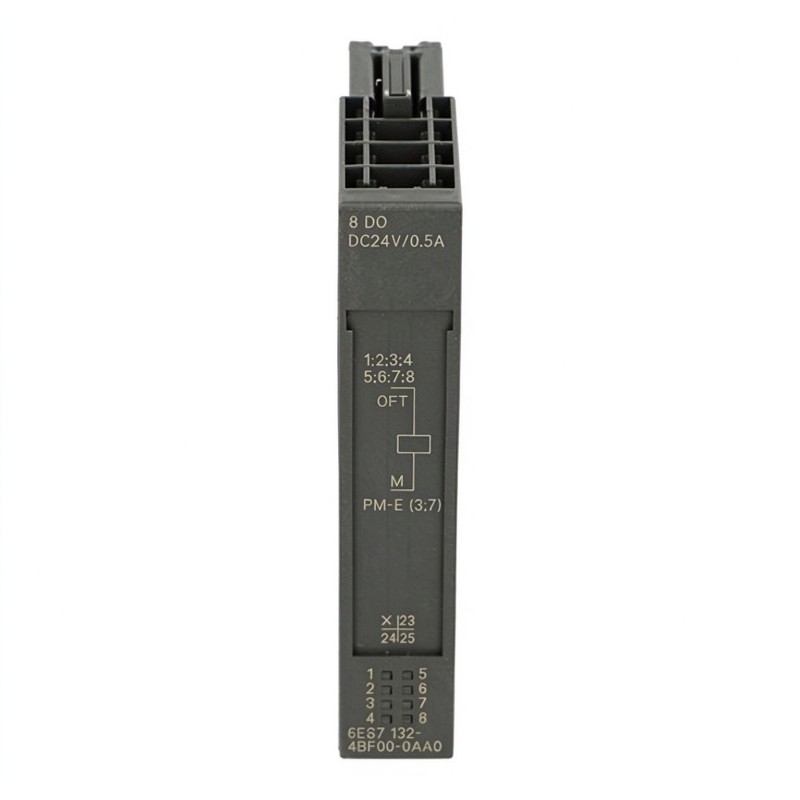
Siemens 6ES7132-4BF00-0AB0 Digital Output Module Installation Guide (ET 200S Wiring & Commissioning)
1. Installation Requirements for the Siemens 6ES7132-4BF00-0AB0
The Siemens 6ES7132-4BF00-0AB0 is an 8-channel High Feature digital output electronic module designed for the SIMATIC ET 200S distributed I/O system. It provides 24 V DC PNP output signals, with a rated output current of 0.5 A per channel. The module is suitable for controlling DC actuators such as solenoid valves, contactors, and indicator devices in automated production equipment.
Correct installation requires attention to the ET 200S station configuration, terminal module compatibility, load voltage supply, and output-channel wiring. Before commissioning, confirm that the selected terminal module and power module are suitable for this specific output module.
2. ET 200S Hardware Configuration and Mounting
Before installing the 6ES7132-4BF00-0AB0, isolate the station from its power supply and follow the plant's electrical safety procedures.
Check the following hardware:
Confirm that the ET 200S station supports the selected electronic module.
Verify that the terminal module is compatible with the 15 mm-wide output module.
Check that the power module provides the required 24 V DC load supply.
Inspect the backplane bus contacts and module housing for damage or contamination.
Confirm that the station layout and module order match the engineering configuration.
Insert the electronic module into the appropriate terminal module according to the ET 200S installation procedure. Ensure that it is fully seated and mechanically secured before restoring power.
3. Wiring the 8-Channel Digital Output Module
The 6ES7132-4BF00-0AB0 provides eight digital output channels. Its PNP, or current-sourcing, output design supplies positive voltage to the connected load when the corresponding channel is switched on.
During wiring, verify the channel assignment against the terminal module's wiring diagram. Do not assume that terminal numbering is identical across all ET 200S terminal module variants.
Important wiring considerations include:
Use a correctly rated 24 V DC supply for the output load circuit.
Confirm that the load polarity matches the PNP output configuration.
Check the common reference and return path of the connected devices.
Keep actuator wiring properly routed and protected against mechanical damage.
Use suitable suppression measures for inductive loads where required.
Avoid exceeding the module's rated channel and aggregate current limits.
The rated output current is 0.5 A per channel, and the maximum total output current is 4 A per module. Two outputs may be used for redundant control of a load where permitted by the application, but they must not be paralleled to increase output capacity.
4. PLC Hardware Configuration and Output Address Assignment
After mechanical installation and wiring, configure the module in the PLC engineering environment.
The configuration process should include:
Select the correct ET 200S station and interface configuration.
Add the 6ES7132-4BF00-0AB0 to the appropriate station position.
Verify that the configured module order matches the physical installation.
Assign or confirm the module's output address range.
Check the channel mapping between the PLC program and the field wiring.
Download the hardware configuration and confirm that the station starts without configuration errors.
The module occupies one byte of output address space. Each of its eight bits corresponds to an individual output channel. Confirm the bit-to-channel relationship before testing connected actuators.
5. Commissioning and Functional Testing
Commissioning should begin with the field loads disconnected or placed in a safe test condition where practical.
A recommended test sequence is:
Energize the ET 200S station and verify that the module is recognized.
Check the channel status LEDs.
Monitor the module's group fault indicator.
Activate each output individually through a controlled PLC test program.
Measure the output voltage at the relevant terminals.
Confirm that the connected actuator responds correctly.
Test representative operating sequences before returning the machine to production.
The green channel LEDs provide individual output status indications. The red SF LED indicates a group fault condition and should be investigated if it remains active.
6. Siemens 6ES7132-4BF00-0AB0 Installation Problems and Practical Checks
Installation issue | Possible cause | Recommended check |
|---|---|---|
Module not recognized | Incorrect station configuration | Compare hardware configuration with the installed module |
Output does not switch | Missing load supply | Measure the 24 V DC supply |
Actuator operates in reverse logic | Incorrect PLC bit mapping | Verify channel assignment and program logic |
SF indicator remains active | Output or module diagnostic condition | Read the diagnostic information |
Output voltage drops under load | Excessive load current or wiring resistance | Check load rating and terminal connections |
Intermittent actuator operation | Loose wiring or unstable supply | Inspect terminals and measure supply stability |
Illustrative commissioning case: An ET 200S station is installed on a packaging machine, but one solenoid valve does not operate during the initial output test. The PLC output bit changes correctly, while the channel LED does not indicate the expected state. The technician checks the module's load supply and discovers that the 24 V DC circuit is not being supplied correctly through the power module. After correcting the supply connection and repeating the test, the output operates normally.