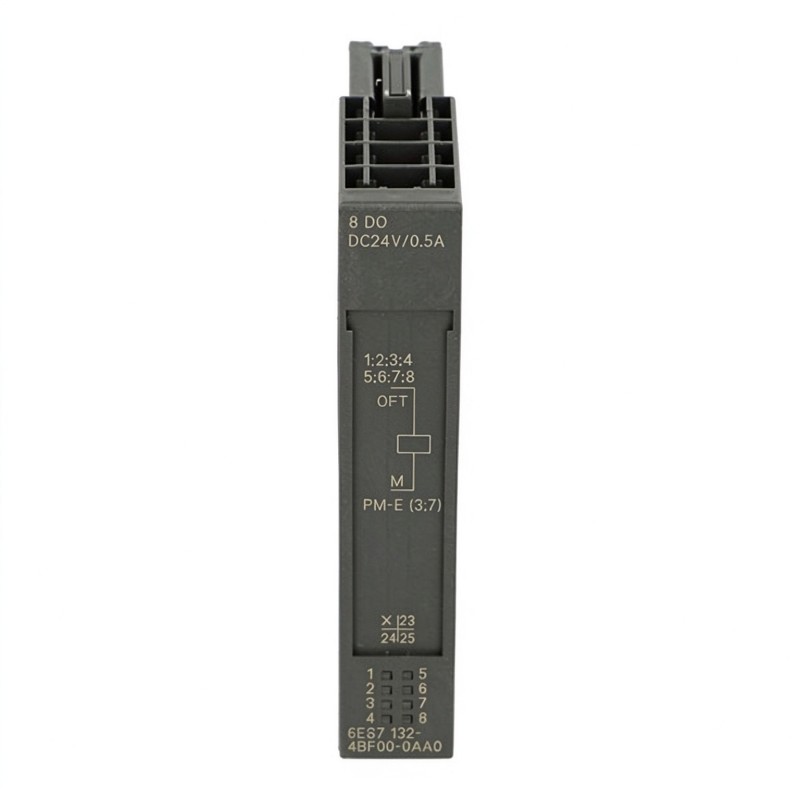
Siemens 6ES7132-4BF00-0AB0 Digital Output Module Troubleshooting Guide (ET 200S Fault Diagnosis)
1. Diagnosing Output Failures on the Siemens 6ES7132-4BF00-0AB0
The Siemens 6ES7132-4BF00-0AB0 is an ET 200S High Feature digital output module with eight 24 V DC PNP output channels. Each channel has a rated output current of 0.5 A, while the total current across the module must not exceed 4 A.
When an actuator fails to respond, the cause may involve the PLC output command, module diagnostics, load voltage, field wiring, or the connected device. A systematic troubleshooting process helps distinguish an electronic module fault from a problem elsewhere in the control circuit.
2. Fault Diagnosis: One Digital Output Channel Does Not Switch
A single inactive output channel does not automatically indicate a defective module. Start by checking the PLC logic and the actual output signal.
Recommended diagnostic steps:
Monitor the relevant output bit in the PLC program.
Confirm that the control conditions for the output are satisfied.
Check the channel status LED.
Measure the voltage at the corresponding output terminal.
Verify that the load has a suitable electrical return path.
Inspect the field cable and actuator connections.
Test the actuator independently using an approved test procedure.
If the PLC command is active but no output voltage is present, check the module supply and diagnostic information before considering replacement.
3. Troubleshooting SF LED and Short-Circuit Diagnostics
The 6ES7132-4BF00-0AB0 supports short-circuit diagnostics and provides a red SF group fault indicator.
When the SF LED is active, inspect the connected output circuits rather than immediately replacing the module.
Potential causes include:
A short circuit in the field cable.
An actuator with an internal electrical fault.
Incorrect wiring or polarity.
Excessive current demand.
A damaged terminal connection.
A load circuit that does not meet the module's electrical requirements.
Where the diagnostic system identifies a channel or group condition, use that information to narrow the investigation. Disconnecting loads for testing should only be performed after the circuit has been safely isolated and the consequences for the machine have been assessed.
4. Checking 24 V DC Load Supply and Output Current
An unstable load supply can cause multiple output channels to behave unpredictably. Measure the voltage at the power module and, where necessary, at the output module's field terminals under operating conditions.
Key electrical limits include:
Parameter | Specification |
|---|---|
Rated load voltage | 24 V DC |
Number of digital outputs | 8 |
Output type | PNP, current-sourcing |
Rated current per output | 0.5 A |
Permitted output current range | 7 mA to 0.6 A |
Maximum total output current | 4 A |
Maximum lamp load | 5 W |
Short-circuit protection | Yes |
Address space | 1 byte |
Check the actual actuator current against these limits. A load that draws excessive current may trigger protection or cause abnormal operation. Also inspect the power supply for voltage dips when several actuators switch simultaneously.
5. Diagnosing Intermittent Output Operation
Intermittent switching can be difficult to identify because the module may operate normally during a brief inspection. Record the operating conditions when the fault occurs, including the number of active outputs, actuator state, and load supply voltage.
Investigate these areas:
Loose or oxidized terminal connections.
Damaged field cables.
Voltage drops during simultaneous switching.
Excessive inductive interference.
Incorrect actuator suppression.
Intermittent short circuits caused by cable movement.
PLC logic that resets or changes the output unexpectedly.
For inductive loads, check that the suppression method is appropriate for the actuator and switching circuit. The module has internal limitation of inductive shutdown voltage, but correct external circuit design remains important.
6. Field Case: Repeated SF Fault During Solenoid Valve Operation
Illustrative troubleshooting scenario: An ET 200S station controls several solenoid valves on an automated assembly line. The SF indicator appears intermittently when a particular valve is energized. Other output channels continue to operate.
The technician monitors the PLC command and confirms that the program is issuing the correct output signal. The 24 V DC supply remains stable, but the fault returns whenever the same valve is activated.
The investigation then focuses on the valve circuit. After isolating the load and inspecting the wiring, the technician finds damaged cable insulation near a moving machine component. The conductor intermittently contacts the machine frame during operation, causing a short-circuit condition.
The cable is repaired and routed away from the moving section. The technician then checks the output channel, clears the diagnostic condition according to the station procedure, and repeats the operating test.
This type of fault demonstrates why an SF indication should be investigated together with the field wiring and connected load.
7. When to Replace the Siemens 6ES7132-4BF00-0AB0
Module replacement should be considered only after the external circuit, load supply, terminal module, and PLC configuration have been checked.
Before installing a replacement:
Record the existing module's order number and station position.
Verify compatibility with the terminal module and ET 200S configuration.
Inspect the backplane and terminal contacts.
Check that the replacement has the same required output characteristics.
Confirm the output address mapping after installation.
Perform channel-by-channel functional testing.
If the fault follows the field load or wiring when tested through an approved diagnostic procedure, replacing the electronic module may not resolve the problem. If the fault remains associated with the module after external causes have been eliminated, further module testing or replacement may be appropriate.
8. Preventive Maintenance for ET 200S Digital Output Systems
Regular inspection can reduce unexpected output failures and improve the reliability of distributed I/O installations.
Recommended maintenance activities include:
Inspect terminal connections for looseness and signs of overheating.
Check the 24 V DC supply under normal operating load.
Review SF diagnostic events and recurring channel faults.
Inspect actuator cables for abrasion and mechanical stress.
Confirm that output loads remain within rated current limits.
Verify that inductive loads have suitable suppression.
Keep the station configuration and electrical drawings updated.
A consistent maintenance process helps identify deteriorating field wiring, overloaded outputs, and supply problems before they interrupt production.