1MRK000167-ACr06 Printed Circuit Board Installation Guide (Hardware Setup & Testing)
ABB 1MRK000167-ACr06 PCB Installation Overview
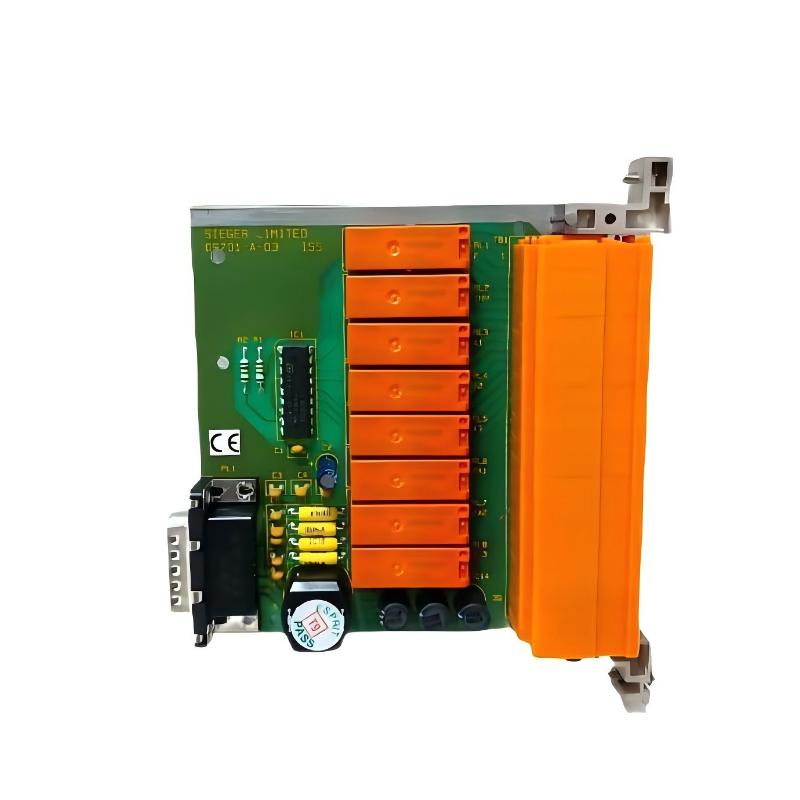
The ABB 1MRK000167-ACr06 printed circuit board must be matched to the correct host equipment, hardware revision, connector arrangement, and internal configuration before installation. In industrial protection and control systems, an incorrectly installed processing-related PCB can cause startup failures, internal communication errors, or abnormal equipment operation even when the replacement board appears physically identical.
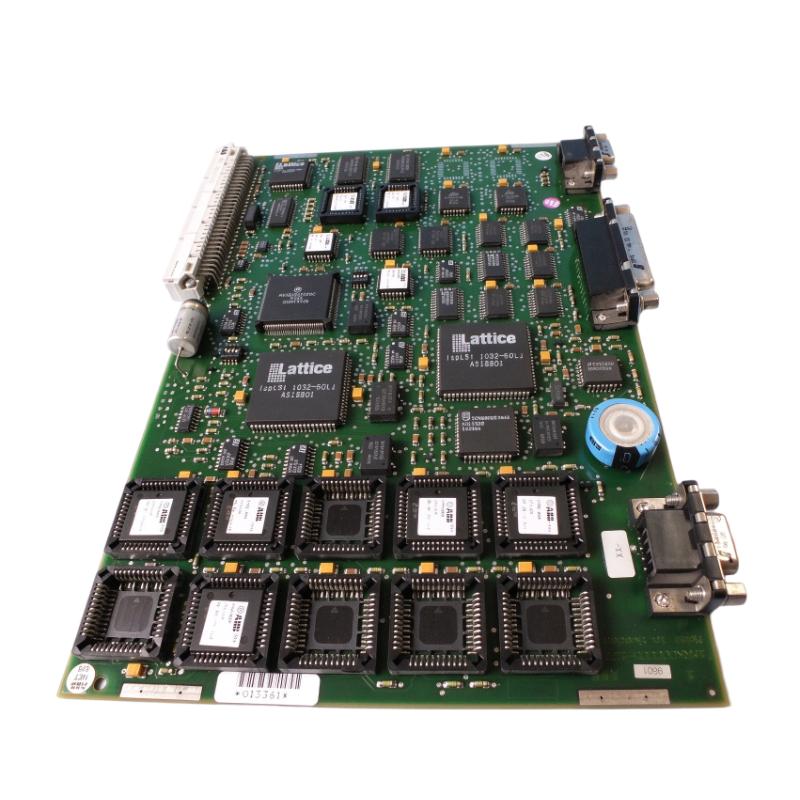
The 1MRK000167-ACr06 belongs to ABB's 1MRK000167 electronic hardware family and is identified as a printed circuit board associated with processing-related equipment. It is intended for integration into compatible ABB equipment rather than independent operation.
This Installation Guide focuses on hardware identification, replacement preparation, ESD protection, connector inspection, and post-installation Commissioning. The complete part number, including the ACr06 suffix, should be retained throughout the maintenance process.
Application and Hardware Identification for ABB 1MRK000167-ACr06
Before starting an installation, determine the exact function of the original PCB within the host equipment.
A printed circuit board may participate in internal processing, signal handling, or communication functions depending on its hardware design. Its precise role must be established from the host equipment documentation rather than inferred solely from its appearance.
Typical maintenance scenarios include:
Replacement of a defective internal processing-related board.
Restoration of ABB protection and control equipment.
Corrective maintenance following an electronic hardware failure.
Inspection of aging circuit boards and connector assemblies.
Spare-parts replacement during scheduled equipment maintenance.
The following identification details should be recorded:
Identification item | Required verification |
|---|---|
Manufacturer | ABB |
Complete part number | 1MRK000167-ACr06 |
Product type | Printed Circuit Board |
Hardware suffix | ACr06 |
Host equipment | Confirm exact model |
Connector layout | Compare with original board |
Firmware compatibility | Verify applicable version |
Installation position | Follow equipment drawings |
A shared base number does not automatically establish interchangeability between different board revisions.
Preparation Before 1MRK000167-ACr06 PCB Replacement
Replacing an internal PCB requires preparation beyond simply removing the old assembly.
Before maintenance begins, save the existing equipment configuration and collect available diagnostic information. Record active alarms, hardware identification details, and any communication or self-test failures.
The maintenance team should also prepare:
The correct replacement ABB 1MRK000167-ACr06.
Host equipment installation documentation.
ESD-protected working equipment.
Suitable insulated tools.
Connector identification labels.
Original wiring and configuration records.
If the original board remains partially operational, capture relevant diagnostic information before disconnecting it.
This is particularly important when the fault is intermittent. Replacing the PCB without documenting the original symptoms can make it difficult to distinguish a hardware problem from an external system issue.
ESD Protection and PCB Handling Requirements
The 1MRK000167-ACr06 contains electronic components that may be sensitive to electrostatic discharge.
Before handling the board, isolate the host equipment according to its approved maintenance procedure. Confirm that all relevant power sources have been disconnected and that stored energy has been safely discharged.
Use an ESD wrist strap connected to an approved grounding point and an antistatic work surface.
During handling:
Hold the PCB by its edges.
Avoid touching component pins and connector contacts.
Do not place the board on ordinary plastic or conductive surfaces.
Keep the replacement board in its antistatic packaging until installation.
Avoid bending the PCB or applying pressure to electronic components.
Protection and control equipment may contain circuits connected to external current transformers, voltage transformers, and trip circuits. Follow the host equipment's specific isolation and safety procedures before accessing internal electronics.
ABB 1MRK000167-ACr06 Connector Inspection and Installation
The connector interface is one of the most important areas to inspect during PCB replacement.
Before inserting the replacement board, compare its connector positions and mechanical features with the original assembly.
Check for:
Bent or damaged connector pins.
Oxidation or contamination on contact surfaces.
Cracked solder joints near mechanical connectors.
Damaged board edges or mounting points.
Foreign objects inside the equipment housing.
The replacement PCB should fit the designated mounting position without excessive force.
Never modify a connector or force a board into a position simply because its overall dimensions appear compatible.
The complete ACr06 identification must be checked against the original equipment parts list before proceeding.
System Configuration and Hardware Compatibility Checks
The ABB 1MRK000167-ACr06 should be treated as a host-dependent electronic assembly.
Its installation may require hardware identification checks, firmware compatibility verification, and restoration of equipment-specific settings.
The commissioning engineer should establish whether the host equipment automatically recognizes the replacement hardware or requires an approved service procedure.
Important verification points include:
Hardware revision compatibility.
Firmware and software compatibility.
Existing configuration retention.
Internal communication interfaces.
Required initialization or self-test procedures.
Do not transfer firmware or configuration files from another 1MRK000167 variant without confirming compatibility.
The ACr06 and ACr11 suffixes, for example, should not be treated as interchangeable simply because they share the same base part number.
Commissioning Procedure After ABB 1MRK000167-ACr06 Installation
Once the physical installation is complete, inspect all mechanical connections before restoring power.
The first power-up should follow the manufacturer's approved startup sequence.
Observe the host equipment's diagnostic indications and compare the startup behavior with its normal operating documentation.
A practical commissioning checklist includes:
Inspection stage | Acceptance criteria |
|---|---|
PCB identification | Correct 1MRK000167-ACr06 |
Mechanical installation | Properly seated and secured |
Connector inspection | No loose or damaged connections |
Power restoration | Normal startup sequence |
Hardware recognition | Expected hardware identification |
Internal diagnostics | No unexplained hardware errors |
Communication | Required internal interfaces operational |
Functional validation | Host equipment passes approved tests |
Field commissioning scenario:
During a scheduled maintenance shutdown, a protection and control equipment assembly receives a replacement processing-related PCB. After installation, the equipment powers up, but an internal hardware alarm remains active.
Rather than replacing additional boards, the engineer compares the replacement identification with the original maintenance records, checks connector seating, and reviews the equipment's hardware recognition information.
If the alarm is associated with revision incompatibility or configuration mismatch, the issue must be corrected using the approved equipment-specific service procedure.
A successful power-up alone is not sufficient evidence of correct commissioning.
Long-Term Reliability of ABB 1MRK000167-ACr06
PCB reliability depends on more than component condition. Environmental contamination, thermal stress, mechanical vibration, and poor connector contact can all contribute to electronic failures.
During scheduled inspections, examine the board and its surrounding equipment for:
Dust accumulation.
Moisture or condensation.
Corrosion around connectors.
Discoloration from abnormal heating.
Cracked solder joints.
Loose mechanical supports.
Maintain accurate replacement records, including the complete part number, revision suffix, installation date, and commissioning results.
Long-Tail Keywords for ABB 1MRK000167-ACr06 Installation
ABB 1MRK000167-ACr06 installation guide
ABB 1MRK000167-ACr06 printed circuit board replacement
ABB industrial PCB hardware installation
ABB processing board setup and commissioning
1MRK000167-ACr06 hardware compatibility
ABB protection equipment PCB replacement
ABB electronic board connector inspection
ABB 1MRK000167 PCB commissioning procedure