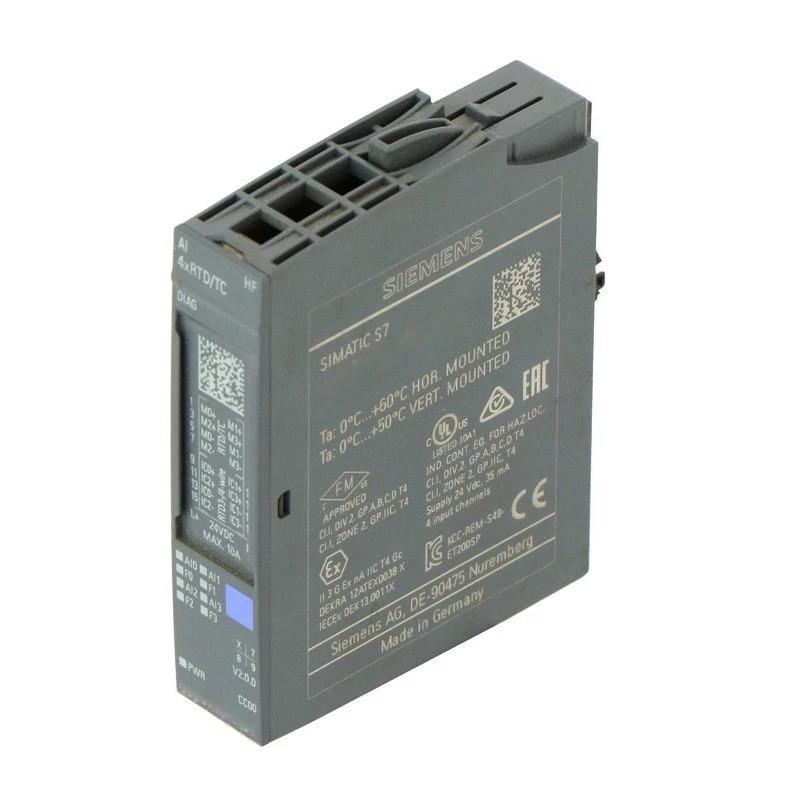
Siemens 6AG2134-6JD00-1CA1 Analog Input Module Troubleshooting Guide (Temperature Measurement Fault Diagnosis)
Introduction
When a Siemens 6AG2134-6JD00-1CA1 Analog Input Module reports incorrect temperatures, unstable readings, or channel diagnostics, the investigation should focus on the sensor circuit and measurement configuration before assuming that the module has failed.
This four-channel SIPLUS ET 200SP module supports RTD and thermocouple measurement, with configurable connection methods and channel diagnostics. A reliable troubleshooting process therefore begins by identifying the sensor type, wiring arrangement, and exact fault pattern.
1. Identify the Measurement Symptom
Record the affected channel, sensor type, displayed temperature, diagnostic status, and operating conditions when the problem occurs.
Different symptoms suggest different investigation paths:
Constant offset: Check sensor selection, wiring resistance, and reference-junction compensation.
Sudden temperature jumps: Inspect loose connections, damaged conductors, and electrical interference.
Implausible high or low readings: Check sensor type, polarity, open circuits, and configured measurement range.
One failed channel: Concentrate on that sensor circuit and its configuration.
Several channels affected simultaneously: Check shared wiring arrangements, environmental interference, and common configuration changes.
Avoid changing multiple parameters at once. Record the original values so that each test has a clear and traceable result.
2. Diagnose RTD Wiring and Resistance Errors
Resistance temperature detectors measure temperature through a change in electrical resistance. Incorrect wiring or a mismatch between the sensor and configured measurement type can therefore cause a persistent reading error.
For an RTD channel, verify the following:
Confirm the sensor type configured in the engineering project.
Identify whether the physical circuit uses a 2-wire, 3-wire, or 4-wire connection.
Compare the actual terminal connections with the approved wiring diagram.
Inspect the sensor leads for loose terminals, corrosion, or conductor damage.
Where appropriate, isolate the sensor and measure its resistance using a suitable instrument.
Compare the measured resistance with the sensor manufacturer's resistance-temperature data.
A 2-wire RTD circuit includes the resistance of the connecting leads in the measurement. Three-wire and four-wire arrangements can compensate for lead resistance when correctly wired and configured. If the connection method is mismatched, the resulting error may increase with cable length or temperature.
Never measure resistance on an energized circuit. Isolate the sensor and follow the approved procedure before disconnecting or testing its conductors.
3. Troubleshoot Thermocouple Polarity and Compensation
Thermocouples produce a small voltage related to the temperature difference between the measurement junction and the reference junction. Incorrect polarity or compensation settings can result in inaccurate readings even when the sensor is intact.
Check that the configured thermocouple type matches the installed sensor. Verify the positive and negative conductors against the sensor documentation, and inspect any intermediate connectors or extension cables for compatibility with the thermocouple type.
Then review the configured reference-junction compensation method. An incorrect compensation setting can introduce a systematic temperature error, particularly when the reference connection temperature differs from the assumed value.
If a reading appears plausible but remains consistently offset, do not immediately apply an arbitrary software correction. First confirm the thermocouple type, polarity, extension wiring, and compensation configuration.
4. Use Channel Diagnostics to Locate the Fault
Review the engineering diagnostics for the affected input channel. The module supports channel diagnostics, but the exact diagnostic indications depend on the configured measurement type and fault condition.
Check for reported wire breaks, measurement-range violations, or other available channel errors. Compare the timestamp of the diagnostic event with the change in the process reading.
If the diagnostic points to an open sensor circuit, inspect the sensor and its wiring before replacing the module. If no diagnostic is present but the reading is incorrect, the cause may still be a wrong sensor configuration, lead-resistance error, compensation problem, or interference.
Where the engineering system permits it, compare the affected channel with another channel using a compatible sensor and configuration. Do not move sensor wiring between channels unless the change is approved and the terminal assignments are fully understood.
5. Field Case: Temperature Reading Drifts During Machine Operation
A temperature channel operates correctly during initial testing but gradually develops an offset after nearby equipment starts running. The displayed value changes more than expected even though the process temperature appears stable.
The maintenance engineer records the temperature trend and checks whether the fluctuations coincide with switching activity. With the system placed in a safe condition, the sensor cable route, shield termination, terminal tightness, and proximity to power wiring are inspected.
The investigation identifies an installation issue affecting the sensor signal path. The team corrects the wiring arrangement according to the applicable grounding and shielding requirements, then repeats the operating sequence while monitoring the input value.
If the fluctuation disappears, the result supports an interference-related cause. If it persists, the engineer should continue by checking the sensor itself, connection resistance, channel parameters, and reference measurement.
This approach is more reliable than immediately replacing the input module based solely on a fluctuating temperature display.
6. Distinguish Sensor Faults from Module Faults
Use a controlled test to determine whether the problem follows the sensor circuit or remains associated with the input channel.
Observation | Possible cause | Next step |
|---|---|---|
One channel shows an open-circuit diagnostic | Broken sensor lead or disconnected sensor | Inspect the sensor circuit and terminals |
RTD temperature has a persistent offset | Incorrect RTD type or wiring configuration | Verify sensor data and connection method |
Thermocouple reading is reversed or implausible | Polarity or thermocouple-type mismatch | Check polarity and channel parameters |
Reading fluctuates with nearby switching activity | Electromagnetic interference or poor connection | Inspect cable routing, shielding, and terminals |
Several channels show similar errors | Shared configuration issue or common environmental cause | Compare channel parameters and installation conditions |
Error remains after sensor circuit verification | Possible module or BaseUnit-related fault | Review diagnostics and perform an approved substitution test |
A substitution test should use a known-good sensor of the correct type and an approved connection arrangement. Record the original configuration before testing and restore all wiring and settings afterward.
7. Check Conversion Time and Filtering Settings
Not every slow or fluctuating reading indicates a damaged sensor or module.
The selected integration time and smoothing settings affect how quickly input values respond to changes and how much short-term variation appears in the PLC data. Review these parameters if the measured value is stable but updates more slowly than expected, or if the display shows fluctuations that do not correspond to the actual process.
Compare the configured response behavior with the application requirements. A heavily filtered measurement may be suitable for a slowly changing process but inappropriate for a system that needs faster temperature response.
Change settings only after confirming that the sensor wiring and measurement type are correct. Otherwise, filtering can conceal symptoms without resolving the underlying fault.
8. When to Replace the Siemens 6AG2134-6JD00-1CA1
Consider replacing the module only after the sensor, wiring, configuration, BaseUnit connection, and available diagnostics have been investigated.
Before replacement:
Save the engineering configuration and diagnostic records.
Document the sensor type and connection method for every affected channel.
Verify the replacement module's compatibility.
Follow the required electrical isolation procedure.
Confirm that the replacement is suitable for the installation environment.
After installation, configure the channels correctly and repeat the original test using a known reference temperature or an approved sensor test. If the same fault returns, revisit the external sensor circuit and configuration instead of assuming that the replacement module is defective.
9. Preventive Maintenance for Analog Temperature Inputs
To improve long-term measurement reliability, periodically inspect sensor terminals and cable condition, review channel diagnostics, and compare critical temperature readings with a suitable reference instrument.
For installations using RTDs, pay particular attention to connection topology and lead resistance. For thermocouples, maintain correct polarity, compatible extension wiring, and suitable reference-junction compensation.
Record the configured sensor types, wiring methods, integration settings, and scaling logic as part of the maintenance documentation. This gives technicians a consistent baseline for diagnosing future temperature measurement faults and reduces unnecessary downtime.